Why Your Product Is the Problem, Not AI
Why your product is the problem, not AI: diagnose trust gaps, weak workflow fit, and output abandonment before blaming the model.

You shipped the AI feature. Activation looked fine. Demos landed. A few users got a “wow” moment.
Then usage flattened.
Now the team is arguing about the model. Maybe it is not accurate enough. Maybe the prompts need tuning. Maybe you need a better context window, better retrieval, better evals, better latency.
Maybe.
But in most stalled AI products, the first-order problem is not AI. It is the product wrapped around it.
The model may be imperfect. That does not explain why users do not know when to use it, do not trust the output, do not know what to do next, or abandon the result after generating it. Those are product problems. They show up as adoption problems because AI shifts more judgment onto the user than a normal SaaS workflow does.
If your AI feature is not retaining, start by assuming the product experience is under-specified.
The symptom is not “AI quality is bad”
Teams often collapse every adoption issue into one vague complaint: “the AI is not good enough.”
That diagnosis is too blunt to be useful.
Users rarely evaluate AI output in isolation. They evaluate it inside a job. They ask practical questions, often without saying them out loud:
- Did this understand what I meant?
- Can I use this without embarrassing myself?
- What would I need to check before sending it?
- Is fixing this faster than doing it myself?
- Where does this fit in the work I already have open?
A decent output can still fail all five questions. That is why improving the model often produces less adoption lift than expected. You are polishing the answer, but the user is stuck on the surrounding decision.
This is especially common in AI features added to existing SaaS products. The core product already has a known workflow. The AI feature arrives as a side panel, button, modal, or blank prompt box. It creates output, but it does not clearly own a step in the workflow.
So users try it once. They leave impressed. Then they go back to the old path.
Where product teams misread the failure
When adoption breaks, the internal conversation usually follows the loudest signal.
If users regenerate, the team says output quality is weak. If users do not click, the team says discoverability is weak. If users do not come back, the team says the use case is weak.
Those may be true. But each signal has multiple possible causes.
| Adoption signal | Common wrong read | More useful diagnosis | Product response |
|---|---|---|---|
| High first use, low repeat use | Users only wanted novelty | The feature has no recurring trigger | Attach AI to a repeated workflow moment |
| Many generations, low acceptance | The model is bad | Users cannot steer or verify the output | Add constraints, previews, edit paths, and confidence cues |
| Users copy output elsewhere | Great, they found value | The workflow handoff is outside your product | Support the next action where the work happens |
| Prompt box ignored | Users do not need AI | Users do not know what task to delegate | Offer task-specific starts and defaults |
| Output viewed but not used | Quality issue | Review cost is too high | Make checking faster than rewriting |
| Power users adopt, normal users churn | Education gap | The product requires expert prompting | Replace prompt skill with product structure |
The point is not that model quality never matters. It does. But “better model” is often a slow, expensive answer to a problem that could be exposed through UX changes, sharper scope, or better workflow placement.
If you want a deeper frame for this, the same pattern shows up in teams that should fix product experience before blaming the model. The model is only one part of the user’s decision to rely on the feature.
The product is the problem when the user has to finish the design
A lot of AI products outsource product design to the user.
A blank prompt box says: define the task, set the context, choose the format, know the failure modes, evaluate the output, and decide the next action.
That is not flexibility. For most users, it is work.
Power users may enjoy that freedom. Consultants, marketers, engineers, and operators who already have strong mental models can make it sing. They can also lean on outside resources such as AI marketing tools and prompt libraries when they need better ways to frame a task. But if your product depends on users leaving the workflow to learn how to use the feature, the product has not carried enough of the load.
A product-led AI experience should reduce the number of decisions a user must make before value appears.
That usually means narrowing the surface area. Instead of “Ask AI,” give users a small number of jobs that match where they are. Instead of “Generate,” say what will be generated, from what source, for what purpose, and what the user can safely do with it next.
The user should not have to invent the workflow around your AI.
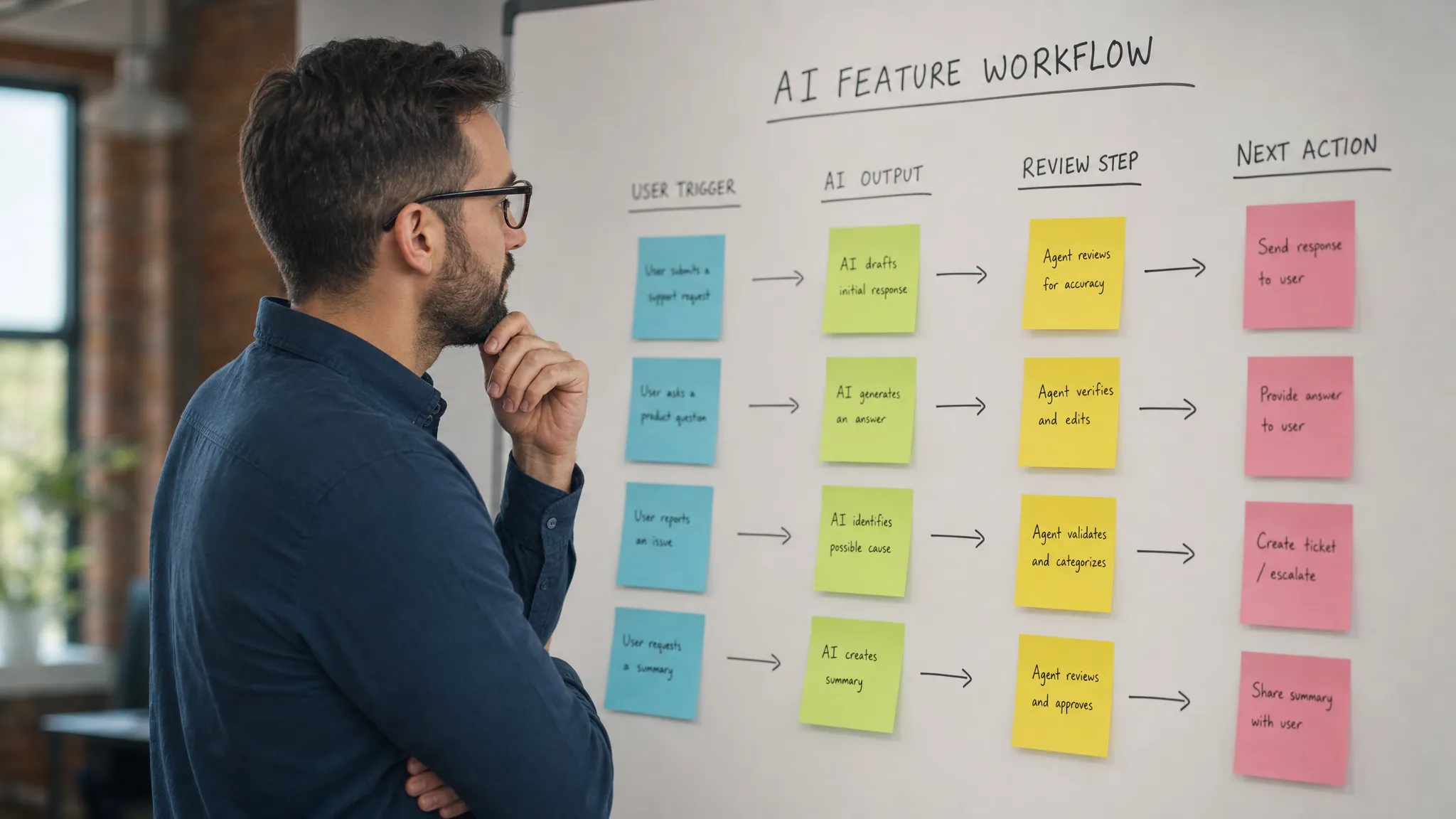
The real adoption break often happens after the output
Most teams instrument the start of the AI interaction. They track button clicks, prompt submits, generations, and latency.
That is useful, but incomplete.
The adoption decision happens after the output appears.
This is where the user decides whether the AI saved time, created risk, or made more work. If your analytics stop at generation, you are measuring production, not adoption.
You need to know what happens next. Did the user accept the output? Edit it? Regenerate three times? Copy it into another tool? Open another tab to verify it? Delete it? Ignore it?
These behaviors tell you whether your product supports trust, control, and workflow fit. A user who generates every week but never accepts output is not retained in the way you need. They are sampling. A user who copies the output into a document and rewrites half of it may still value the feature, but your product is missing the editing and handoff layer.
This is why “usefulness” can be misleading. An AI result can feel useful in the moment and still fail to become routine. The habit forms only when the feature has a stable trigger, a low-friction review step, and a clear path back into the user’s normal work. If that is the pattern you are seeing, it is worth looking at why AI output can feel useful but never become routine.
The five product questions to ask before touching the model
Before you open a model-quality project, run a product diagnosis. Keep it concrete. Pick one AI feature, one user segment, and one repeated job.
Ask these five questions in order:
- What exact workflow moment should trigger use? If the answer is “whenever the user needs help,” it is too vague. The trigger should be observable, such as drafting a reply, summarizing a call, reviewing an account, cleaning a dataset, or turning notes into a brief.
- What input burden are you placing on the user? If the user must provide context the product already has, the experience is leaking effort. Pull context from the current object, project, record, or history where appropriate.
- How does the user know whether the output is safe to use? Do not expect blind trust. Show sources, assumptions, changed sections, confidence limits, or review checkpoints depending on the task.
- What can the user do besides accept or reject? Binary controls are weak for AI. Users need partial accept, edit, constrain, retry with a reason, compare, or send to the next workflow step.
- Where does the output go next? If the answer is “the user figures it out,” adoption will leak. AI output should land where action happens, not in a dead-end panel.
These questions force the team to locate the product gap. Sometimes you will still find a model problem. Good. Now you know which model issue matters because it blocks a specific workflow decision.
A quick diagnostic: model problem or product problem?
Use this simple split in your next product review.
If users clearly understand the task, provide the right context, know how to evaluate the result, and still reject the output because it is wrong, you probably have a model or data problem.
If users do not start, start with vague prompts, regenerate without direction, verify outside the product, fail to edit, or abandon the output, you likely have a product problem.
The second bucket is bigger than most teams expect.
Trust gaps are a good example. Teams often treat trust as a brand or accuracy issue. In practice, trust is frequently an interface issue. Users need to see what the AI used, what it changed, where it might be uncertain, and how to recover when it misses. If you are seeing low acceptance or heavy outside verification, diagnose whether your AI UX has a trust problem before calling it a quality problem.
What to do next
Do not start with a roadmap item called “improve AI.” It is too broad.
Start with one adoption break:
- Users do not know when to use it.
- Users do not know what to ask.
- Users do not trust the result.
- Users cannot edit or steer it.
- Users do not know what to do after generation.
- Users try it once but do not build a habit.
Pick the break that best matches your data. Then change the product surface around that break.
For example, if users do not know what to ask, replace the blank prompt with three task-specific starts. If users do not trust the result, add evidence and review affordances. If users abandon output, move the result closer to the next workflow action. If users regenerate repeatedly, add controls that let them state what was wrong.
The AI Product Adoption Deck was built for this kind of triage: 12 diagnostics, 80 action cards, and 12 workshops for teams that have already shipped but need to find where adoption is breaking. If you want to go deeper, you can use the AI Product Adoption Deck as a structured way to move from symptom to product decision.
Frequently Asked Questions
How do I know if my AI feature has a product problem, not an AI problem? Look at behavior after generation. If users abandon, over-verify, regenerate without progress, or fail to return, the issue is often workflow, trust, or control rather than raw model quality.
Should we improve the model anyway? Sometimes, yes. But first define the workflow moment where quality breaks. “The model is bad” is not actionable. “The summary misses pricing objections, so account managers cannot use it before renewal calls” is actionable.
Is a blank prompt box always bad? No. It can work for expert users with broad, creative tasks. But for adoption inside a SaaS workflow, blank prompts usually create too much task-framing burden for normal users.
What is the fastest fix for low repeat usage? Identify the recurring trigger. If the feature is not attached to a repeated moment in the user’s existing workflow, better onboarding will not create a habit by itself.