How to Give Users Control Without Making AI Slower
Give users control in AI products without slowing workflows. Diagnose friction and design faster boundaries, edits, review and recovery.

The symptom usually shows up after the first launch glow fades.
Users try the AI feature. They like parts of it. They may even say it saves time. But usage stalls when the feature asks them to choose too much, approve too often or review output with no clear way to shape it. The team then adds more controls because users asked for control. Adoption gets worse because the control layer now feels slower than doing the work manually.
This is a common AI product adoption trap. Users do not want more knobs. They want fewer irreversible surprises.
The diagnosis: control is in the wrong place
When AI feels risky, teams often respond by adding gates. Confirm before generating. Confirm before applying. Confirm before saving. Confirm before sending. Each gate looks responsible in a design review. In daily use, it becomes drag.
The core issue is not that users have too little control. It is that control appears too late, too broadly or too abstractly.
| Symptom in the product | Likely control failure | Better response |
|---|---|---|
| Users generate output but do not apply it | They cannot verify or edit it fast enough | Add partial accept, evidence and focused review |
| Users avoid delegation features | The AI can act beyond a safe scope | Let users set a narrow task boundary before action |
| Users change settings once then ignore them | Controls are too abstract for the current job | Move control into the workflow moment |
| Users keep undoing AI changes | The system acts before the user understands impact | Add previews, diffs and reversible actions |
| Users over-edit every output | The AI gives a full artifact instead of editable parts | Break output into sections users can accept or reject |
If you are seeing this pattern, the fix is not a larger settings panel. The fix is control that reduces the user's next decision.
Good control makes the next step easier
Control should answer three questions for the user.
First, what is the AI allowed to touch? This is scope control. It belongs before generation or before action. A user should know whether the AI is rewriting one paragraph, changing a customer record, sending a message or only drafting a suggestion.
Second, why did it produce this? This is inspection control. It belongs next to the output. Users need enough signal to judge whether the result is grounded, complete and appropriate for the situation.
Third, what can I do with this now? This is action control. It belongs at the point of use. The user should be able to accept part of the output, edit it in place, regenerate a specific section or discard it without losing their work.
This is where many AI onboarding strategies go wrong. They teach users that control exists somewhere in the product, then leave them alone at the moment of risk. Onboarding cannot compensate for missing control in the workflow.
Where teams accidentally make AI slower
The slow version of control usually comes from good intentions.
A legal reviewer asks for confirmation before the AI can publish anything. A PM adds more preferences because users have different tastes. A designer adds a review screen so the interaction feels safe. An enterprise customer asks for permission controls that cover every edge case.
All of those requests may be valid. The product problem is bundling them into one heavy step.
For example, permission design can protect users or block real work. If the AI needs access to a calendar, a CRM note or a document, asking for broad access upfront creates hesitation. Asking at the task level is usually cleaner. The difference is covered in more depth in this piece on designing AI permissions that do not block real work.
The same pattern applies to review. A full-screen review checkpoint may feel safer, but it often forces the user to re-read everything. That is not control. That is transferred labor.
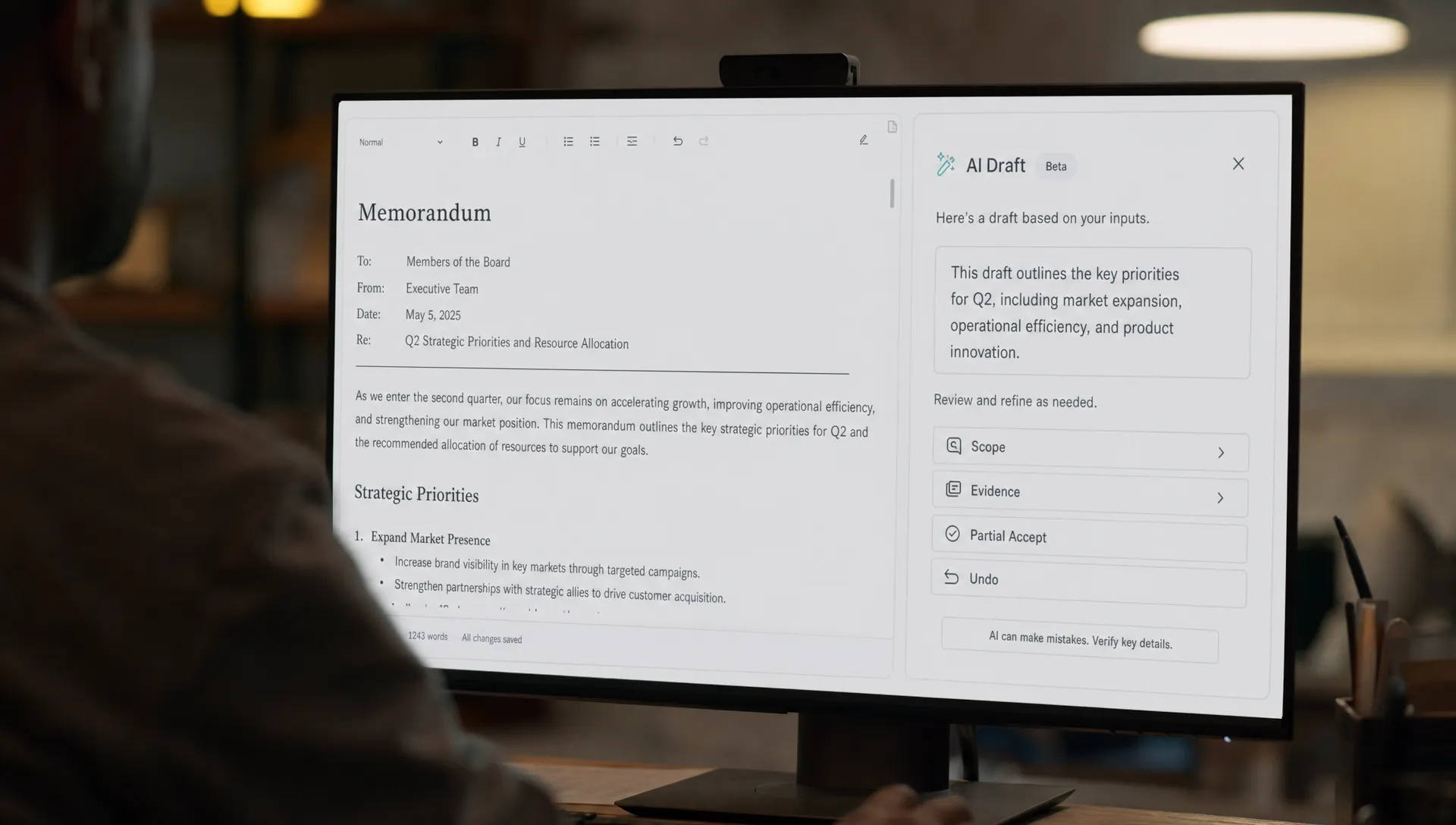
Faster control patterns that actually help
The best AI product tactics make control local. They sit beside the thing being changed. They are specific enough to lower risk without turning every task into a configuration exercise.
| Pattern | Use it when | Why it feels fast |
|---|---|---|
| Scope chips | The AI can affect different fields, files or sections | Users see the boundary before they commit |
| Inline diff | The AI edits existing work | Users review only what changed |
| Partial accept | Output has multiple usable pieces | Users keep the good parts without restarting |
| Regenerate this section | One part is wrong but the rest is useful | Users do not pay the full generation cost again |
| Evidence links | Output depends on source material | Users can verify claims without hunting |
| Undo with history | The AI takes an action or changes state | Users can recover without fear |
| Mode labels | The AI can draft, recommend or act | Users know what level of authority is being used |
GitHub Copilot works well in many coding flows because control is close to the code. A developer can accept, reject or modify a suggestion in context. The control surface is not a separate governance workflow.
Grammarly follows a similar pattern for many writing suggestions. The user sees a proposed change near the sentence, with a small decision to make. That is very different from receiving a rewritten document and having to audit the entire thing.
Perplexity gives users citations near the answer. Citations do not make the model perfect. They reduce the cost of checking. That matters because many AI adoption problems are really verification problems. If users cannot verify fast, they pause, copy the output elsewhere or abandon it. This is also why AI copilots stall when users cannot verify fast enough to use the result.
Separate preference control from risk control
A lot of teams mix two very different jobs into the same UI.
Preference control shapes style. Examples include tone, length, format, audience and level of detail. These controls can often be lightweight. They should be easy to change and safe to ignore.
Risk control limits consequences. Examples include who can see the output, what data the AI can use, whether it can update a system of record and whether it can send something externally. These controls need to be explicit because they affect accountability.
When you mix them, the interface gets muddy. Users treat everything as high stakes or ignore everything as decoration.
A simple rule helps: preferences can be fast defaults, but risk boundaries need visible consent. If your AI feature touches customer data, external communication, financial records or production code, do not hide the boundary. Make it narrow, clear and reversible. If users cannot set a safe boundary, trust breaks before habit can form.
Measure whether control is reducing friction
Do not ask only whether users say they want more control. They will often say yes. Watch whether the controls improve throughput and repeat use.
Useful AI adoption metrics include:
- Time from generated output to accepted output
- Percent of outputs partially accepted instead of fully discarded
- Edit distance between AI output and final user version
- Regeneration rate by section, not just by whole artifact
- Undo rate after AI action
- Drop-off at permission, review or confirmation steps
- Repeat usage after a controlled action succeeds
The key metric is not raw generation volume. A product can generate thousands of outputs that never become part of real work. For AI user retention, the better signal is verified use. Did the user accept, edit, apply, send, save or build on the output in the workflow where the work already happens?
If control increases review time but does not increase accepted output, it is probably performative. If control lowers abandonment, reduces rework or increases repeat use, it is doing its job.
A decision frame for your next control change
Before adding another button, slider or confirmation screen, ask four questions.
- What mistake is this control preventing?
- Can the user understand that mistake at this moment?
- Can the control be placed closer to the affected output?
- Can recovery replace approval without increasing risk?
That last question matters. Some actions need approval before they happen. Many do not. If an AI rewrites a private note, fast undo may be better than a confirmation gate. If an AI sends a message to a customer, approval belongs before sending. If an AI updates a shared dashboard, a preview and change history may be enough.
Control should match consequence. Low consequence work needs speed and reversibility. High consequence work needs boundaries and evidence.
Frequently Asked Questions
How much user control should an AI feature have? Enough for users to set scope, inspect output and recover from mistakes. More control is not always better. If a control does not reduce risk or speed up a decision, it may be adding friction.
Should AI products always ask before taking action? No. Ask before high consequence actions such as sending, publishing, deleting or changing shared records. For low consequence edits, preview, undo and history may create better control with less interruption.
What is the difference between control and customization? Control protects the user from unwanted consequences. Customization shapes the output to fit taste or context. Confusing the two makes the interface feel heavier than it needs to be.
How do I know if control is hurting AI adoption? Look for drop-off at review steps, high output abandonment, repeated full regenerations and low repeat use after first activation. Those signals suggest users are spending more effort managing the AI than benefiting from it.
Next step
If your shipped AI feature feels useful but slow, diagnose the control layer before redesigning the model experience. Map the user's path from prompt to verified use. Mark every place where they must approve, inspect, edit, undo or decide whether the AI has permission to continue.
For a faster diagnosis, run the symptom through the free AI product triage tool. If you want a deeper working system, the AI Product Adoption Deck includes diagnostic cards, AI action cards and workshop templates for turning adoption symptoms into concrete product decisions.