Working With AI Without Losing the User’s Judgment
Working with AI should support user judgment, not replace it. Diagnose passive acceptance and design decisions users can still question.
Your AI feature’s acceptance rate is rising. Users approve drafts faster and make fewer edits. That looks like progress, until someone accepts a recommendation that contradicts a requirement they already knew. The risk of working with AI is not just that users distrust the output. It is that they stop bringing their own judgment to it.
Acceptance alone cannot tell you whether users made a sound decision or skipped one. Neither can editing activity. A correct answer may need no changes. An extensively edited answer may still rest on a bad assumption.
The product question is narrower: Can users recognize when the suggestion does not fit their situation, and can they act on that recognition? If your analytics cannot answer that, a high acceptance rate leaves an important adoption risk unresolved.
Where working with AI becomes passive acceptance
Useful delegation and passive acceptance can look identical in an event stream. In both cases, the user clicks “Accept.” The difference is whether the user understands the conditions under which acceptance makes sense.
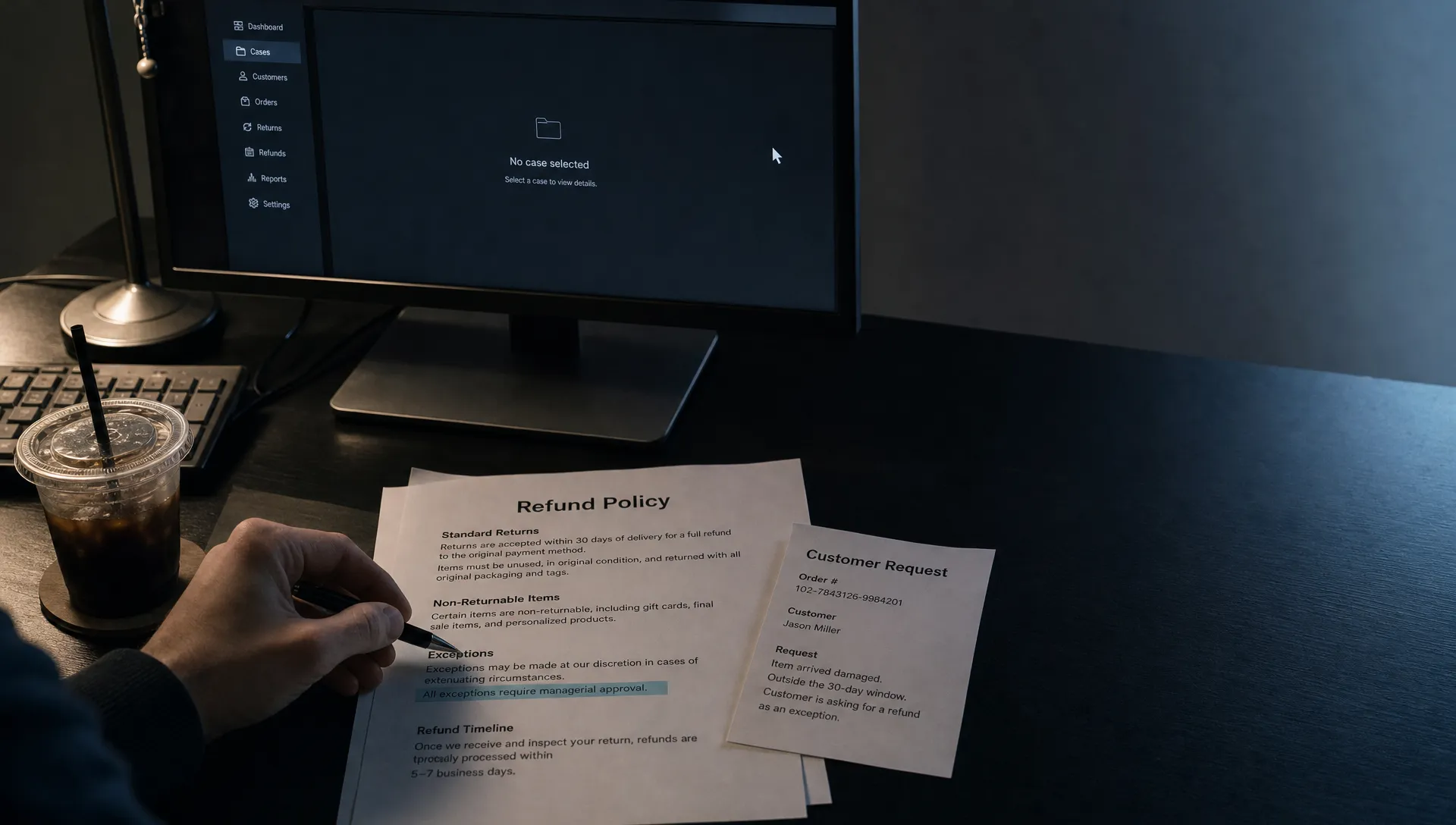
A support agent might reasonably delegate a routine acknowledgment. A refund decision involving an exception needs more judgment. Treating both as the same “generate, review, approve” interaction hides that distinction.
A 2025 Microsoft Research study on generative AI and critical thinking found that higher confidence in generative AI was associated with less reported critical thinking. This was self-reported evidence, not proof that AI causes lasting skill loss. It does give product teams a reason not to equate confidence with careful evaluation.
When working with AI, users need a basis for deciding when to rely on an answer, not just a polished answer to approve.
| Observed behavior | Possible diagnosis | What to investigate |
|---|---|---|
| Fast acceptance of correct routine output | Useful delegation | Whether exceptions still receive attention |
| Fast acceptance despite conflicting requirements | Passive acceptance | Whether the conflict was visible before approval |
| Users repeat the recommendation but cannot explain its fit | Anchoring on the first answer | Whether they formed criteria before seeing it |
| Users notice a problem but approve anyway | Correction path failure | Whether rejecting or changing the suggestion is practical |
These are hypotheses, not diagnoses you can make from click data alone.
Put the user’s criteria before the recommendation
A complete answer gives users something to react to. It can also become the starting point for their reasoning, even when it rests on the wrong premise.
For consequential tasks, capture the decision criteria before presenting a recommendation. This does not require a blank text box asking users to explain everything. Use constraints the workflow already contains: the customer’s request, an approved policy, a budget limit or the intended audience.
Consider a refund assistant. Instead of opening with “Recommend refund,” first establish the relevant facts: whether the purchase qualifies, whether an exception applies and what authority the agent has. Then show how the proposed action relates to those facts.
The user should be able to disagree with the recommendation without first reverse-engineering its assumptions.
Good support for working with AI preserves those criteria throughout the task. If a user marks “do not promise a delivery date,” that constraint should remain visible when the draft contains a delivery commitment.
Do not make every user restate known requirements. Save stable preferences where appropriate and ask only about missing or conflicting conditions. Otherwise, an attempt to preserve judgment becomes another form to complete.
Make disagreement specific and usable
“Please review this output” assigns responsibility without helping the user exercise it. A better interaction identifies the decision that still needs human input.
For the refund example, that might be: “This case falls outside the standard window. Does the documented exception apply?” The user is evaluating a concrete condition, not assessing whether an entire paragraph feels trustworthy.
Present a meaningful alternative when the situation warrants one. “Decline under standard policy” and “Escalate for an exception” expose a real trade-off. Three differently worded versions of the same recommendation do not.
Keep the intervention proportional. Routine, reversible actions can use defaults within agreed limits. Ambiguous or consequential actions deserve a visible decision point. Preserving judgment does not mean requiring manual approval everywhere.
This also avoids raising the user’s review burden. The goal is to direct attention toward the unresolved choice, not make users inspect every sentence equally.
Working with AI becomes passive when approval is easy but disagreement has nowhere useful to go. Let users change the relevant assumption, choose a different action or escalate the case without restarting the task.

Test whether users catch the exception
Do not test this by maximizing rejection or editing. More disagreement is not inherently better. You want appropriate reliance: accepting suitable output and challenging unsuitable output.
Use controlled tasks, not hidden production errors
Build a small set of representative tasks in a sandbox. Include correct routine suggestions, ambiguous cases and suggestions containing a material conflict. Tell participants that some suggestions may be wrong. Do not insert errors into live customer work.
Compare the current interface with a version that surfaces criteria and the unresolved decision. Keep the underlying suggestions equivalent so that you are testing the interaction rather than answer quality.
Measure the decision, not the amount of activity
Track whether users catch the conflict, choose a suitable next action and correctly accept the routine cases. Record completion time too. An interface that improves exception detection but makes ordinary work impractical needs another iteration.
Ask a brief retrospective question: “What made this recommendation suitable or unsuitable?” Score the answer against task-specific criteria. Do not reward a long explanation over a correct one.
The useful outcome of working with AI is a sound decision with less unnecessary effort, not maximum visible deliberation.
Check whether the reasoning transfers
Give participants a similar case with one important condition changed. Can they recognize that the earlier recommendation no longer applies?
This tests whether they understood the decision boundary or merely followed the displayed answer. It does not establish long-term skill retention. Use it as an early product signal, then examine real exceptions and downstream corrections after release.
Frequently asked questions
Does a low edit rate mean users have lost judgment? No. It can reflect accurate output or sensible delegation. Investigate whether users still notice material conflicts. Edit rate is a behavior measure, not a decision-quality measure.
Should every AI recommendation require an explanation from the user? No. Mandatory justifications can become ritual text. Reserve explicit decisions for consequential ambiguity and use targeted research to assess understanding.
Is a warning enough to prevent overreliance? A warning does not tell users what to inspect. Surface the relevant constraint and provide a usable response when the recommendation conflicts with it.
Choose one decision to investigate
Pick a workflow where users approve output quickly. Define one exception they must catch, then test whether they catch it in a safe, representative task.
If working with AI is producing acceptance without understanding, change the decision point before adding another reminder to “review carefully.”
For a broader diagnosis, use the free AI adoption Triage tool. If you want to go deeper, the AI Product Adoption Deck provides 12 diagnostics, 80 action cards and 12 workshops for turning adoption problems into concrete product decisions.