Why Your AI Onboarding Works in Demos but Fails Live
AI onboarding works in demos but fails live when users lose context, trust, and workflow fit. Diagnose the break and fix first-use adoption.

Your AI onboarding looks clean in the demo. The user picks a sample goal, clicks a suggested prompt, gets a decent output, and says, “Nice.”
Then live usage starts.
Real users skip the examples. They do not know what to ask. They paste messy context. They get one output, hesitate, and leave. Your activation dashboard still looks fine because they technically completed onboarding. But the product did not earn a second session.
That gap is not a polish problem. It is usually a scaffolding problem.
In the demo, your team supplies missing context, intent, judgment, and confidence. In the live product, the user has to supply those things alone. If the AI feature depends on that hidden support, onboarding will work in demos and fail in production.
The demo is doing more work than you think
Most AI onboarding demos are not onboarding. They are guided theater.
A PM narrates the use case. A designer picks the cleanest input. A founder explains why the output is useful. The room already knows what “good” looks like. The user path is short because the context has been preloaded.
Live onboarding has none of that. The user is distracted, skeptical, and trying to make progress in their own workflow. They do not want to admire the model. They want to finish a job.
This matters because AI products have a different adoption burden than normal SaaS features. A calendar button either creates the event or it does not. An AI output sits in a gray zone. It may be useful, wrong, incomplete, risky, or hard to apply. Onboarding has to teach the user how to move through that gray zone.
If it only teaches them where to click, it will pass the demo and fail the workday.
The common break: onboarding teaches the feature, not the behavior
A lot of AI onboarding says, “Here is what this can generate.” That is too shallow.
The real adoption question is, “Can the user recognize a good moment to use it, provide the right context, evaluate the result, and apply it without breaking their workflow?”
If any part of that chain is weak, you get demo success and live drop-off.
| Live symptom | What the demo supplied | What the user lacks live | Better onboarding response |
|---|---|---|---|
| User freezes at the prompt | A clear example task | A starting point tied to their own job | Offer task-based entry points and prefilled prompts |
| User generates once but does not apply | A narrator explaining the value | Criteria for deciding if output is usable | Show what to check and what to do next |
| User regenerates repeatedly | Confidence from the room | A way to steer or repair the output | Add correction paths, not just retry buttons |
| User copies output into another tool and edits manually | A clean demo workflow | A handoff into the real workflow | Place the AI output closer to the point of use |
| User does not return after day one | Novelty and attention | A recurring trigger | Anchor onboarding to a repeatable job |
This is why broad activation metrics mislead AI teams. A completed walkthrough, first generation, or prompt submission does not prove adoption. It only proves the user reached the model once. If you are still measuring onboarding that way, revisit how you define activation. The stronger test is whether the user applies the output to a real task, a point covered well in this breakdown of where AI product teams misread activation data.
Diagnose which part of onboarding is fake
Do not start by adding more tooltips. First, identify what your demo is quietly handling for the user.
1. Intent is fake
In the demo, the use case is obvious. In production, the user has to decide what the AI is for.
This shows up as low prompt starts, high prompt abandonment, or users choosing generic examples that do not match their real work. The product is asking them to invent a use case before they have felt value.
The fix is not “better prompt engineering.” It is better intent capture.
Replace blank starts with job-shaped choices. Use labels that match user goals, not model capabilities. “Summarize this meeting for my manager” is stronger than “Generate summary.” “Find risks in this contract” is stronger than “Analyze document.”
If the empty prompt is where users stall, the issue is specific enough to treat directly. This guide on fixing empty prompt paralysis in AI onboarding goes deeper on that failure mode.
2. Context is fake
Demo inputs are clean. Live inputs are not.
A demo account has complete data, neat labels, current records, and obvious examples. A real account has missing fields, old content, half-written notes, weird naming conventions, and permissions issues.
When onboarding depends on a perfect account state, the user learns the wrong lesson. They see a beautiful output in the demo, then a thin or incorrect output in their workspace.
Good AI onboarding should make context requirements visible. Tell users what the feature needs before generation. Show which data will be used. Warn them when the input is weak. Give them a short path to improve it.
A simple pattern works: “We can do this now, but it will be better if you add X.” That is more useful than silently producing a mediocre answer.
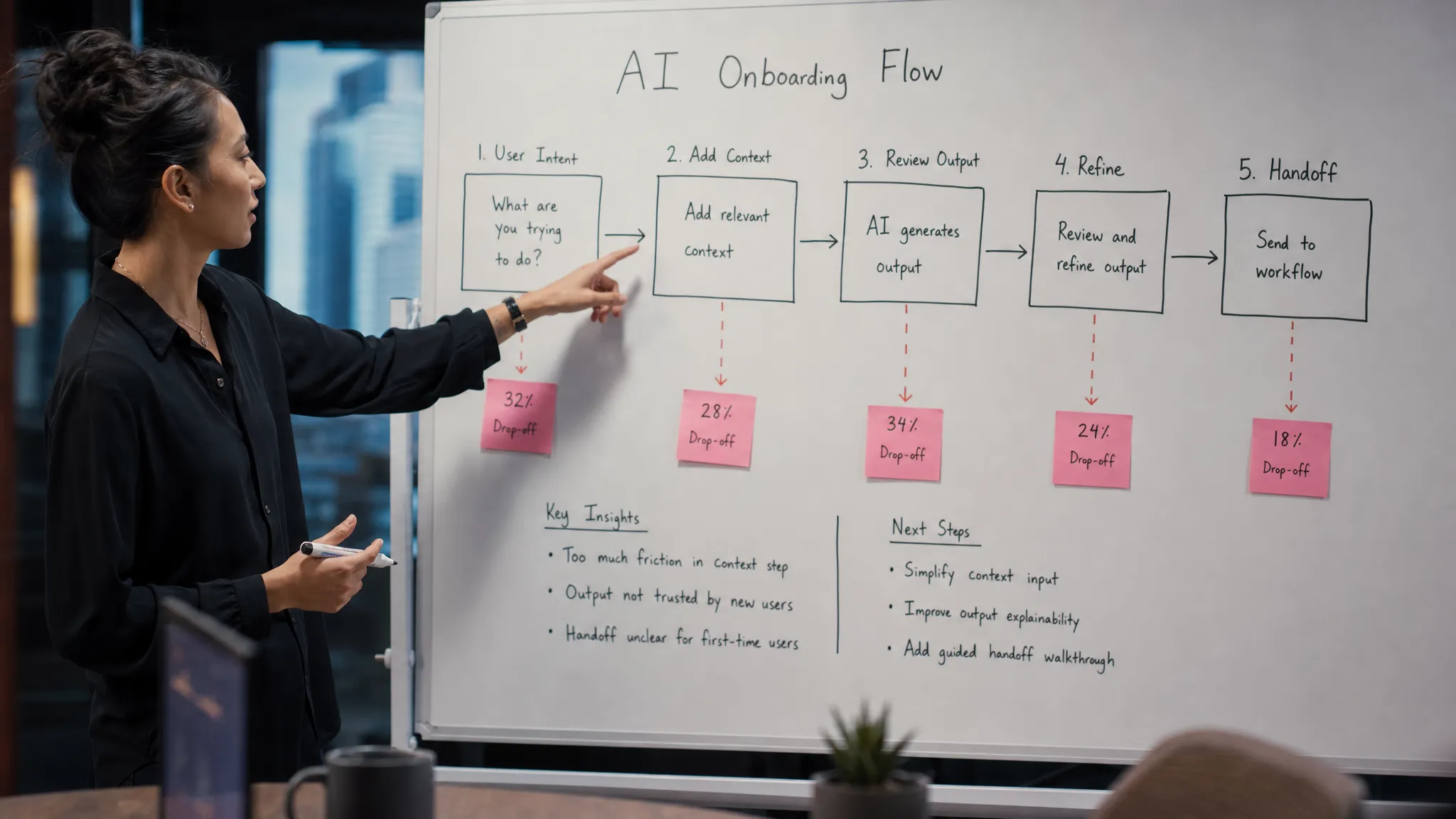
3. Trust is fake
In the demo, trust comes from the presenter. Someone says, “This looks right,” and the room moves on.
Live users do not have that voice. They need verification built into the interface.
This is especially true in B2B workflows where the cost of a bad AI output is not embarrassment. It could mean sending the wrong customer note, making a flawed sales recommendation, approving weak content, or wasting time checking every line.
Onboarding should not imply that the first output is final. It should teach the review behavior you expect.
Show source references where possible. Highlight assumptions. Separate confident facts from generated interpretation. Offer edit controls that match the user’s real decision, such as shorten, make safer, add missing evidence, or adapt for this audience.
If the user cannot check the output, they will either over-trust it once or under-trust it forever. Neither is adoption.
4. Recovery is fake
Most demos avoid bad outputs. Real products cannot.
The moment the AI output misses, the user asks a practical question: “Now what?” If the only answer is regenerate, onboarding has failed.
Regeneration is not a recovery system. It is a slot machine.
Users need to understand how to correct the AI. That could mean editing the input, choosing a different output type, adding constraints, selecting a source, or marking what was wrong. Onboarding should introduce at least one recovery move during the first session.
A useful test: intentionally produce a slightly wrong output in your onboarding flow. Can the user recover without outside help? If not, your live adoption depends on luck.
5. The handoff is fake
AI demos often stop at the output. Real work starts after the output.
A generated brief still has to be sent. A code suggestion still has to be accepted. A support reply still has to be reviewed. A research answer still has to become a decision.
If onboarding celebrates generation but ignores the handoff, users may think the feature is impressive but not useful.
Design the first-run experience around the applied outcome. Not “generate a draft,” but “generate a draft and send it to the place where you already work.” Not “summarize this call,” but “summarize this call and add the action items to the account record.”
The product behavior you reward in onboarding becomes the behavior users repeat. Rewarding generation creates curiosity usage. Rewarding application creates adoption.
What to change in your AI onboarding
The fix is to make live onboarding carry the same support your demo carries, but inside the product.
Start with the first real job. Pick one narrow use case where the user already has urgency. Do not onboard every capability. Onboard one completed workflow.
Then map the hidden demo supports:
- Intent: How does the user know when to use the AI?
- Context: What information must be present for a useful output?
- Judgment: How does the user know whether the output is good enough?
- Recovery: What should the user do when the output misses?
- Handoff: Where does the output go next?
For each support, decide whether the product provides it, the user provides it, or your onboarding currently ignores it. The ignored items are usually where live adoption breaks.
This also applies to internal AI rollouts. If employees are being onboarded into AI-assisted workflows, the product flow is only one layer. Teams also need process clarity, training, and success metrics. For a broader organizational view, this guide to an AI implementation strategy for employee onboarding and training is a useful companion to the product-level diagnosis.
The metrics that tell you onboarding is failing live
Do not rely on walkthrough completion. It is too easy to game and too far from value.
Look for signals that the user moved from demo behavior to work behavior.
| Metric | Weak signal | Stronger signal |
|---|---|---|
| First generation | User clicked generate | User generated from their own data |
| Prompt completion | User submitted text | User selected a job-specific starting point |
| Output satisfaction | User gave a thumbs up | User edited, accepted, exported, or shared output |
| Feature activation | User finished onboarding | User completed the downstream workflow |
| Retention | User returned to the AI tab | User reused the AI in the same recurring job |
The point is not to make onboarding longer. It is to make the first session more honest.
If users only succeed when a human narrates the path, your product has not onboarded them. It has performed for them.
FAQ
Why does AI onboarding often work in demos but fail with real users? Demos remove ambiguity. They provide a clean use case, clean data, and a trusted narrator. Real users have messy context, unclear intent, and no one telling them whether the output is safe to use.
Is this just a prompt problem? Usually not. Better prompts can help, but the deeper issue is often product framing. Users need to know when to use the AI, what context to provide, how to judge the output, and what to do next.
What is the best AI onboarding metric? Track applied outcomes, not just first generations. A strong onboarding metric should show that the user used the AI output to complete part of a real workflow.
Should AI onboarding show examples? Yes, but examples should be job-shaped and easy to adapt. Generic examples teach users what the model can do. Specific examples teach users how the product helps them finish work.
Next action
Take your current onboarding demo and remove the presenter. Then watch a real user try the same flow with their own data.
Where they pause, ask what the demo had been supplying for them.
That pause is the product work.
If you want a structured way to run this diagnosis, the AI Product Adoption Deck includes 12 diagnostics, 80 action cards, and workshop templates for turning symptoms like weak AI onboarding into concrete product decisions and experiments.