Why Regenerate Is Hiding a Product Decision Failure
Regenerate is not harmless. Learn why repeated AI retries signal an AI product adoption failure in decision design, controls, and trust.
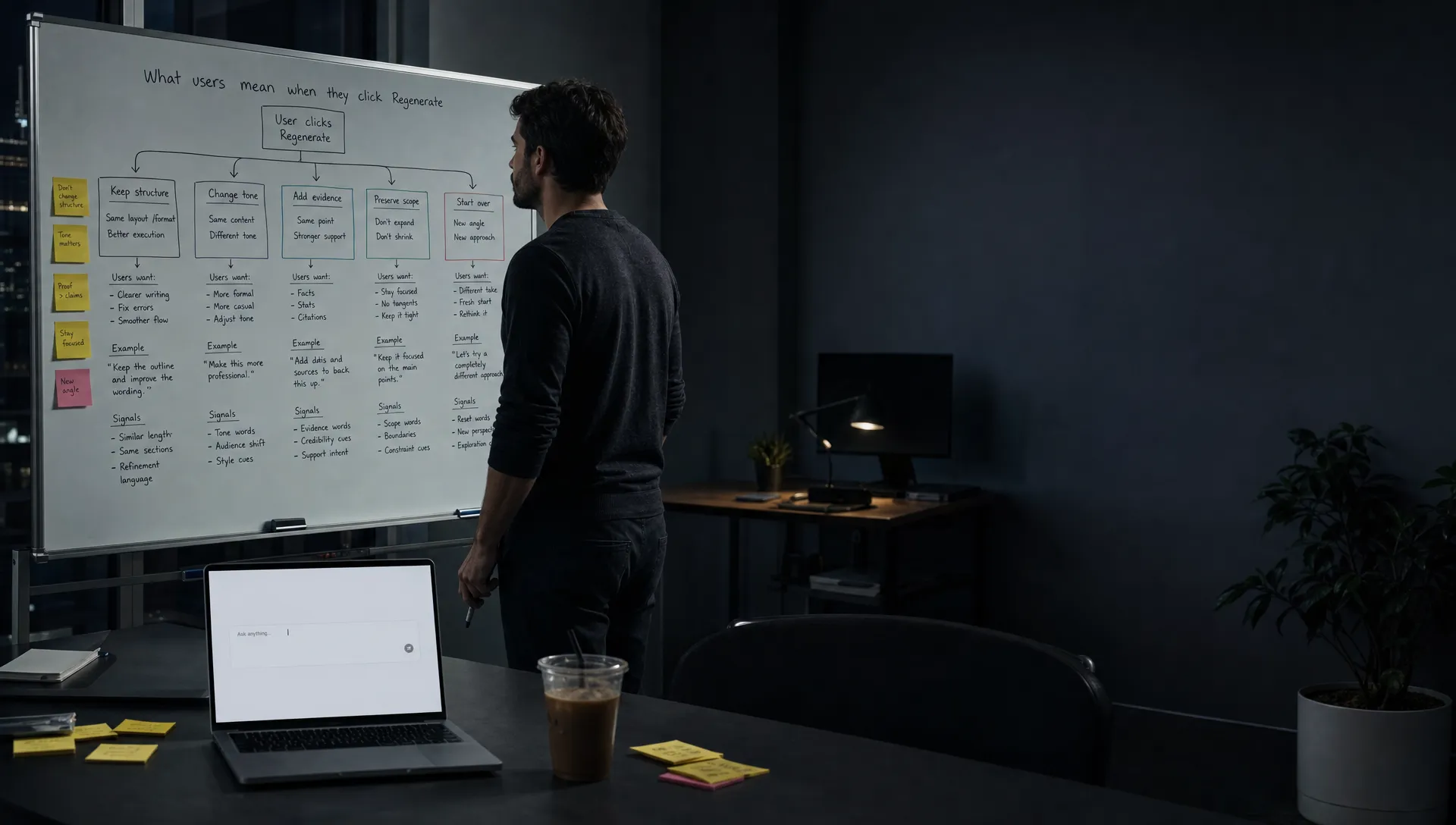
Your users are not confused by the Regenerate button. They know what it does.
They generate an answer. It feels close, but not usable. They click Regenerate. The next answer is different, but not clearly better. They click again. Maybe they copy one fragment. Maybe they leave.
In the dashboard, this can look like engagement. More generations. More tokens. More time in feature.
It is often the opposite.
Repeated regeneration is usually a sign that the product has made the user responsible for a decision the interface should have helped structure. The model is not just being asked to produce text, code, a summary, or a recommendation. It is being asked to infer what good means in this exact workflow.
That is not a model problem first. It is a product decision failure.
Regenerate is not a repair loop
A good repair loop lets the user say what is wrong and move the output closer to done.
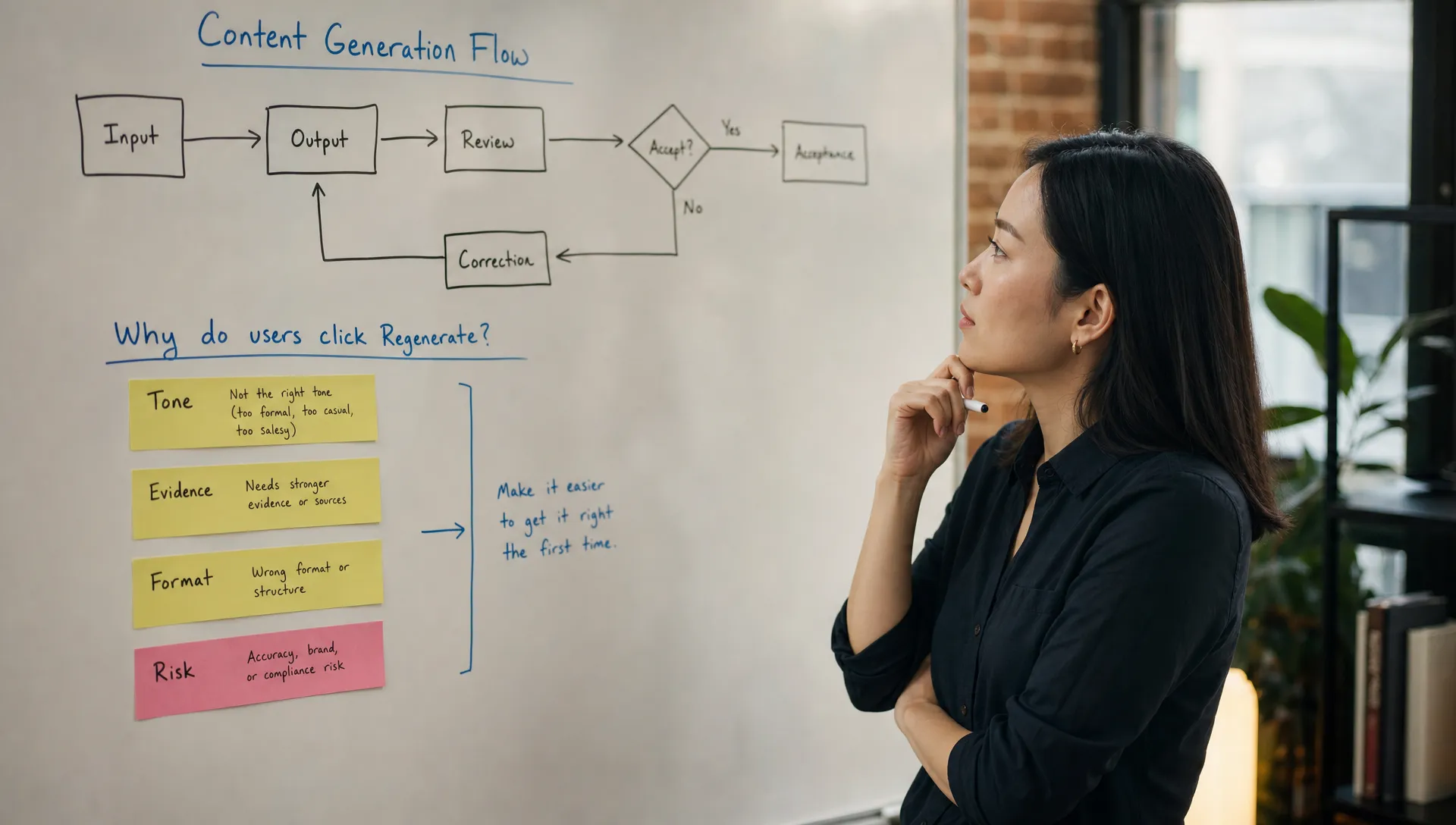
Regenerate does not do that. It throws away the current attempt and asks for another one. Sometimes that is useful. Most of the time, it hides the reason the first output failed.
The user may want the same structure with a sharper opening. Or the same answer with more evidence. Or fewer caveats. Or a safer tone for a customer email. Or code that keeps the existing naming pattern. Or a summary that respects the team's internal taxonomy.
A generic retry cannot distinguish those intents.
So the user gets a slot machine. The next output may improve one thing while breaking another. This is why regeneration feels productive for the first few clicks and then becomes tiring. The user is doing quality control without the controls.
Classic usability guidance says users need control and freedom, as described in Nielsen Norman Group's usability heuristics. In AI products, control cannot mean only undo, retry, or start over. It has to mean steering the system along the dimensions that matter for the task.
The hidden decision behind the button
When a team ships Regenerate as the main fix, it often means one of these decisions was left unresolved:
| What you see in usage | Product decision you skipped | Better response |
|---|---|---|
| Users regenerate several times before accepting anything | The product has not defined what counts as a good output for this task | Add task-specific success criteria, presets, or constraints before generation |
| Users regenerate and then abandon | The user can tell the output is wrong but has no safe way to correct it | Add targeted correction controls or ask a clarifying question |
| Users keep the same prompt and regenerate repeatedly | The user wants variants inside a fixed brief | Offer comparable options, not unrelated retries |
| Users edit the prompt after each regeneration | The input form is missing important fields | Turn repeated prompt edits into first-class controls |
| Users copy the output and rewrite it elsewhere | The output has no acceptance path in the workflow | Add insert, apply, diff, approve, or edit-in-place actions |
The important point is that each symptom points to a different fix. If you treat all of them as model quality problems, you will optimize the wrong thing.
A better model may raise the floor. It will not decide whether the output should be formal or blunt, short or complete, source-backed or fast, conservative or creative, editable or directly applied.
Those are product decisions.
Why users click regenerate when they do not trust the output
Users often click Regenerate because they lack a more precise way to express mistrust.
They may not think the answer is bad. They may think it is risky.
That distinction matters. A risky output can be fluent, plausible, and still unusable. In a customer support product, the answer may sound confident but expose the company to policy issues. In a sales workflow, the message may be well written but misread the account context. In a design tool, the generated concept may look polished but violate the brief.
When the user senses that gap, they need a way to verify, constrain, or revise. If the only visible action is Regenerate, they use it as a proxy for all three.
This is how you get the common adoption pattern: high initial usage, low acceptance, weak repeat use.
The feature works in demos because the first output is enough to show the magic. It breaks in daily use because daily use requires judgment, responsibility, and handoff.
Regenerate is acceptable when the job is exploration
The button is not always wrong.
For brainstorming, naming, visual ideation, and other divergent tasks, regeneration can be useful. The user wants range. The cost of a bad option is low. The selection criteria are subjective. In that context, Regenerate behaves like shuffle.
The problem starts when teams use the same pattern for convergent tasks.
A convergent task has a target state. The user is trying to get to a usable answer, a valid commit message, a compliant support reply, a publishable summary, a clean data transformation, or an approved campaign asset. In those workflows, random variation is not enough. The user needs movement toward done.
For convergent tasks, the product should preserve what is working and change what is not. That is revision, not regeneration.
If your product has this issue, the fix is usually to design the AI flow around revision instead of one-shot output. The interface should help the user say, keep this, change that, explain why, show evidence, or apply only to this section.
What better controls look like
Do not replace Regenerate with a wall of settings. That creates a new problem. Users do not want to configure a machine. They want to finish a job.
The better move is to expose controls that map to the user's real evaluation criteria.
Good controls often look like this:
Make it shorterwhen length is the common failure modeUse a more direct tonewhen style blocks acceptanceKeep the structure, change the exampleswhen partial reuse mattersShow sourceswhen trust depends on verificationAsk one clarifying questionwhen the input is under-specifiedApply to selected text onlywhen scope control mattersCompare two optionswhen the user needs judgment, not another blind retry
Notice the pattern. These controls are not generic AI controls. They are product-specific decisions about what users actually care about in the workflow.
Grammarly is a useful example. The core interaction is not simply rewrite until lucky. It gives suggestions in context, lets users accept or dismiss them, and keeps the user close to the sentence being changed.
GitHub Copilot works best when the suggestion is close to the code context and the developer can accept, edit, test, or ignore it without leaving the editor. The adoption path is not just generation. It is generation inside a tight review loop.
Perplexity reduces some retry pressure by making sources and follow-up paths visible. The user can inspect the basis for an answer rather than rerolling blindly.
In each case, adoption improves when the product gives users a way to judge and steer output without starting over.
How to instrument the problem
Do not measure regeneration as a single engagement metric. Segment it by what happens next.
| Metric | What it tells you |
|---|---|
| Regenerations per accepted output | Whether users are converging or spinning |
| Regenerate then abandon rate | Whether retry is masking failure |
| Prompt edits after regeneration | Whether the input UI is missing key fields |
| Edit distance after acceptance | Whether users accept output that still needs heavy repair |
| Time from first output to workflow completion | Whether AI is speeding up the job or adding review burden |
| Regeneration by task type | Which jobs need controls, constraints, or review steps |
The key is sequence. A regeneration followed by acceptance may be fine. Five regenerations followed by abandonment is not engagement. It is a broken loop.
If you already see this pattern in your product, treat it as a diagnostic event. You may have a correction loop problem, especially if users can identify that something is off but cannot efficiently fix it inside the product.
A simple decision frame for your next iteration
Take one high-volume AI flow and review the last step before the user clicks Regenerate.
Ask three questions:
- What was the user probably trying to preserve?
- What was the user probably trying to change?
- What product control would let them express that directly?
If the answer is unclear, look at prompt edits, copied text, support tickets, session replays, and qualitative interviews. You are not looking for generic feedback like make it better. You are looking for the missing axis of control.
Maybe users need tone control. Maybe they need source visibility. Maybe they need field-level application. Maybe they need confidence labels. Maybe they need a required review step before the output touches the workflow.
Once you know the axis, make the product decision explicit.
Keep Regenerate if it still has a role. But demote it. Make it the fallback, not the main path to quality.
Frequently Asked Questions
Is a Regenerate button always bad in an AI product? No. It is useful for exploration, ideation, and low-risk variation. It becomes a problem when users need to converge on a usable output and the product gives them only another random attempt.
How do I know if regeneration is hiding an adoption problem? Look at what happens after the click. If users regenerate and then accept, it may be fine. If they regenerate repeatedly, edit prompts, copy output elsewhere, or abandon the flow, the product likely lacks the right controls or review path.
Should we remove Regenerate from our AI feature? Usually not at first. Keep it, but add more specific actions around the real failure modes. Let users revise tone, evidence, scope, format, or context instead of forcing them to start over.
Is this mainly a model quality issue? Sometimes model quality is part of it. But if users can sense what is wrong and cannot express the correction, the product experience is the bottleneck. A better model will not fix missing workflow decisions.
If regeneration is one of several symptoms in your AI feature, run the flow through the free AI product triage tool and map it to the likely adoption break.
If you want a deeper operating system for this work, the AI Product Adoption Deck includes diagnostics, action cards, and workshop templates for turning symptoms like repeated regeneration into concrete product decisions.