Why AI Suggestions Get Dismissed When They Interrupt Typing
Fix AI suggestions that interrupt typing. Diagnose dismissal patterns, test quieter triggers and improve AI product adoption without chasing acceptance.

Users dismiss your AI suggestions almost as soon as they appear. They keep typing, rarely accept a completion and eventually turn the feature off. Your team reads this as a relevance problem and starts improving the output. But the AI product adoption problem may be simpler: you are asking users to evaluate a suggestion while they are still forming their own sentence.
A useful suggestion can arrive at the wrong moment. Before changing the model, establish whether users are rejecting the content or protecting their train of thought.
Diagnose the interruption, not just the suggestion
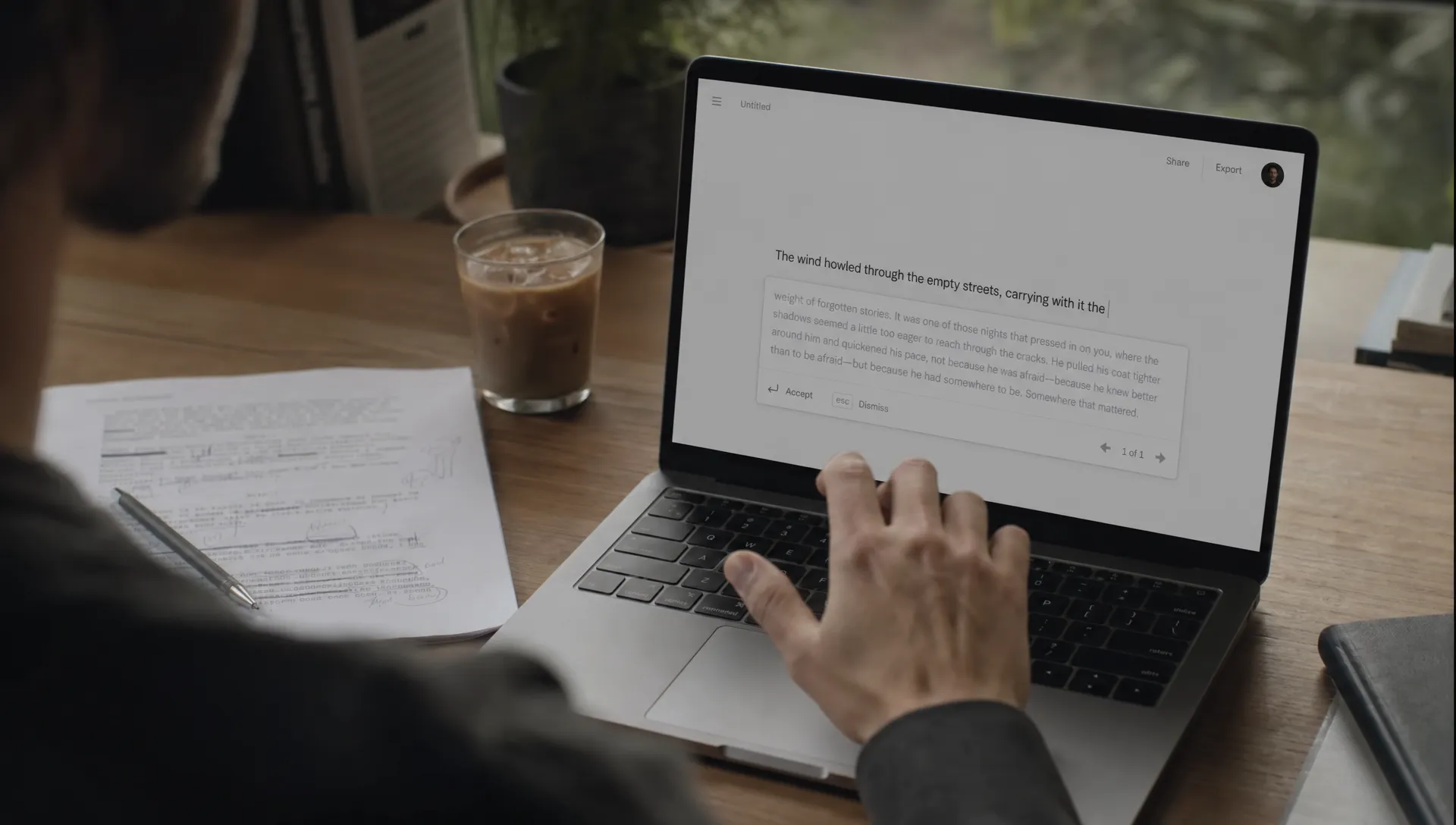
Writing and reviewing are different activities. While composing, a user is deciding what to say next. An inline suggestion introduces another decision: read this, compare it with your intention, then accept, edit or dismiss it.
That decision has a cost even when dismissal takes one keystroke. The user may have to read enough of the suggestion to establish that it is irrelevant. A large completion also asks them to evaluate ideas they have not reached yet.
Dismissal is not a clean quality signal. It can mean “wrong answer,” but it can also mean “not now,” “I already know what comes next” or “stop moving the text around.”
Start by watching complete writing tasks, with appropriate consent. Look at what happens immediately before and after the suggestion appears. An acceptance chart alone cannot tell you which of these problems you have.
Separate four dismissal patterns
Treat these patterns as hypotheses to investigate, not automatic diagnoses.
| Observed behavior | Possible cause | What to check next |
|---|---|---|
| User continues typing without an observable pause | Suggestion arrived during active composition | Compare behavior at natural stopping points |
| User pauses, reads and dismisses | Content, scope or wording does not fit | Ask what they were trying to express |
| User accepts, then quickly deletes or rewrites | Evaluation was harder than acceptance | Examine the editing needed to make it usable |
| User disables suggestions after repeated appearances | Cumulative interruption cost | Review exposure frequency and whether dismissal is respected |
Fast dismissal alone is ambiguous. The user may have recognized a poor suggestion instantly, or never meaningfully inspected it. Pair event data with observation rather than assigning intent from timing alone.
Also separate experienced users from occasional users. Someone who has learned to ignore unwanted completions may tolerate a noisy interface that others abandon. Feedback from power users can hide adoption problems when their coping strategies look like a successful experience.
Match the trigger to the writing state
A typing pause is not permission
A pause can mean the user is thinking, checking a fact or searching for a word. Triggering a large suggestion at every pause can interrupt the exact work the pause supports.
Test boundaries that make sense for the task: completing a paragraph, selecting text for revision or explicitly requesting a continuation. None guarantees a good moment, but each provides more context than elapsed time alone.
For example, someone drafting a customer reply may welcome a rewrite after finishing their explanation. A suggested paragraph appearing halfway through a sensitive sentence creates a different review burden.
Keep suggestions stable and dismissible
An editor should preserve the user's insertion point, selection and keyboard focus. Suggestions should not shift committed text or unexpectedly take over a key the user needs for editing.
Once a suggestion is visible, avoid repeatedly replacing it while the user evaluates it. If continued typing makes it stale, remove it rather than displaying a completion attached to an earlier version of the sentence.
Respect input method composition, including IME entry. Intermediate composition is not finished text. For screen reader users, avoid announcing every regenerated suggestion; provide an accessible way to request and inspect help.
Give dismissal a local consequence
If a user rejects a suggestion in the current sentence, do not immediately offer a near-identical replacement there. Let them finish the thought.
Offer a clear route to on-demand assistance. A user who does not want automatic completions may still value help with a selected passage. Turning off interruptions should not require abandoning the useful parts of the feature.
Test the timing policy before changing the output
Run an experiment that changes when assistance appears, not everything about the feature at once. Useful variants include the current automatic behavior, suggestions at task-relevant boundaries and on-demand assistance only.
Keep the underlying task, available context and generation settings as comparable as practical. Assign users consistently to a variant so they can learn its behavior. Switching policies within the same task can create its own confusion.
Define eligible writing tasks before the experiment. Analyze those tasks across variants, not just occasions when a suggestion was displayed. Otherwise, a quieter policy changes the denominator and makes acceptance rates difficult to compare.
Include people who are new to the feature as well as established users. Run the test long enough to observe repeated comparable tasks, not just an initial reaction to a different interface.
Measure help without rewarding disruption
Acceptance rate is a diagnostic metric, not the outcome. A quieter interface may produce fewer accepted suggestions overall while helping users finish more comfortably. It could also remove useful assistance. You need task-level evidence to distinguish those outcomes.
Use a small measurement set:
- Task progress: Completion of the intended writing task, with a quality check appropriate to its stakes.
- Interruption exposure: Automatic suggestions shown per active writing minute and repeated offers after dismissal.
- Post-acceptance rework: Immediate deletion or substantial revision, interpreted alongside the task rather than automatically labeled failure.
- Voluntary reuse: Whether users choose assistance on the next comparable task, plus disabling behavior.
Where possible, collect event metadata rather than raw document content. If reviewing text is necessary, use consent and appropriate data handling.
Follow observation with a specific question: “What were you trying to do when that appeared?” It is more revealing than asking whether the user likes AI suggestions.
Choose the policy that improves task success without making the editor harder to control. If acceptance rises but rework and disabling rise too, you have not established an adoption improvement.
Frequently asked questions
Does low acceptance mean suggestions are poor? Not necessarily. Timing, excessive length and interaction conflicts can all reduce acceptance. Check whether users inspect the content before concluding that generation quality is the main problem.
Should every suggestion wait until the user stops typing? No. A pause is only one signal. Short completions may fit some tasks, while longer rewrites are better offered after selection or an explicit request. Test the boundary against the actual workflow.
Is on-demand assistance a fallback for failed automation? No. It can be the right interaction when users know when they need help. Evaluate whether it supports successful work and voluntary reuse, not whether it produces as many exposures.
Make one concrete decision next
Review a small set of dismissed suggestions and classify the likely break: content mismatch, poor timing or loss of editing control. Then test one corresponding change.
If the diagnosis is still unclear, use the free Triage tool to work through the symptom. For a structured follow-up, the AI Product Adoption Deck provides 12 diagnostics, 80 action cards and 12 workshops. Start with the observed failure, not a blanket decision to generate better suggestions.