When Models Need Cards That Explain Product Risk
Searching for models cards? Learn when model documentation needs a product-risk companion to diagnose abandonment, review costs and unsafe acceptance.

Users generate an answer, inspect it, then finish the task somewhere else. Or they accept it immediately, and your team only discovers the mistake after it reaches a customer. Both patterns can hide behind healthy usage numbers. If you are looking for “models cards” to explain these failures, start with the workflow: what does the output enable someone to do, and what happens when it is wrong?
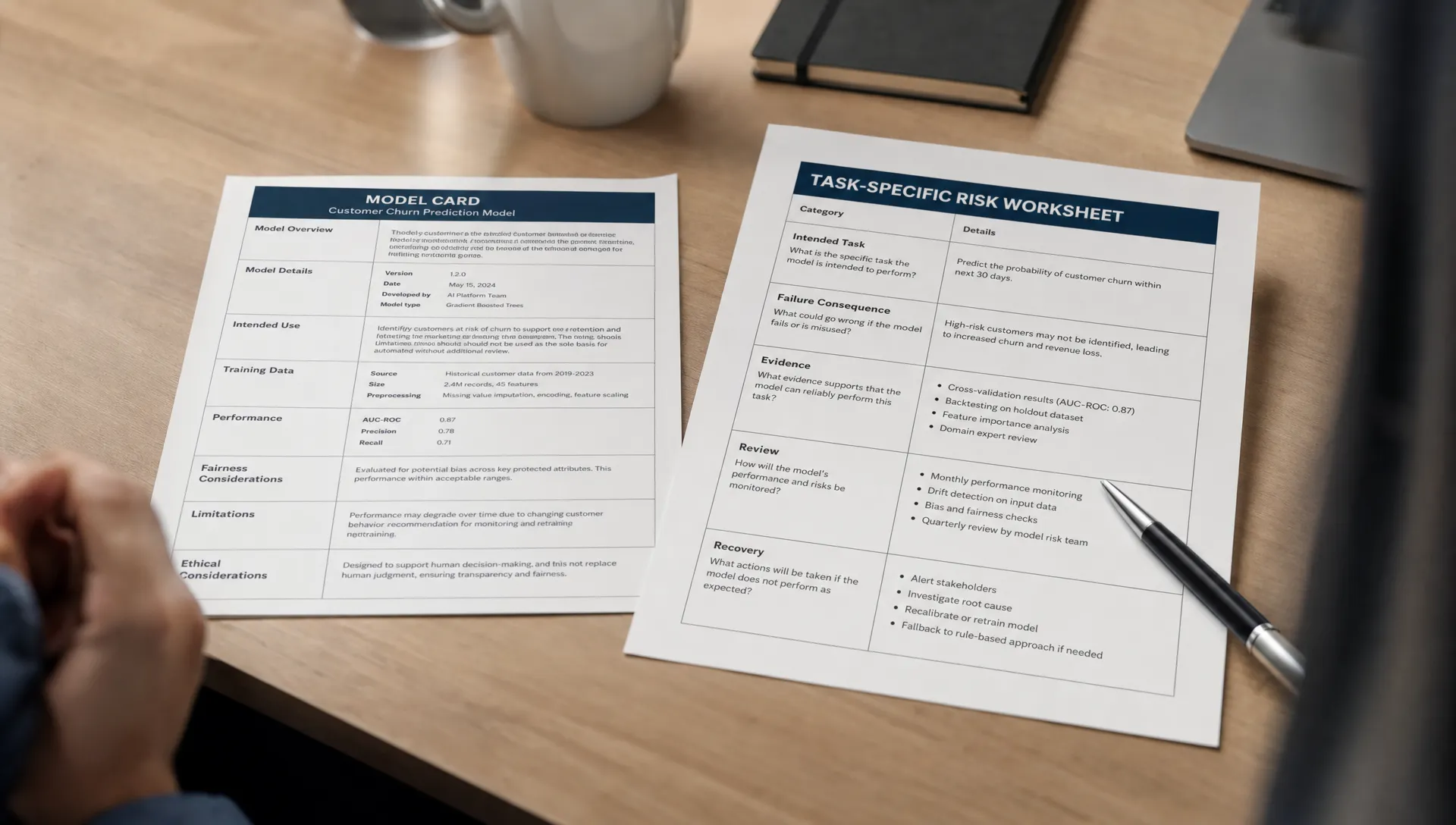
A model card documents the model. A product-risk companion documents the consequences of using that model in a specific task. After launch, you often need both.
The risk changes even when the model does not
Consider an AI feature that summarizes account notes. A salesperson uses the summary to prepare for a meeting. Later, your team adds a button that inserts the same summary into a customer email.
The model has not changed. The consequence has. An unsupported claim that once misled one employee can now become a customer-facing commitment.
Model Cards for Model Reporting, by Margaret Mitchell and coauthors, describes documentation covering intended uses, evaluation and other relevant information. That is useful groundwork. It does not automatically describe every consequence of your shipped interaction.
For model cards to support product decisions, the team needs to connect documented limitations to the task users actually perform. That connection can change when you add a sharing button, serve a different user group or remove an approval step.
Review product risk when the workflow changes, not only when the model changes. A release can alter the consequences of failure without altering generation quality.
Three signals that the existing documentation is insufficient
Output has moved from suggestion to action
A draft becomes an email. A recommendation becomes an account update. A summary becomes evidence in a decision.
Each transition changes who can be affected and whether the mistake is reversible. Look for actions that publish, send, overwrite or trigger another process.
The diagnostic question is specific: can someone inspect the relevant evidence before the consequence occurs? An editable preview is not enough if the unsupported claim is hard to identify. A confirmation button is not meaningful review if it only asks whether the user wants to continue.
Users are applying the feature outside its task boundary
A feature built for internal notes starts handling contracts. A tool meant for experienced operators becomes part of onboarding. Users supply incomplete records but expect a complete answer.
Model cards can describe intended use, but your interface may imply a broader promise. An unrestricted input box and a button labeled “Analyze” leave users to infer the boundary.
Check recent failed sessions against the task you designed for. If users repeatedly attempt a different task, decide whether to support it or make the boundary visible before they invest effort. Do not treat predictable misuse as a documentation problem alone.
Checking the answer costs more than doing the task
Users may trust the feature enough to try it, yet still abandon the output because verification is expensive.
A concise summary can require opening six source documents. A polished draft can force users to check every factual claim. Generation saves time while review consumes it.
Observe the whole task, including source checking, correction and recovery. Long dwell time is ambiguous: it could mean useful reading or difficult verification. Ask users to identify what they checked and what they could not establish. The relevant comparison is total effort against their existing workflow, not generation speed.
When “models cards” need a product-risk companion
Use a short, task-specific card alongside the model documentation. This is a proposed working artifact, not a replacement for a model card or a formal assessment process.
Write one for a consequential task boundary. Do not create one for every prompt variation.
For the account-summary example, the card could contain:
| Field | Example entry |
|---|---|
| Intended task | Prepare an internal account briefing from selected notes |
| Boundary crossed | Insert the briefing into an external customer email |
| Material failure | An unsupported statement becomes a customer-facing commitment |
| Evidence available | Links to the source notes for factual claims |
| Review and recovery | User reviews the email before sending; mistakes discovered afterward require a follow-up |
| Review burden | User must check commitments, dates and amounts against the notes |
| Owner and revisit trigger | Account-workflow PM; revisit when sending permissions or source coverage change |
The useful part is the relationship between these entries. If the user cannot inspect a claim until after sending, the proposed review step does not control that failure.
Model cards tell you about the model's documented scope. The companion card tells you whether your product keeps the task within that scope and makes mistakes recoverable.
Diagnose abandonment and unsafe acceptance separately
Low acceptance and high acceptance can both indicate a broken workflow. They require different investigations.
| Observed symptom | Possible product-risk explanation | What to inspect next |
|---|---|---|
| Users generate output but do not use it | Checking it costs too much, or it does not fit the next step | Observe verification and the destination workflow |
| Users accept output with little inspection | Errors are hard to detect, or acceptance is easier than review | Test whether users can identify a consequential mistake |
| Users heavily edit outputs | The feature mixes useful material with unsupported claims | Classify edits by factual correction, task fit and style |
| Errors appear only after sharing | The consequence occurs before meaningful review | Inspect the boundary between generation, approval and delivery |
These are hypotheses, not conclusions. A user may copy an answer elsewhere rather than use your acceptance control. Heavy editing may be the intended behavior for a drafting tool.
Model cards will not resolve those ambiguities on their own. Pair the documentation with observed task behavior. Track whether users reach a usable result, what they must verify and where mistakes surface. Acceptance rate without that context can reward the wrong design.
Turn the card into one decision
Take one failed task and name the consequence you need to control. Then choose one change that directly addresses it.
For the account-summary example, the decision might be: external drafts must expose the source for each proposed commitment before sending. That is more testable than “improve trust.”
Use the AI UX review checklist for high-risk product flows to examine whether generation, verification and approval are meaningfully separate.
Evaluate the change against both safety and effort. Can users find an unsupported commitment? Can they remove it without restarting? Does the review still save work compared with writing the email themselves?
Keep model cards linked to the task card, but assign ownership of the workflow decision. Otherwise, a known limitation can remain documented while the same failure keeps shipping.
Frequently asked questions
Does every AI feature need a product-risk card? Use one when a task has meaningful failure consequences, unclear review requirements or costly recovery. A reversible brainstorming feature needs less scrutiny than output that changes records or reaches customers.
Should users see the entire card? Usually not. Translate relevant boundaries into task-specific guidance, evidence access and controls. The working card helps the team decide what belongs in the experience.
Does adding human review solve the problem? Only if the reviewer can detect the relevant error and act before the consequence occurs. Review also has a cost. Measure it rather than assuming it is free.
Start with one stalled or unsafe task
Choose one recent session where output was abandoned or accepted incorrectly. Write down the intended task, failure consequence, available evidence and recovery path. Use that card to select the next product change.
If you cannot yet locate the break, use the free AI adoption Triage tool. For deeper structured work, the AI Product Adoption Deck pairs 12 diagnostics with 80 action cards and 12 workshops that turn the diagnosis into concrete product decisions.