When AI Review Queues Become the New Bottleneck
AI review queues can quietly kill AI product adoption. Learn how to diagnose review bottlenecks, route risk and shorten time to approved use.

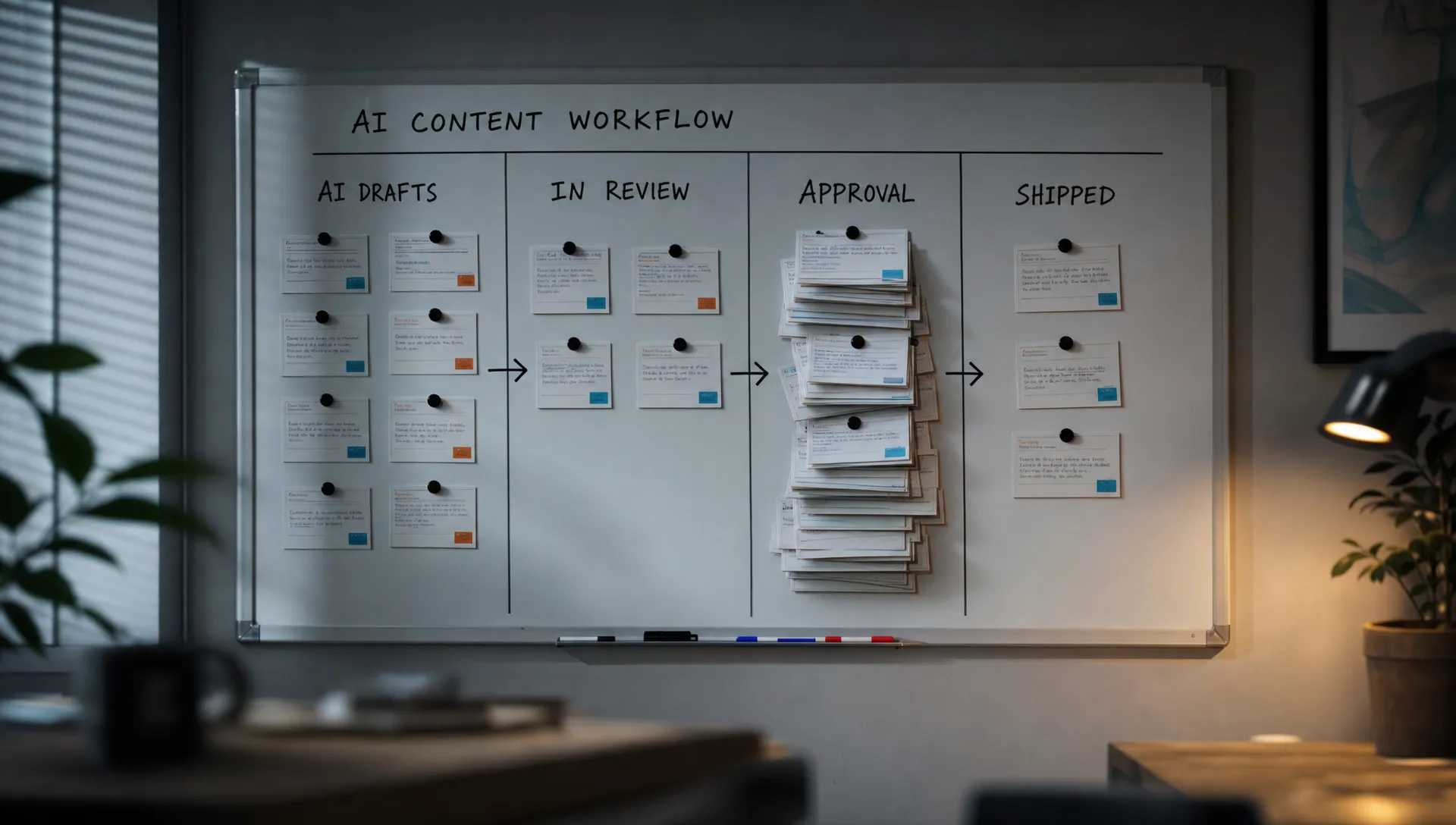
You can spot this failure by the shape of the backlog. The AI feature is generating plenty of output, but the work is not getting approved, shipped or reused. For AI product adoption, this is a dangerous false positive: usage goes up, cycle time gets worse.
The team often reads this as a model quality problem. Sometimes it is. More often, the bottleneck moved. Before AI, users were blocked by drafting. After AI, they are blocked by judgment. The review queue becomes the product experience.
What AI review queues do to AI product adoption
An AI review queue is not just a person checking generated work. It is the place where responsibility gets assigned. If that place is slow, vague or politically risky, users learn a simple habit: generate, skim, defer.
Common signs show up fast:
- Drafts are created quickly but sit untouched for days.
- Users ask peers, managers or legal to confirm low-risk changes.
- Reviewers complain that AI made everyone else faster and them slower.
- Acceptance rates look fine, but time to approved use keeps rising.
- Teams create shadow rules in Slack because the product does not define the review step.
That last point matters. If users have to invent the review system outside the product, adoption will depend on local managers, team norms and reviewer goodwill. That does not scale.
Why the queue forms
Output volume outpaces judgment capacity
AI makes first drafts cheap. It does not make accountability cheap. If one PM used to write one release note and now generates eight versions, someone still has to decide which version is accurate, on-brand and safe to publish.
This is where many AI product tactics backfire. More suggestions, more variants and more automations can increase the number of decisions without improving decision quality. The user feels productive for ten minutes. The system gets slower by the end of the week.
The review contract is missing
A reviewer needs to know what they are reviewing for. Factual accuracy is different from tone. Policy compliance is different from customer impact. Brand fit is different from legal exposure.
When the product does not separate these jobs, the reviewer treats every AI output like a full audit. That is rational behavior. If the product gives no boundary, the reviewer protects themselves by widening the boundary.
Every output gets routed as high risk
A common trust fix is to add approval. That can work for regulated, customer-facing or irreversible actions. It fails when every AI output gets the same path.
A suggested internal summary, a help center article, a contract clause and an outbound email do not deserve the same review flow. If your product routes them the same way, the safest items wait behind the riskiest ones.
Diagnose before adding more generation
Do not start by improving prompts. First, locate the queue. The useful question is not, "How do we make the AI better?" It is, "Where does generated work stop becoming usable?"
| Symptom | Likely cause | Product response |
|---|---|---|
| High generation, low publish rate | Review feels too risky or undefined | Add output state and approval boundaries |
| High edits before approval | AI misses recurring constraints | Move constraints upstream into input and templates |
| Long wait after submission | Reviewer capacity is the bottleneck | Route by risk, reversibility and role |
| Reviewers reject for the same reasons | Corrections are not feeding the system | Capture rejection reasons and turn them into rules |
| Users abandon drafts without submitting | Verification is too expensive | Add citations, diffs, source context or comparison views |
The metric to watch is time to approved use. Generation count tells you the feature is attractive. Time to approved use tells you whether it helps the workflow.
Track the full path: generated, edited, submitted, reviewed, approved, published and reused. Add timestamps to each state. Tag rejection reasons. Count reviewer touches. If the queue starts with individual checking rather than formal approval, you may be dealing with a broader review burden problem.
How to reduce the bottleneck without hiding risk
Name the state of every AI output
Users need clear labels such as draft, suggestion, ready for review, approved and published. These labels sound basic, but they change behavior. A draft invites editing. A suggestion invites selection. Approved output invites use.
Without state, everyone argues about responsibility. The writer thinks the reviewer owns the final result. The reviewer thinks the writer should have checked it first. The product should not leave that contract to interpretation.
Give reviewers a diff, not a blob
Reviewers should not have to reread an entire generated artifact if the decision is about change. Show what changed, why it changed and what source material was used.
For code assistants, this often means inspecting a diff near tests and existing files. For writing tools, it can mean showing claims, sources, tone changes and removed caveats. For support workflows, it can mean showing the customer context that shaped the proposed reply.
A blob says, "Please trust or reject this." A diff says, "Review these decisions."
Route by risk and reversibility
Not every output needs the same reviewer. Use two filters: how bad is a wrong output, and how easy is it to undo?
Low-risk, reversible suggestions can stay with the user, especially if undo is obvious. Medium-risk output may need peer review or sampling. High-risk, external or irreversible output needs a named approver, not a generic queue.
This routing decision is product design, not policy theater. If the product does not encode risk levels, the organization will default to the slowest safe path.
Move repeated corrections upstream
If reviewers keep fixing the same issues, do not make them heroic. Make the product stricter.
Common fixes include better input fields, reusable constraints, source selection, audience selection, approved examples and blocked phrases. The goal is to prevent predictable review work before generation, not ask reviewers to clean it up every time.
This is also where AI onboarding strategies matter. Do not onboard users only into how to generate. Onboard them into what a good input includes, what the output state means and when review is required.
Turn rejection into product input
A rejection with no reason is just lost work. A rejection with a reason is training data for the product team, even if you are not training the model.
Keep rejection reasons simple: inaccurate, missing context, wrong tone, policy risk, duplicate, not useful, needs human rewrite. Over time, those tags tell you whether the queue is caused by model behavior, UX framing, workflow placement or organizational fear.
Product examples worth studying
The stronger AI products do not eliminate review. They make review smaller and closer to the work.
GitHub Copilot works best when suggestions are reviewed inside the development environment, near surrounding code, tests and diffs. Grammarly keeps many suggestions local and reversible, so the user can accept, reject or adjust without sending every sentence to an editor. Perplexity makes source inspection part of the answer flow, which gives users a faster path to verification.
Notion AI and similar writing assistants expose a harder version of the problem. Draft generation is easy to trigger, but the user still has to decide whether the output matches the team, project and audience. If that decision has to happen in another doc, another chat or another approval process, the queue leaves the product.
The pattern is consistent: review should be local, bounded and tied to the next action. If review is remote, vague and detached from the workflow, the AI feature creates inventory instead of progress.
The decision frame for PMs
Before shipping another generation surface, answer these questions in the spec.
| Product question | If the answer is yes | Design decision |
|---|---|---|
| Can this output create an external commitment? | Customer, legal or public impact exists | Require explicit approval and audit trail |
| Can a user undo the action cheaply? | Reversal is simple and low impact | Keep review lightweight and user-owned |
| Does the reviewer need source context? | The decision depends on evidence | Show sources, inputs, diffs or prior state |
| Do reviewers repeat the same edits? | Corrections are predictable | Add constraints before generation |
| Is the queue owned by "the team"? | Nobody is accountable for movement | Assign role ownership and service expectations |
This is the blunt version: if you cannot define who reviews what, when and against which standard, you have not finished the feature. You shipped generation, not adoption.
Frequently Asked Questions
Are AI review queues always bad? No. Review queues are useful when the output is risky, external or hard to reverse. They become a bottleneck when low-risk work and high-risk work share the same path.
Should we automate approval to improve AI user retention? Only for outputs where mistakes are low impact and easy to undo. Automating approval for high-risk work may improve short-term throughput, but it usually damages trust once a bad output escapes.
Which AI adoption metrics matter most for this problem? Track time to approved use, acceptance rate, reviewer touches, rejection reasons and draft abandonment. Generation volume alone can hide the bottleneck.
How do I know whether the issue is trust or reviewer capacity? If users do not submit outputs for review, the issue is usually trust, verification or unclear standards. If users submit and wait, capacity or routing is more likely the constraint.
Go deeper
If this pattern looks familiar, treat it as an adoption diagnosis, not an operations nuisance. The AI Product Adoption Deck maps symptoms like review backlog, output abandonment, unclear handoff and weak repeat use to specific action cards and workshop templates.
If you want a faster starting point, use the free triage tool to identify which adoption break you are actually dealing with before you redesign the flow.