When AI Needs a Second Pair of Eyes by Design
Improve AI product adoption by designing the right second pair of eyes, clear review states, evidence and handoffs users can trust.

The symptom is familiar: users try your AI feature, get an output that is mostly useful, then stop before applying it.
They paste it into Slack. They ask a manager to sanity-check it. They copy it into a doc, rewrite half of it and send it through the old approval path anyway. In the product analytics, this looks like weak activation or poor retention. In the user’s head, it feels simpler: “I can’t be the only person responsible for this.”
That is not always a trust problem. Sometimes the user trusts the AI enough to consider the output, but not enough to ship it alone. The product failure is pretending one person can generate, judge and apply the output in a workflow that already required judgment from more than one person.
For many teams, AI product adoption breaks because review is treated as an afterthought. The model creates something. The interface celebrates completion. The user is left holding an uncertain artifact with no clear second pair of eyes.
The adoption break is not generation. It is solo accountability.
A lot of AI features are designed around the happy path: user enters context, AI returns output, user clicks accept. That path works for low-risk, reversible tasks. It breaks when the output affects customers, code, contracts, reporting, brand voice, pricing, compliance or another team’s work.
In those cases, the user is not asking, “Can the AI produce something?” They are asking, “Can I safely move this forward?”
That question changes the product design. The output needs a review contract. Who checks it? What are they checking for? What evidence do they get? What state is the output in before and after review? What happens when the reviewer disagrees?
If your product does not answer those questions, users will create their own workaround. They will add review in Slack, email, Jira, Google Docs, GitHub or a weekly meeting. Your AI feature may still be used, but the adoption loop leaks outside the product.
That leakage matters. It hides the real friction. It also makes AI user retention look mysterious. Users are not abandoning the feature because it is useless. They are abandoning the unowned risk around it.
A second pair of eyes is a product pattern, not a compliance slogan
“Human in the loop” is too vague to be useful. It can mean anything from a user glancing at an answer to a formal approval workflow. Product teams need a sharper version.
A designed second pair of eyes has four parts:
- A named reviewer role, such as manager, editor, admin, code owner, legal reviewer or customer success lead.
- A review scope, such as factual accuracy, policy fit, brand tone, edge cases, security impact or customer readiness.
- A review trigger, such as high confidence missing, sensitive segment, external publication, production deployment or unusually large change.
- A review outcome, such as approved, edited, rejected, escalated or returned to the user with required context.
This should not be applied everywhere. Mandatory review on every AI output can kill the value of the feature. The point is to design review for the moments where one user should not carry the whole burden.
NIST’s AI Risk Management Framework is useful here because it frames AI risk as something organizations must map, measure and manage in context. For product teams, that context is the workflow. The same model output can be harmless in a personal draft and risky in a customer-facing action.
Diagnose whether your AI feature needs review by design
Before adding approval states, diagnose the behavior. The table below is a practical way to separate model quality issues from review design issues.
| Symptom in the product or workflow | Likely adoption cause | Product response |
|---|---|---|
| Users generate output, then paste it elsewhere for approval | Review exists, but outside the product | Add an in-product review path or handoff state |
| Users keep regenerating instead of editing | They lack review criteria, not just better options | Show what changed, what is uncertain and what needs user judgment |
| Managers rewrite AI-assisted work after the fact | Output state is unclear before handoff | Label outputs as draft, ready for review or approved |
| Teams disable AI for customer-facing use cases | Risk ownership is unresolved | Require review only for external or high-impact application |
| Users accept trivial suggestions but avoid meaningful ones | The product is safe only for low-consequence work | Add evidence, reviewer routing and reversible apply steps |
| Reviewers complain the AI creates more work | The review surface is too noisy | Summarize changes, expose sources and reduce items that need checking |
This is where many AI adoption problems are misdiagnosed. Teams respond to low application rates by improving prompts, adding presets or swapping models. Those changes may help, but they do not solve an accountability gap.
If the user already likes the output but still will not apply it, you are probably looking at a review design problem.
Design the review boundary before you design the button
The most important decision is not where to put “Approve.” It is what requires approval in the first place.
Start with consequence and reversibility. If a user can undo the action easily and the blast radius is small, review can be lightweight. If the output changes production code, sends customer communication, updates financial assumptions or alters a policy, the second pair of eyes should be explicit.
A useful review boundary separates tasks into four groups:
| Task type | Example | Review pattern |
|---|---|---|
| Low consequence, reversible | Rewriting a private note | User reviews inline |
| Low consequence, shared | Summarizing an internal meeting | Optional peer check |
| High consequence, reversible | Drafting a customer email before send | Required review before apply |
| High consequence, hard to reverse | Changing permissions, code or pricing | Required expert approval and audit trail |
This keeps the product from treating every AI output the same. It also prevents the lazy version of governance, where everything needs review because no one made a product decision.
Show output state clearly
Users need to know what the AI artifact is allowed to become.
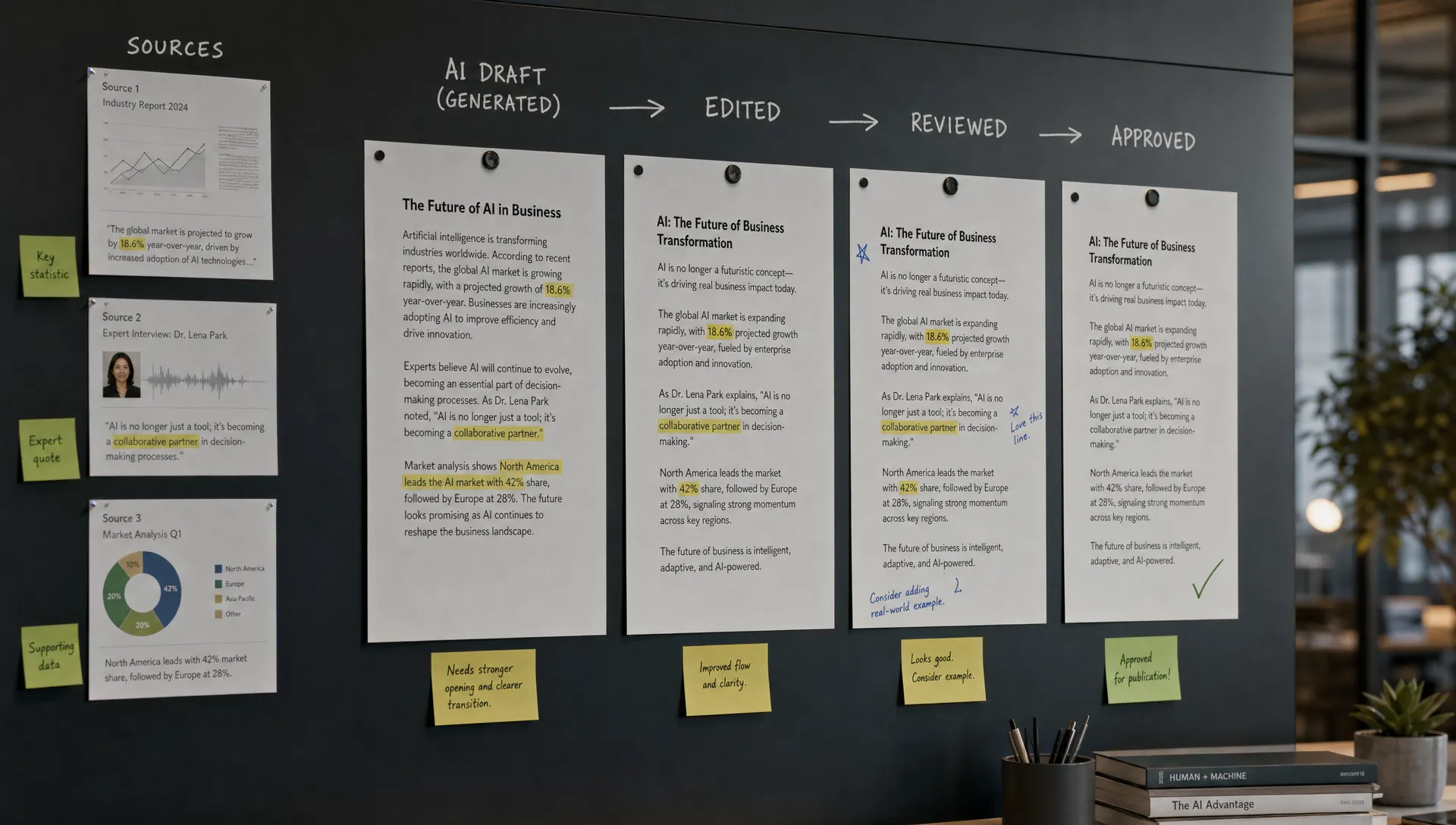
A “generated” answer is not the same as an approved answer. A draft is not the same as a recommendation. A suggestion is not the same as an action. These states should be visible in the interface and preserved through handoff.
For example, a sales AI tool that drafts a renewal email should not drop polished copy into the composer with only a Send button. It should make the state obvious: “Draft generated from account notes. Needs AE review before sending.” If a manager review is required for discount language, that should be a separate state, not tribal knowledge.
This connects directly to handoff design. If the next human cannot tell what the AI did, what the user changed and what still needs judgment, the handoff is fuzzy. The same problem shows up in broader workplace AI workflows, where AI at work fails when the human handoff is fuzzy.
Give reviewers evidence, not just output
A second pair of eyes cannot work if the reviewer only sees the final paragraph, code block or recommendation. They need the smallest useful evidence set.
That might include source snippets, changed fields, a before-and-after diff, assumptions used, missing inputs, policy references, confidence reasons or a short explanation of why the AI proposed the change. The goal is not to flood the reviewer with model reasoning. The goal is to help them verify the output fast.
This is especially important for AI product adoption in teams where the reviewer is already busy. If review takes longer than doing the work manually, the feature becomes a tax.
A practical rule: reviewers should not have to reconstruct the prompt, source material and intended action from scratch. If they do, your product has moved effort from creation to inspection. That is why verification surfaces matter so much, and why teams often need to design AI so users can verify before they apply.
Do not turn review into unpaid model evaluation
Many AI products ask users to rate outputs, flag mistakes or provide feedback. That can be useful for product learning, but it is not the same as review.
A reviewer is trying to complete a job. They are not primarily trying to improve your system. If your review flow feels like labeling data, users will avoid it or give shallow feedback just to move on.
Keep the review job tied to the user’s outcome. Ask for approval decisions. Capture edits as part of normal work. Let rejection reasons be operationally useful: “wrong source,” “missing context,” “too risky,” “off-policy,” “not customer-ready.” Those categories help the team improve the product without making the user feel like QA staff.
This is also where review burden can quietly grow. An AI feature that saves ten minutes of drafting but adds fifteen minutes of checking is not an adoption win. If you see that pattern, it is worth looking at how to work with AI without raising review burden, because the fix is usually in the workflow, not the model alone.
Product examples: where the second pair of eyes already exists
GitHub Copilot is a good example because the second pair of eyes is not only another person. The developer reviews the suggestion, then the code may pass through tests, static analysis and code review before production. Copilot fits better when it respects that chain instead of pretending code completion equals deployment.
Grammarly works because the user stays in the reviewer role. Suggestions are inline, reversible and scoped. The product rarely asks the user to trust a whole document rewrite blindly. The second pair of eyes is often the original author applying judgment sentence by sentence.
Perplexity leans on citations because its outputs often need verification. Citations do not guarantee correctness, but they give the user a path to inspect claims. That matters because the job is not “generate text.” The job is often “help me decide whether this answer is credible enough to use.”
Notion AI shows the other side. It can be useful for drafting, summarizing and transforming text, but the moment the output becomes a team-facing spec, launch note or decision memo, review expectations come back. The better the AI feature fits the current document context, the easier that review becomes. The worse the context, the more the user has to explain, check and repair.
The metrics should track review, not just generation
If you add a second pair of eyes, update your AI adoption metrics. Generation count is too shallow. Acceptance rate is better, but still incomplete. You need to see whether review helps users move forward.
Useful metrics include:
- Review completion rate: how often AI outputs that require review reach a final state.
- Time to verified: how long it takes from generation to approved or applied.
- Edit distance before approval: how much reviewers change before accepting.
- Rejection reason mix: why outputs fail review.
- Apply rate after review: whether reviewed outputs actually enter the workflow.
- Downstream rework: how often approved AI outputs need correction later.
These metrics show whether review is increasing confidence or adding drag. Good review design should reduce hesitation. Bad review design creates another queue.
The next product decision
If your AI feature is stalling after generation, do not start by asking for a better prompt library. Ask where the user feels alone with the output.
Map one important workflow from generation to application. Mark the point where the output leaves the product, gets pasted elsewhere or waits for informal approval. Then decide whether the second pair of eyes should be a person, a system check, a source inspection step, a diff view or a formal approval state.
The key is to make the review contract explicit. Not every AI output needs another person. But when the work is consequential, pretending the user can safely act alone is a product decision too. Usually, it is the decision that breaks adoption.
Frequently Asked Questions
When should an AI product require a second pair of eyes? Require it when the output is high consequence, hard to reverse, customer-facing, policy-sensitive or likely to affect another team’s work. Lightweight inline review is enough for low-risk drafts and private productivity tasks.
Is adding review bad for AI product adoption? Not if the review step removes uncertainty and helps users apply the output. Review hurts adoption when it is vague, too broad or disconnected from the user’s actual workflow.
What is the difference between human review and human feedback? Human review helps a user decide whether an output is ready to use. Human feedback helps the product team improve the AI system. A good product may capture both, but it should not confuse one for the other.
Should confidence scores decide when review is needed? Confidence scores can help, but they should not be the only trigger. Use consequence, reversibility, missing context, sensitive data and policy boundaries to decide when review is required.
How do we know if our review flow is too heavy? Watch for slow review completion, low apply rate after review, repeated rework and users moving approval back into Slack or docs. Those are signs the review design is adding process without increasing confidence.
If you want a more structured way to diagnose this pattern, the AI Product Adoption Deck includes diagnostic cards, action cards and workshops for trust, review, handoff, activation and retention problems. For a quick first pass, you can also run the symptom through the free AI adoption triage tool and see which adoption break you are likely dealing with.