When AI Chat History Becomes a Barrier to Finding Past Work
AI chat history can hide useful work. Diagnose retrieval failures, design for saved outputs and measure whether users can resume the right version.

A user gets a useful answer from your AI feature, edits it into something usable and leaves. Next week, they return for that work. They open several conversations, search a phrase they remember and give up. Your dashboard records another session, perhaps even another generation. But the user spent it reconstructing work they thought your product had saved. AI chat history has become a storage system without a reliable retrieval path.
This is not necessarily an output-quality problem. Diagnose whether users can recover useful work before trying to improve what the AI generates next.
Why AI chat history stops working as a workspace
A conversation records how work happened. It does not necessarily identify what the user wants to keep.
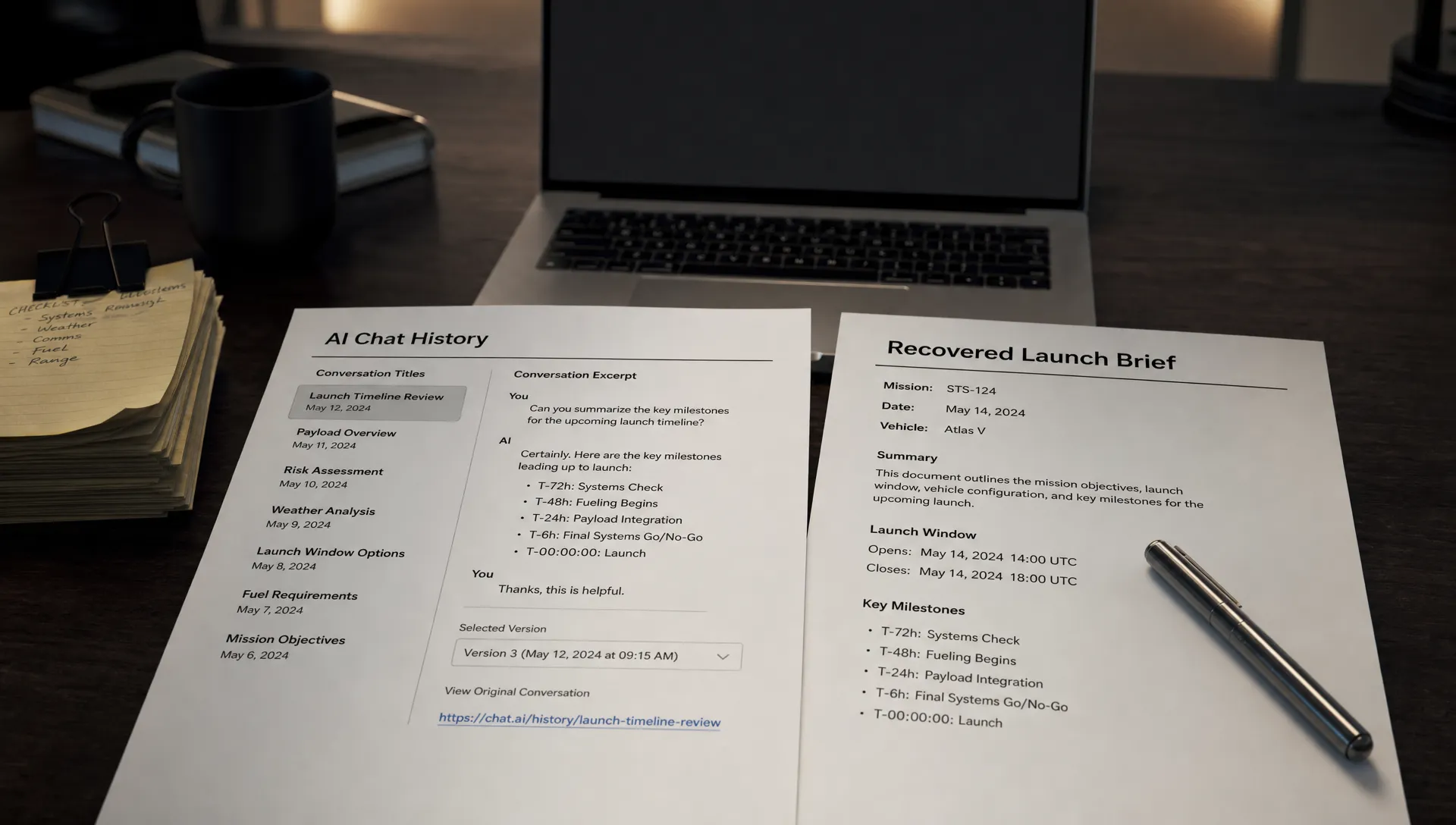
Consider a hypothetical product manager preparing a launch brief. One conversation contains audience research, rejected positioning, three draft announcements and a final brief. Its title reflects the opening research question. A week later, the PM remembers the launch, not the wording of that question.
The sidebar organizes sessions. The user organizes work by project, deliverable and decision. Those are different retrieval models.
There is also a version problem. The last answer might be an experiment, not the accepted draft. Finding the right conversation still leaves the user scrolling through alternatives and deciding which output they trusted.
Stored is not the same as recoverable. A complete transcript can preserve every message while making the useful result difficult to find.
Locate the break before adding better search
Observe a returning user trying to recover something they previously used. Do not start by asking whether they want folders. Watch where retrieval fails.
| Observed symptom | Likely break | Product response to test |
|---|---|---|
| Opens several similarly named conversations | Cannot identify the right session | Show project labels and output previews |
| Searches a deliverable name with no useful result | Search does not match how the user remembers the work | Search output content and user-added names, not just conversation titles |
| Finds the conversation but scrolls repeatedly | Useful output is buried among revisions | Provide a direct link to a selected output |
| Copies an obsolete draft | Version or acceptance state is unclear | Distinguish selected, superseded and exploratory outputs |
| Finds a result but cannot reopen its source | Access or retention rules interrupt recovery | Explain availability without exposing restricted content |
These are different failures. Better search ranking will not resolve an unclear version. Folders will not help someone recognize which draft was used.
If users find the right work but cannot continue after an error, that is a separate context-preservation problem during recovery. Keep that diagnosis separate from retrieval.
Make useful outputs addressable
For repeated work, the recovery target often needs to be smaller than a conversation: a proposal, query, analysis or selected answer with its own identity.
That does not mean building a document-management system. Start with the smallest saved object that supports the observed task. A selected response with a stable link may be enough.
Define what the user needs to recognize and reuse it:
- Identity: A meaningful name, project association and short preview.
- State: Whether it is a draft, a user-selected version or an explicitly approved deliverable.
- Context: Relevant inputs, source references and qualifications that affect interpretation.
- Continuity: A way to inspect the original conversation or continue from that output.
- Access: Clear ownership and permission rules for reopening or sharing it.
Do not infer approval because an answer was last in the thread. Let the user establish the state when it matters. Avoid turning every generated response into a saved artifact, too. That replaces conversation clutter with artifact clutter.
Start where users already signal value, such as copying, exporting or explicitly selecting an output. Treat those actions as clues, not proof that the content is final.
Help users recognize the right result
Search results should explain why a match is relevant. A title and timestamp may be insufficient when several conversations concern the same project.
Show a matching excerpt, the deliverable name and its relationship to other versions. Preserve exact wording where possible so users can recognize what they previously reviewed.
If you offer an AI-generated answer across past conversations, distinguish it from the underlying saved material. “Here is a new summary” is not equivalent to “Here is the brief you selected.” Do not silently regenerate content in place of retrieving it.
Also separate finding from revalidating. A user may need the historical answer exactly as it was, even if its sources are now outdated. Show relevant dates and offer an explicit update action rather than changing the recovered work.
Test recovery after the original context has faded
A same-session usability test can make retrieval look easier than it is. Participants still remember the conversation title, location and wording.
Recruit users who completed a real task previously. Ask them to recover that work after a realistic interval for your product. Use their own description of the goal: “Find the brief you used for the launch review,” rather than “Open Tuesday’s conversation.”
Record the path from intent to usable output. Watch for repeated thread opening, unsuccessful searches, scrolling and copying from the wrong version. Ask what they expected each result to contain.
Then check whether they recovered the correct work. Opening a plausible answer is not success if they mistake an abandoned draft for the selected version.
Compare lightweight prototypes against that same task. Test a better result preview, direct output links or a selected-version marker before committing to a workspace redesign. The useful intervention is the one that removes the observed failure.
Measure recovered work, not history opens
History views and search activity measure attempts. They do not tell you whether someone recovered anything useful.
Define retrieval success as recovering the intended output, confirming the relevant version and being able to use it for the stated task. In research, observe that directly. In product analytics, use behavioral signals as proxies and validate them against observed sessions.
Track time to recovery alongside failed searches and repeated conversation opening. Pair speed with version accuracy: a fast path to the wrong draft is a regression.
Watch regeneration after a retrieval attempt, but investigate it rather than labeling it failure automatically. Some users want a fresh answer. Others are rebuilding something they could not find.
For retention analysis, examine users who previously produced useful work and had a reason to return. Compare similar task cadences. A monthly planning workflow should not be judged against daily usage. Retrieval can explain some AI feature retention problems, but low return frequency alone does not establish that diagnosis.
Frequently asked questions
Is chat search enough to solve this problem? Sometimes. If users remember distinctive content and need the whole conversation, better search may suffice. If they need a specific accepted output, search also needs clear version cues and a direct recovery path.
Should every answer become a document? No. Save outputs selectively. Turning every response into an artifact creates another crowded collection to search.
Is AI memory the same as recoverable history? No. Personalization can influence future answers without exposing the exact work a user previously accepted. Retrieval needs an inspectable original, not a plausible reconstruction.
Choose one recovery task to fix
If the symptom is still unclear, use the free adoption triage tool to structure the diagnosis. For a broader working framework, the AI Product Adoption Deck contains 12 diagnostics, 80 action cards and 12 workshops.
Start with one recurring deliverable. Watch a returning user find it, identify the right version and resume work. Fix the first point where that sequence breaks before adding more ways to generate content.