What Users Need to Understand AI Output
Does your AI understand the task users intended? Diagnose confusing output with clearer task boundaries, constraints and targeted correction tests.
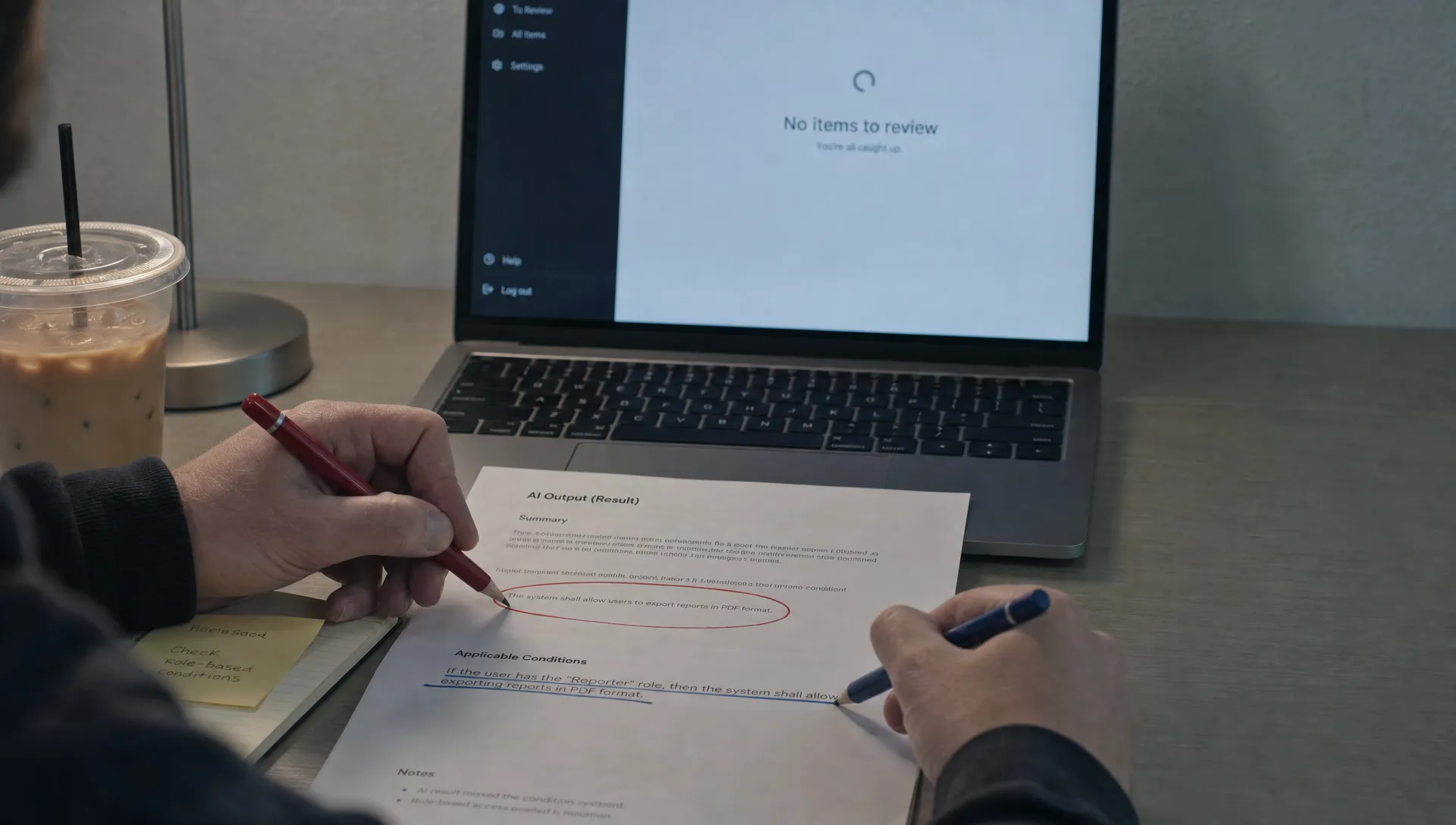
Users read the output, pause, then ask, “Did the AI understand what I meant?” They generate another answer without changing the request. Or they copy the result into their workflow and discover that it solved a different problem.
That is not automatically a quality failure. The output may be well written and still leave users unsure what task it addressed, which constraints it followed or when it stops being useful. Before adding explanations, identify which understanding is missing.
Name the misunderstanding before changing the interface
“Users don’t understand the AI” is too broad to diagnose. Watch what they misunderstand about a specific result.
A user who cannot describe the intended task needs a different fix from one who knows the task but cannot correct an exception.
| Observed symptom | Possible misunderstanding | Product response to test |
|---|---|---|
| Users repeatedly regenerate the same request | They cannot tell how the task was interpreted | Show a brief, editable task summary |
| Users accept polished but unsuitable answers | They mistake fluency for meeting their requirements | Make the relevant constraints visible |
| Users rewrite the whole result after one mistake | They do not know how to target a correction | Offer scoped edits tied to the failed requirement |
| Users reuse an answer in a different situation | They cannot see the conditions that limit its usefulness | State the applicability boundary near the result |
These are hypotheses, not conclusions. A regeneration click alone does not prove confusion. Ask users what they expected to change and compare that answer with what the product actually changed.
What must the AI understand about the task?
Helping the AI understand a request is not the same as helping the user understand the answer. Your interface needs to make both sides of that exchange visible.
Users do not need a lesson about model architecture. They need a practical account of the assignment. Start with three things.
The goal being pursued
“Improve this email” leaves several possible goals open: shorten it, soften it, make it more persuasive or preserve its meaning while fixing grammar.
Show the interpretation that matters: “Shorten this customer email while keeping the original commitments.” Let the user change it before investing time in the result.
The constraints being preserved
Some requirements are preferences. Others cannot be violated. A friendlier tone is optional; changing a contractual promise is not.
Keep critical constraints visible during review. If a requirement cannot be reliably enforced, do not imply that a label guarantees compliance. Give the user a specific check instead.
The conditions under which it applies
A recommendation can be reasonable for one situation and wrong for another. A renewal message for an active customer may be inappropriate for an account already in a cancellation dispute.
State the limiting condition in ordinary language. “Use for routine renewals, not disputed accounts” is more useful than a generic accuracy disclaimer.
Make the boundary concrete in a real workflow
Consider the communication workflows described on Goodjuju’s page about AI agents for property managers, including SMS, email, webchat and live phone calls. Across those channels, a fluent response is only one part of a successful interaction.
For a hypothetical leasing assistant, make “Does the AI understand our leasing rules?” answerable through the product setup and review experience, not the confidence of its language.
Suppose a prospect asks whether a pet is allowed. The intended task might be to explain the property’s published policy and collect information for staff review. It might not include approving an exception.
A useful task boundary would say: “Explain the standard pet policy. Do not approve exceptions. Route exception requests to staff.” That is a proposed design requirement, not a claim about the linked product’s behavior.
Test with a prospect who asks for an exception. If your product cannot preserve that boundary, a reassuring label will only hide the failure.
Corrections should reveal what went wrong
A generic “Try again” button conceals the reason the answer failed. It also makes recovery unpredictable. Users may get different wording while the same misunderstanding survives.
A correction should help the AI understand the missed constraint, not force the user to rewrite the entire request.
For an email assistant, “Keep the original refund amount” is a more useful correction than “Make it better.” For a summary tool, “Include unresolved objections” identifies a missing requirement rather than a stylistic preference.
Make the scope of the correction clear. Does it affect this sentence, this result or future results in the workflow? Do not imply persistent learning unless the product actually supports it.
After the edit, help the user check the changed requirement. If they asked to preserve the refund amount, make that part easy to find. Avoid presenting the revision as solved merely because generation finished.

Test understanding with a changed constraint
Do not end a usability session with “Was that clear?” Users can say yes while holding the wrong idea about the result.
Use a short task-based test instead. Give participants a realistic request, let them inspect the output and ask them to explain the assignment in their own words. Then change one consequential condition.
For example, change a routine renewal into a disputed renewal. Observe whether participants recognize that the original answer no longer fits.
Ask what they would change to help the AI understand the new task. Their response reveals whether the interface supports a targeted correction or leaves them guessing.
Capture three outcomes:
- Task interpretation: Can the participant describe the goal the product pursued?
- Boundary recognition: Can they identify when the answer should not be reused?
- Recovery: Can they correct the relevant requirement without starting over?
Use successful behavior, not agreement, as the signal. A participant who catches a boundary violation has shown more useful understanding than one who accepts every result.
If users pass these checks but still abandon the output, investigate a different break. The diagnosis for output that gets read but not used shifts toward workflow fit and the cost of applying it.
Frequently asked questions
Should we explain how the model works? Only when that explanation changes a user’s decision. For most output-review tasks, the interpreted goal, required constraints and applicability conditions are more immediately useful.
Should every result show a task summary? No. Test it where ambiguity causes expensive mistakes or repeated regeneration. A simple grammar correction may need less context than a recommendation involving customer policy.
What if the AI cannot reliably follow a critical constraint? Treat that as a product limitation, not a comprehension problem. Narrow the task, require an explicit check or prevent the result from being used without review. Better copy cannot make an unreliable behavior dependable.
Pick one misunderstanding to fix
Choose one high-volume workflow. Watch users review its output, identify the misunderstanding and test one interface change against the changed-constraint exercise above.
If you need help locating the break, start with the free AI adoption Triage tool. For deeper work, the AI Product Adoption Deck provides 12 diagnostics, 80 action cards across 10 stacks and 12 workshops with fillable deliverable templates. Use it to turn a specific adoption symptom into a product decision, not another general explanation of AI.