What Product Design for AI Must Solve After Output
Product design for AI does not end at output. Learn how to diagnose abandonment and design trust, revision, handoff, and habit loops.
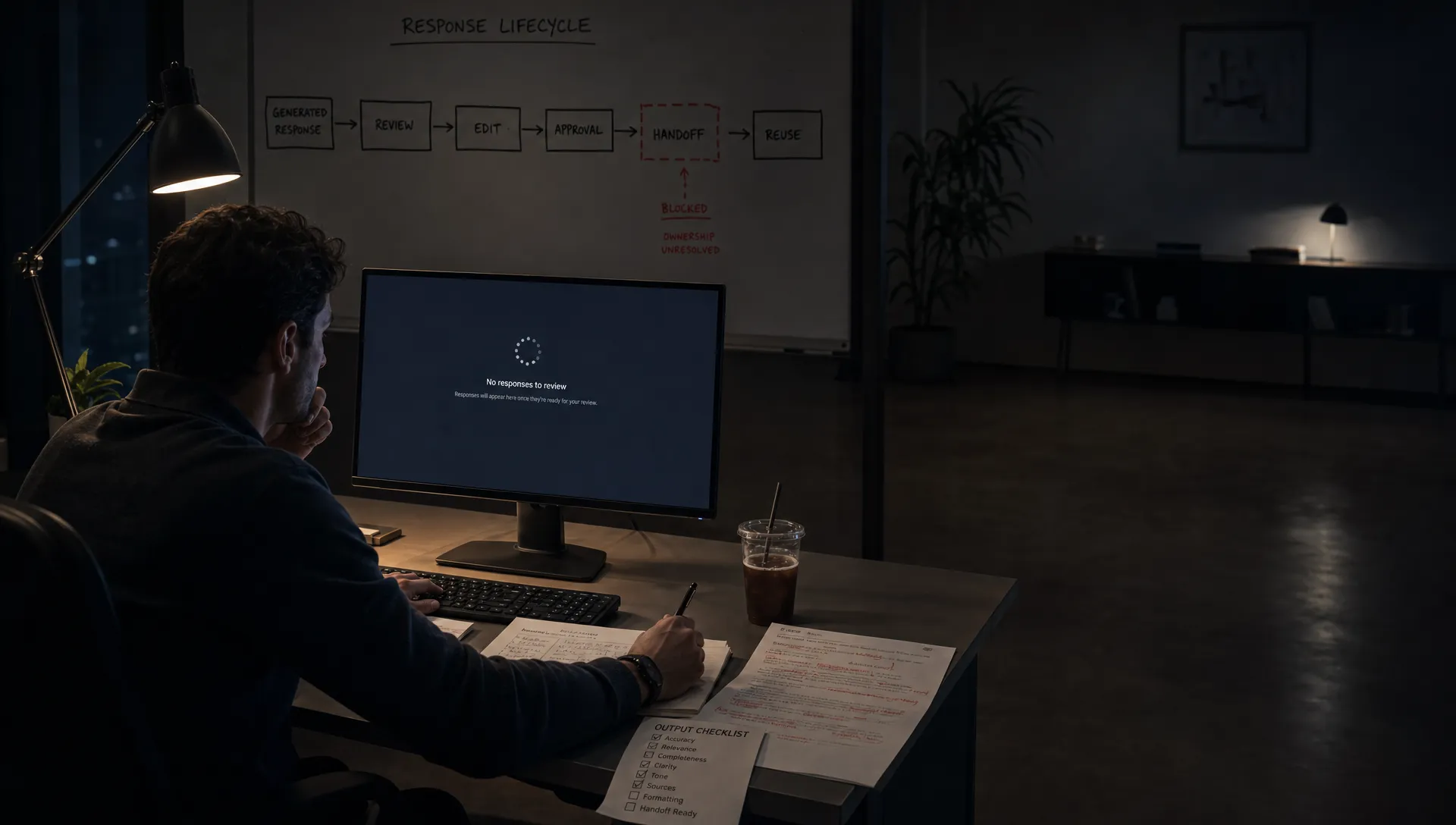
Your AI feature generates a decent answer. The demo works. Users click the button, read the output, maybe even say it was useful.
Then nothing happens.
They do not apply the recommendation. They do not keep the draft. They do not invite the AI into the next workflow. They come back once or twice, then disappear.
That is the post-output problem. The model did its visible job. The product did not finish its real job.
Product design for AI often spends too much attention on the moment of generation: the prompt box, the loading state, the streamed response, the sparkle icon. Those things matter, but they are not where adoption usually settles. Adoption settles after output, when the user has to decide whether the result is safe, useful, editable, shareable, and worth repeating.
If that moment is not designed, the user has to invent the workflow alone.
The output is not the end state
Most AI features treat output as completion. A response appears, and the interface implies the job is done.
But for the user, output usually creates a new burden. Now they must inspect it, compare it against their intent, correct what is wrong, move it somewhere useful, and decide whether to trust it in front of other people.
That is not a small detail. It is the adoption path.
A generated sales email still needs to match the account context. A generated product spec still needs tradeoffs, constraints, and owner alignment. A generated code suggestion still needs to compile, fit the codebase, and avoid creating a maintenance problem. A generated research answer still needs sources and confidence boundaries.
This is why teams misread early AI usage. Generation volume can look healthy while actual adoption is weak. Users are sampling the feature, not integrating it.
A better question is not: did the AI produce something?
The better question is: did the user move that output into a real decision, document, workflow, or habit?
If you are not measuring that, you are measuring theater. The difference between generated and applied output is covered more directly in AI in Action Means Output Applied, Not Generated, but the design implication is simple: the product has to carry the user past the response.
The post-output gap has recognizable symptoms
You can usually see this break in product data and user behavior. The feature is not dead. It is stuck between interest and use.
| Symptom | Likely post-output break | What to design next |
|---|---|---|
| Users generate outputs but rarely save, send, publish, or insert them | Output has no clear destination | Add action paths tied to the user’s next workflow |
| Users copy output into another tool before editing | Your product does not support real revision | Add structured editing, comparison, and handoff states |
| Users regenerate repeatedly | They cannot express what is wrong with the result | Offer targeted controls instead of another blank prompt |
| Users say output is useful but do not return weekly | The feature solved a task once, not a recurring loop | Capture context, preferences, and reusable triggers |
| Users ask support whether output is accurate | Trust burden sits entirely on the user | Add evidence, source cues, limits, and review guidance |
| Teams hesitate to use AI output with customers or executives | Accountability is unclear | Make review status, owner, and approval path explicit |
The key is not to treat all low retention as one problem. A trust gap is different from a workflow gap. Prompt paralysis is different from revision failure. Output abandonment is different from low perceived value.
If you diagnose the wrong break, you will ship the wrong fix.
What product design for AI must solve after output
There are five questions the interface has to answer once the AI has responded. If the product does not answer them, the user will answer them manually, inconsistently, and often outside your product.
Can I trust this enough to continue?
Trust does not mean users believe the AI is always right. Serious users know better.
Trust means they understand how to judge the output. They can see what it used, what it missed, where it is uncertain, and what kind of review is required.
Perplexity makes this visible through citations and source trails. GitHub Copilot keeps suggestions close to code context, where the developer can inspect and test them. Grammarly often frames suggestions as edits the user can accept or reject, not as hidden rewrites.
The pattern is the same: do not ask users to trust a black box. Give them handles for judgment.
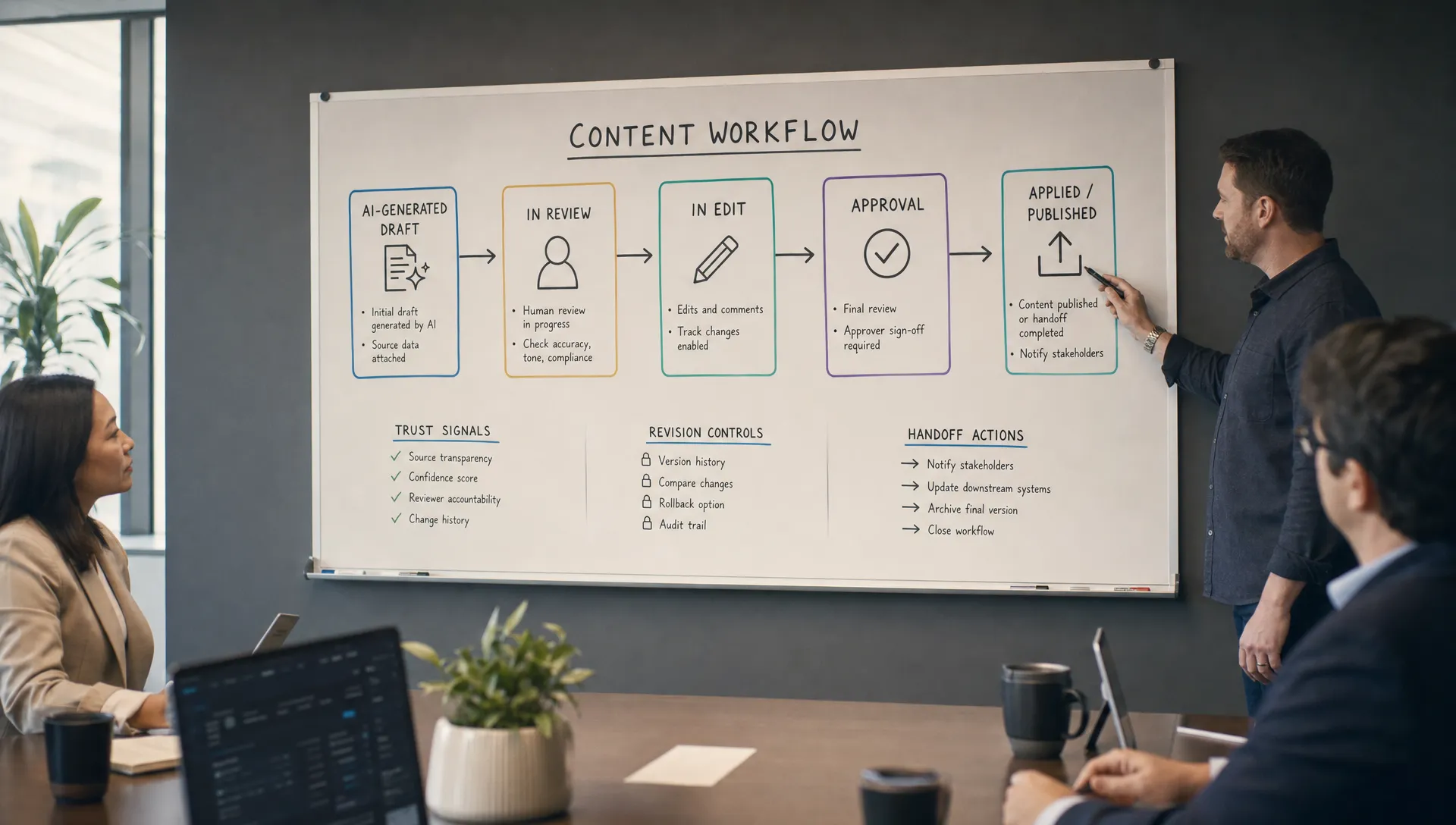
Useful post-output trust design can include source links, input summaries, confidence boundaries, change previews, assumptions, review checklists, and labels that distinguish draft, recommendation, and final state.
The blunt rule: if the user would be embarrassed to be wrong, design the review path before you optimize the generation path.
What am I supposed to do with this now?
A good output with no next action is still friction.
Many AI features produce text in a side panel, far from the place where work actually happens. The user reads it, maybe likes it, then has to decide where it belongs. Should it replace existing content? Become a comment? Turn into a task? Update a record? Be shared with a teammate?
That decision should not be left to the clipboard.
Post-output actions should map to the actual job. For a support AI, that may be insert reply, cite policy, escalate, or mark unresolved. For a product analytics AI, it may be save insight, create experiment, share chart, or add to weekly review. For an AI writing assistant, it may be apply section, compare versions, preserve tone, or request legal review.
The next action is part of the product, not a convenience button.
How do I fix it without starting over?
Regenerate is often a lazy design choice.
It is useful sometimes, but it does not help users communicate what was wrong. Too long, too vague, wrong audience, missing source, risky claim, bad tone, not enough examples, not aligned with policy. These are not the same problem.
If the only correction path is another prompt, users have to become prompt engineers just to make a normal edit.
Better revision design gives users specific controls. Shorten this section. Make this more conservative. Keep the structure but change the tone. Replace this claim. Use only approved sources. Compare with the previous version. Explain what changed.
That is why AI product teams need to design around revision loops, not one-shot output. If this is the failure mode you are seeing, the argument in Design AI Tools Around Revision, Not One-Shot Output is the next layer down.
Who owns the output now?
AI output creates an accountability problem.
Before AI, ownership was usually obvious. A person wrote the message, filed the ticket, merged the code, or approved the campaign. With AI, the surface can blur responsibility. Did the user author this? Did the system recommend it? Has anyone checked it? Is it safe to send?
This matters most in B2B products, regulated workflows, enterprise collaboration, customer-facing communication, and internal decision support. If output can affect another person, you need ownership states.
Simple states can do a lot of work: generated draft, reviewed by owner, approved for use, sent, archived, superseded. The point is not process for its own sake. The point is to make the output socially usable inside a team.
A PM may like an AI-generated launch brief. But if they cannot show what changed, who reviewed it, and whether it reflects the latest decision, they will rewrite it in a doc instead.
That is not user preference. That is missing product design.
Will this make the next use easier?
One-off usefulness does not create habit.
If every AI session starts from zero, users have to rebuild context each time. They have to explain their role, audience, format, constraints, style, project, and goal. The first result may be useful, but the second session still feels like work.
Habit forms when the product remembers the right things.
Not everything should be remembered. Bad memory creates creepiness and mistakes. But useful memory is often mundane: preferred format, approved terminology, current project, writing style, target customer, connected data source, workflow stage, previous decision, or team policy.
The design question is: what context would make the next output faster to judge and easier to apply?
If users repeatedly paste the same background into the prompt, they are showing you the missing product layer.
Measure the handoff, not just the generation
Post-output design needs different metrics. If your dashboard stops at prompts submitted and outputs generated, you will overestimate adoption.
Track what happens after the response. Did the user edit it? Which parts? Did they accept a suggestion? Did they discard it? Did they copy it? Did they insert it into the workflow? Did they share it? Did they come back with the same context? Did the output survive review?
You do not need a massive analytics rebuild to start. Pick one applied-output event that represents real user value. Then compare it to generation.
For example:
| Product type | Weak metric | Stronger post-output metric |
|---|---|---|
| AI writing assistant | Drafts generated | Draft sections accepted or published |
| AI support agent assist | Replies suggested | Replies sent after human review |
| AI analytics assistant | Questions asked | Insights saved, shared, or tied to a decision |
| AI coding tool | Suggestions shown | Suggestions accepted and retained after test or review |
| AI product ops tool | Summaries generated | Decisions, tickets, or follow-ups created from summary |
The exact metric depends on the workflow. The principle does not. AI adoption is not output production. It is output use.
A simple design review for post-output failure
Use this review when an AI feature gets initial clicks but weak repeat use.
Ask the team five questions:
- Judgment: Can the user tell what the output is based on, where it may be wrong, and how to review it?
- Action: Is the next step obvious and native to the workflow, or does the user need to copy, paste, and improvise?
- Revision: Can the user fix specific problems without restarting the whole interaction?
- Ownership: Is it clear who is responsible for using, approving, or rejecting the output?
- Memory: Does the product make the next similar use easier, or does every session start cold?
If you cannot answer these clearly, do not start by changing the model. Start by designing the product surface after the model responds.
This is where a lot of AI features quietly fail. Not because the generated output is useless. Because the product leaves users alone at the exact moment they need support.
Frequently Asked Questions
What does product design for AI mean after output? It means designing the steps that happen after the AI responds: review, trust, editing, approval, handoff, reuse, and measurement. The response is only one part of the user journey.
Why do users abandon good AI output? Usually because the output is hard to verify, hard to edit, disconnected from the workflow, or unclear in ownership. The user may like the result but still avoid applying it.
Should we improve the model or redesign the post-output workflow? Look at the failure signal. If users complain about factual errors or missing context, model or retrieval quality may matter. If they generate output but do not apply it, the workflow around the output is likely the bigger issue.
What is the best metric for AI feature adoption? A strong metric tracks applied output, not just generated output. Examples include accepted edits, replies sent, insights saved, code retained, documents updated, or tasks created from AI output.
The next decision
If your AI feature is getting trials but not becoming routine, do not ask only whether the output is good enough. Ask what the user has to do after the output appears.
That is where product design for AI becomes concrete.
If you want to diagnose the specific break, you can run the symptom through the free AI adoption triage tool. If you want a deeper working framework, the AI Product Adoption Deck maps these adoption failures to diagnostics, action cards, and workshops your team can use to turn the next design discussion into a product decision.