AI in Action Means Output Applied, Not Generated
AI in action is not generation. Learn how to diagnose low apply rates, output abandonment, and design AI features users actually use.

You shipped the AI feature. People try it. They generate answers, drafts, summaries, recommendations, code, plans, or variants. The usage chart has movement.
Then the work goes quiet.
The output gets copied somewhere else, rewritten from scratch, ignored, regenerated five times, or left sitting in the chat panel. Your team says the model is being used. The user’s workflow says something different.
That gap is the point. AI in action does not mean output was generated. It means output was applied. The output changed the user’s next step. It was accepted, edited, inserted, sent, committed, cited, shared, approved, or used to make a decision.
If your analytics stop at generation completed, you are measuring the model’s activity, not the user’s progress.
The output event is only the audition
Generation feels like activation because it is visible. A prompt was submitted. A response appeared. Maybe the user even smiled in the user interview.
But the generation event is closer to opening an editor than finishing a document. It proves interest, not adoption.
The real question is simple: did the user move the AI output into a workflow that already matters?
This is where many AI product teams get misled. They treat a completed output as proof of value, then wonder why retention stays flat. If that pattern sounds familiar, the issue is often the same one described in how AI teams misread activation data: the event being tracked is too early in the job.
A generated output still leaves the user holding the risk. They have to decide whether it is accurate, safe, useful, complete, on-brand, formatted correctly, and worth applying. If the product does not help with that handoff, the user has to do the hard part alone.
The application ladder
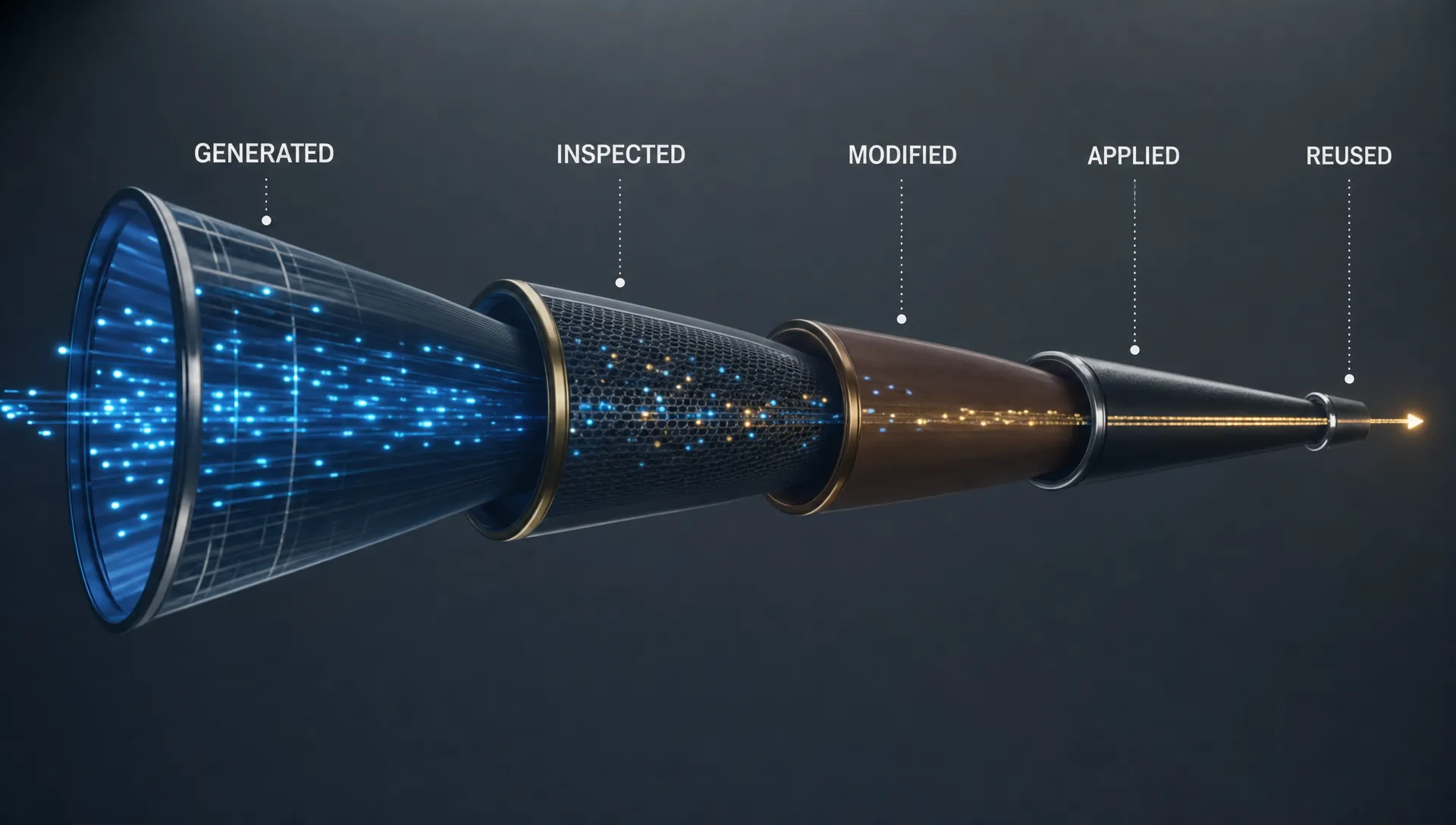
Most AI features need a more precise adoption ladder. Not every output is equal.
| Output state | What happened | What it tells you |
|---|---|---|
| Generated | The model produced an answer, draft, or suggestion | The user was curious enough to try |
| Inspected | The user read, opened, previewed, or checked the output | The user is evaluating risk and fit |
| Modified | The user edited, refined, constrained, or regenerated with intent | The output is close enough to work with |
| Applied | The user inserted, accepted, sent, committed, saved, cited, or acted on it | The output created workflow progress |
| Reused | The user returns for the same job or adjacent job | The feature is becoming part of a routine |
The break usually happens between inspected and applied. Users do not always hate the output. Often they just cannot get from useful-looking to usable.
That distinction matters. A weak model and a weak handoff can produce the same surface symptom: low repeat use. If you diagnose both as a model quality problem, you will spend the next sprint improving answers that still do not get applied.
Why users stop before applying
When users abandon AI output, teams often blame prompt quality. Sometimes that is right. More often, the product has failed after generation.
Common breaks include:
- No clear destination: The output sits in a side panel with no obvious next step.
- No fast check: The user cannot verify sources, assumptions, inputs, or confidence.
- No revision path: The only recovery option is regenerate, so the user loses control.
- No ownership state: The product does not say whether the output is a draft, recommendation, or safe-to-send artifact.
- No workflow fit: The output is good in isolation but mismatched to the format, timing, or approval path of the real job.
This is why more output does not always help. Ten mediocre drafts can create more work than one editable draft with a clear apply path.
In AI products, user effort often moves downstream. The product makes creation cheaper, but review, correction, and integration become the new bottlenecks. If you do not design for those moments, your feature becomes a demo machine.
What application looks like in real products
For a writing assistant, the action is not generating three headline options. The action is accepting one into the campaign, editing it in place, and sending it through the normal review flow. If the user copies the output into another tool and rewrites every sentence, your product helped brainstorm. It did not own the job.
For a coding assistant, the action is not showing a suggestion. It is code accepted into the working context and kept after review, tests, or further editing. Suggestion volume may be high while durable contribution stays low.
For a research assistant, the action is not displaying an answer. It is a source opened, a citation saved, a summary attached to a decision, or a claim carried into a document. If users cannot check where an answer came from, they may read it, nod, and still not use it.
For a design or product planning tool, the action is not generating a canvas full of ideas. It is moving a selected idea into a spec, issue, decision log, or review artifact. The value is not the pile of options. The value is the next committed step.
Measure apply rate, not output volume
Start by defining the apply event for one user job. Do not create one generic metric for every AI surface. The apply event should be as close as possible to the workflow value.
A useful baseline metric is:
Apply rate = applied outputs divided by generated outputs
This is not perfect. Some valuable AI work is exploratory. But it forces the right conversation. If 1,000 outputs were generated and 90 were applied, you have a different problem than if 1,000 were generated and 700 were applied once but never reused.
| AI surface | Weak metric | Better application metric |
|---|---|---|
| Writing assistant | Drafts generated | Suggestion accepted, text inserted into a final document, or draft shared |
| Support assistant | Replies generated | Agent sends a reviewed reply or adds an approved answer to a case |
| Coding assistant | Suggestions shown | Code accepted and still present after review or a test run |
| Research assistant | Answers generated | Source opened, citation saved, or summary attached to a decision |
| Analytics assistant | Questions asked | Chart saved, query reused, or insight added to a report |
Once you track application, the product problem usually gets sharper.
| Symptom in usage data | Likely diagnosis | Product response |
|---|---|---|
| High generation, low apply | Output has no clear destination | Add contextual apply actions tied to the user’s workflow |
| Many regenerations, few edits | User cannot steer the output | Add revision controls, constraints, and partial editing |
| Long dwell time, low apply | User is checking manually or hesitating | Expose sources, assumptions, diffs, or evidence |
| High copy-out, low return | The real workflow lives elsewhere | Integrate with the downstream artifact or improve handoff |
| Strong first use, weak second use | No recurring trigger or carried context | Bring the feature back at the next relevant moment |
The goal is not to punish exploration. The goal is to stop confusing exploration with adoption.
Design the missing handoff
If output is generated but not applied, do not start by making the model more verbose. Start with the handoff.
Put the destination next to the output. Replace generic copy buttons with actions that match the job: insert into selected text, create ticket comment, save to brief, apply to table, draft reply, add to decision log, open as pull request. The label should tell the user what happens next.
Make revision part of the product. Regenerate is a blunt instrument. Users need smaller moves: shorten, keep this section, change tone, use this source, preserve format, compare against policy, apply only to selected paragraph. Revision is where users turn AI output into their work.
Separate draft state from approved state. AI output often fails because the user does not know what the product thinks the artifact is. Is this a raw draft? A recommendation? A ready-to-send response? A risky guess? The interface should make that state obvious.
Reduce verification cost. Users do not need decorative explainability. They need enough evidence to act. Show the inputs used, the sources behind the claim, the changed fields, the assumptions made, or the diff from the original. If trust is the blocker, the product should shorten the path from doubt to decision.
A concrete diagnostic for your next sprint
Pick one AI job in your product. Not the whole feature. One job.
Pull a sample of recent generated outputs. Classify each one by state: generated, inspected, modified, applied, reused. Then look at the biggest drop-off.
If users stop after generation, you may have a relevance problem. If they inspect but do not apply, you may have a trust or fit problem. If they modify forever, you may have a control problem. If they apply once but do not return, you may have a trigger or context problem.
That classification is more useful than another average satisfaction score. It tells you where adoption breaks.
If you want a structured way to run that diagnosis, the AI Product Adoption Deck includes diagnostic cards, action cards, and workshop templates for mapping symptoms to product decisions. For a faster starting point, use the free AI adoption triage to identify which adoption break you are probably dealing with.
Frequently Asked Questions
What does AI in action mean for product teams? It means the AI output is used inside the user’s real workflow, not just generated. The output should lead to an accepted suggestion, saved artifact, sent message, committed change, cited source, or decision.
Is generation ever a valid activation metric? It can be an early intent signal, but it is rarely enough. Generation tells you the user tried the feature. Application tells you the feature helped the user make progress.
How do I define an apply event for my AI feature? Start with the job the user hired the feature to do. Then identify the moment where the output enters that job: inserted into a document, sent to a customer, saved to a report, accepted into code, or used in a decision.
What should we fix first if apply rate is low? Look at where users stop. If they do not inspect output, improve relevance and presentation. If they inspect but hesitate, improve verification. If they regenerate repeatedly, improve revision controls. If they copy out, improve workflow integration.
The next action is not another generation metric
Before the next model-quality sprint, define the apply event. Instrument it. Review the drop-off from generated to applied. Then choose one product change that moves output closer to the user’s real work.
AI in action starts when the user can trust, shape, and apply the output. Everything before that is just production.