How to Run a Workshop AI Teams Use to Fix Adoption
Run a workshop AI teams can use to diagnose adoption breaks, pick one fix, and leave with a clear experiment instead of vague AI ideas.
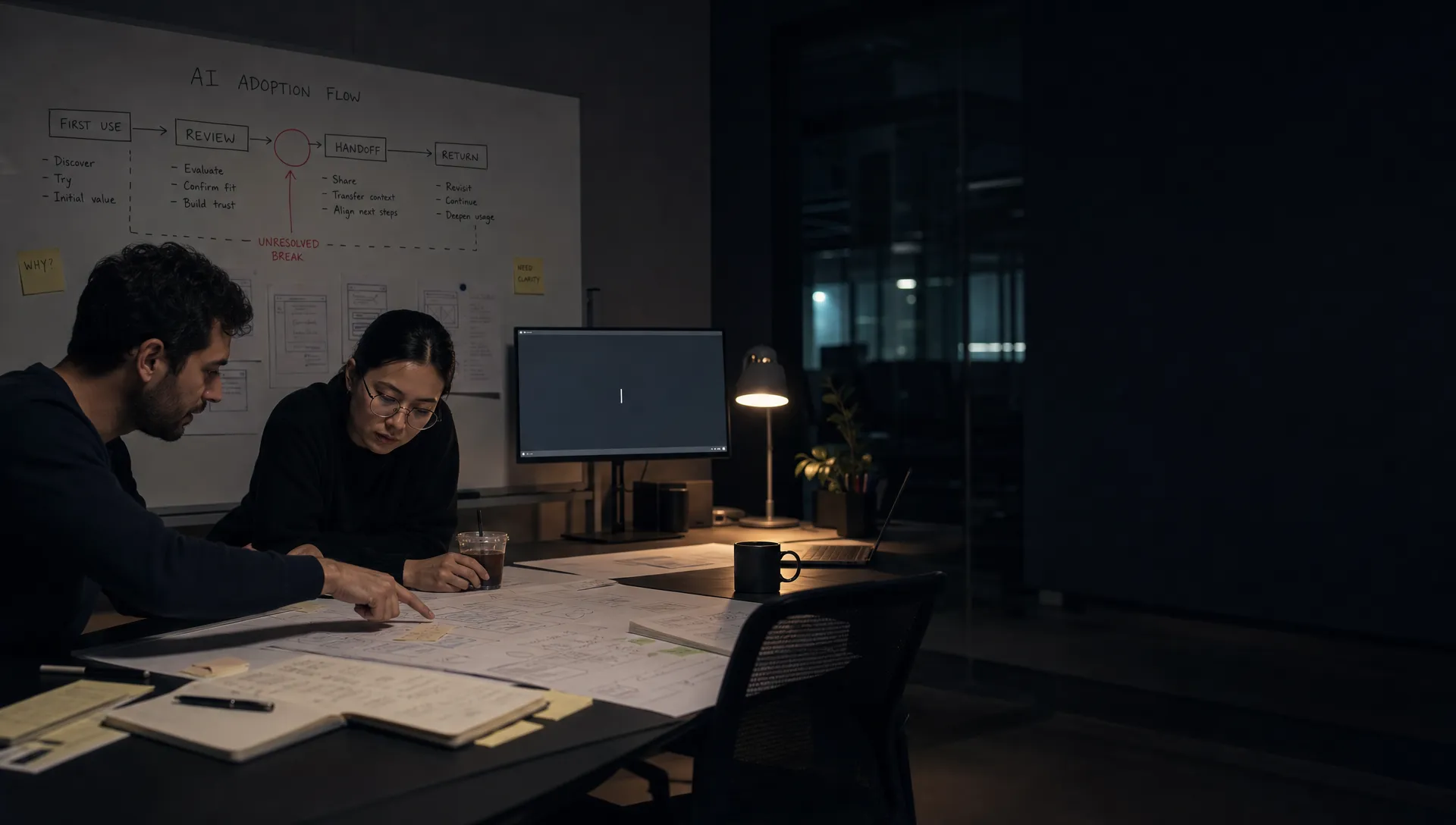
You know the workshop failed when the next step is another workshop.
The team spent 90 minutes debating prompts, model quality, onboarding, and maybe a new “AI education” page. Everyone agreed adoption matters. Nobody left with a product decision.
That is the common failure mode. Most AI workshops are too broad. They treat adoption like a strategy topic instead of a behavior problem. The useful version is a workshop AI teams can run around one visible break in the user journey.
The goal is not alignment in the abstract. The goal is to answer one question:
Where exactly does the user stop trusting, using, editing, applying, or returning to the AI output?
Once you can answer that, the fix gets much less fuzzy.
Start with the adoption symptom, not the AI feature
Do not open the workshop with “How should we improve our AI experience?” That question is too large. It invites opinions from every direction.
Open with the symptom your team can already see.
Maybe users try the feature once and never come back. Maybe they generate output but do not export, send, save, or apply it. Maybe they accept the first result in a demo but rewrite everything in real work. Maybe power users love it, but new users stare at an empty prompt box and leave.
These are different problems. They need different workshops.
A good workshop starts with a narrow adoption statement:
“For account managers in onboarding, 62% generate an AI account summary, but only 14% paste or save it into the customer record.”
That statement gives the room something to inspect. It defines the user, the task, the AI moment, and the behavioral break.
If you are not sure which symptom you have, run a quick diagnostic before gathering the team. The free AI adoption triage tool is built for this kind of symptom sorting, especially when teams are mixing up trust, workflow fit, onboarding, and retention issues.
Bring evidence from the moment of failure
A workshop without user artifacts becomes a debate about taste.
For AI adoption work, the artifacts matter more than the slide deck. You need to show what the user actually saw, typed, skipped, edited, doubted, or abandoned.
Bring only evidence tied to the specific break. Do not dump research into the room.
Useful inputs include:
- Session clips showing the AI moment and the next action, not a full product walkthrough
- Prompt text from users who failed to get value
- Outputs users abandoned, deleted, rewrote, or ignored
- Support tickets mentioning confusion, trust, accuracy, or “not useful” feedback
- Funnel data around generation, acceptance, editing, export, save, share, and return use
- Sales or customer success notes that show how users describe the job in their own words
The evidence should make the break obvious enough that the team stops arguing about whether adoption is bad and starts asking why.
Diagnose the break before choosing a fix
Low adoption is not a diagnosis. It is a symptom.
The workshop should force the team to separate common AI adoption breaks that often look similar in dashboards.
| Observable symptom | Likely adoption break | Workshop focus |
|---|---|---|
| Users do not start | The task is unclear or the prompt burden is too high | Define the user intent and reduce input friction |
| Users generate but abandon output | The output does not fit the workflow or next step | Inspect output format, handoff, and actionability |
| Users rewrite most of the result | The AI is close but not controllable enough | Improve editing, steering, and correction loops |
| Users say the output is “probably wrong” | Trust is missing at the decision point | Add verification, sources, confidence cues, or review paths |
| Users use it once but do not return | The feature has novelty value but no habit loop | Tie the AI moment to a recurring job and trigger |
| Users over-accept weak output | The product hides risk or discourages review | Add friction, review prompts, or safer defaults |
This table is the center of the workshop. Not the roadmap. Not the model architecture. The adoption break.
If the team jumps straight to “we need a better prompt,” slow it down. Prompt quality might be part of the issue. But for shipped AI products, abandonment often happens after the output appears. The user cannot judge it, shape it, or use it in the next workflow step.
That is a product problem.
Keep the room small enough to make a decision
AI adoption workshops fail when they become stakeholder theater.
You need the people who can explain the failure and commit to a fix. Usually that means:
- Product, to frame the adoption break and own the decision
- Design, to inspect user behavior and shape the intervention
- Engineering or applied AI, to explain what is feasible and where model behavior constrains the UX
- Data or research, to ground the room in evidence
- Customer-facing input, if the team lacks recent user language
You do not need every executive, every GTM lead, and every person with an opinion about AI. Invite observers only if they understand they are not there to expand scope.
One person must own the final call. If everyone owns the decision, nobody owns the follow-up.
Use a 90-minute workshop structure
The best structure is simple. Spend more time looking at the break than brainstorming fixes.
| Time | Activity | Output |
|---|---|---|
| 0 to 10 min | State the adoption symptom and target user | One agreed problem statement |
| 10 to 25 min | Review user artifacts from the failure moment | Shared evidence, not opinions |
| 25 to 40 min | Map the AI adoption path | A visible sequence from intent to reuse |
| 40 to 55 min | Locate the break | One primary adoption break, not five |
| 55 to 75 min | Choose the product response | One intervention to test or spec |
| 75 to 90 min | Write the decision artifact | Owner, metric, scope, and next step |
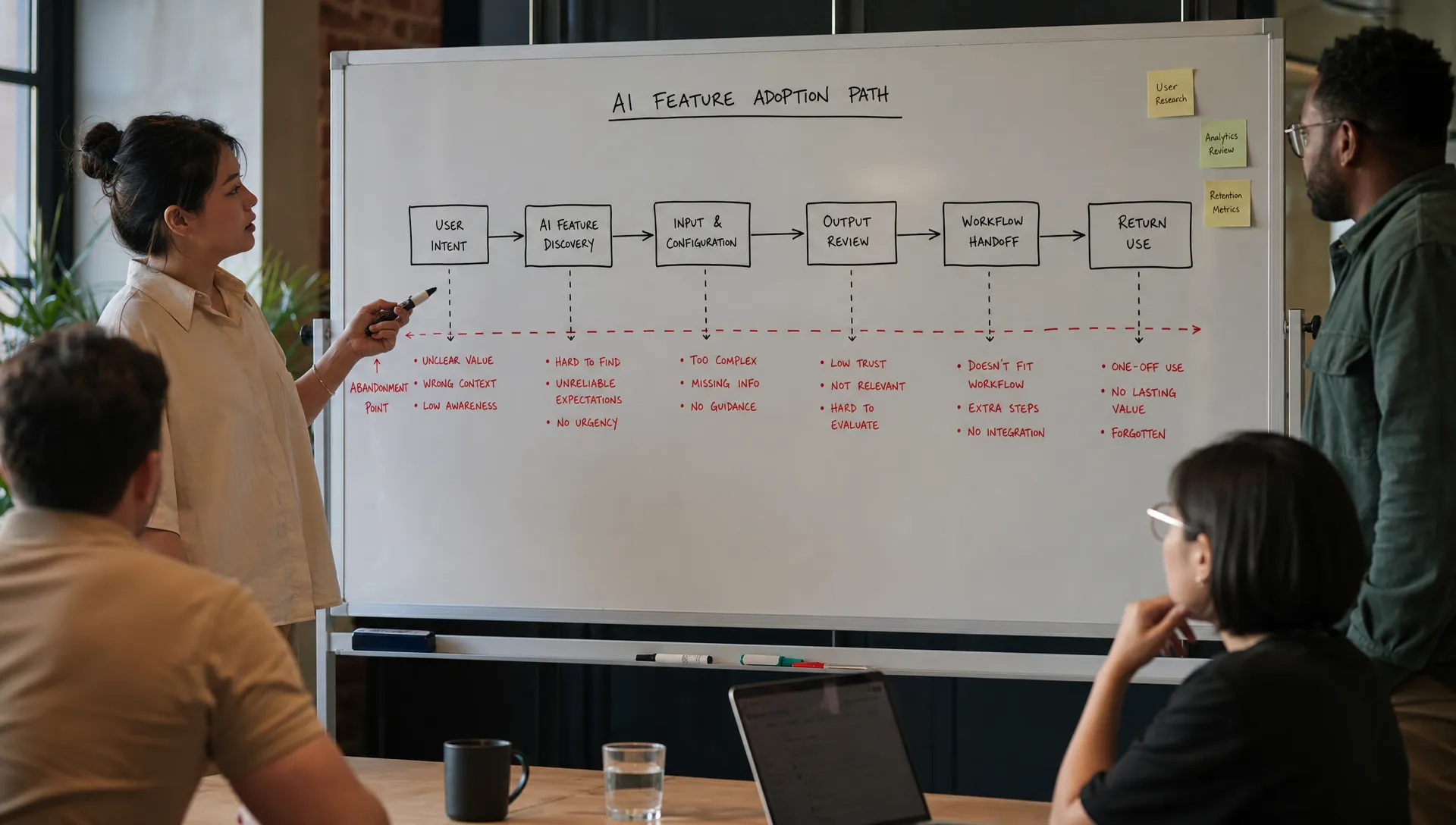
The adoption path does not need to be fancy. It usually looks like this:
Intent, input, generation, interpretation, trust check, edit or correction, workflow handoff, outcome, return trigger.
Ask where the user loses momentum. Then ask what the product currently does at that moment. In many AI features, the answer is “nothing.” The product generates the output and leaves the user alone with it.
That is where adoption breaks.
Ask questions that expose the real issue
The facilitator’s job is to stop the room from drifting into generic improvements.
Use questions that force specificity:
What did the user expect the AI to do at this point? If the expectation is unclear, the onboarding or entry point may be overpromising or underframing the job.
What did the user need in order to trust the output? This could be citations, source visibility, comparison to known data, a confidence cue, a review step, or simply clearer boundaries around what the AI did and did not do.
What action was the user supposed to take next? If nobody can answer, the output is probably not connected to the workflow. A good AI result still fails if it lands as a dead-end text blob.
What correction path did the product offer? Users rarely get perfect output on the first try. If correction means starting over, users learn that the feature is fragile.
What would make this worth using again next week? If the answer depends on novelty, you do not have a retention loop. You have a demo moment.
These questions keep the workshop grounded in behavior. They also keep teams from blaming the model too early. Model quality matters, but it is often only one layer of the adoption problem. If your team keeps defaulting to that explanation, it may help to read through what AI teams should fix before blaming the model.
Leave with one decision artifact
A workshop is only useful if it changes what the team builds next.
End by writing a small decision artifact. Keep it short enough that it can become a ticket, experiment brief, or design spec the same day.
| Field | What to write |
|---|---|
| Adoption break | The exact behavior that fails |
| User segment | The group affected, not “all users” |
| Current moment | What the product shows or asks today |
| Hypothesis | Why users are stopping |
| Product response | The smallest meaningful intervention |
| Success metric | The behavior that should change |
| Guardrail | The risk you do not want to increase |
| Owner | The person accountable for shipping or testing |
| Review date | When the team will inspect the result |
For example, if users generate a customer summary but do not save it, the response might not be “improve the summary.” It might be to reformat the output into the CRM fields they already use, show source snippets for claims, and add a one-click insert flow.
That is a different product decision. It targets workflow handoff and trust, not generic quality.
If you want a more focused version of this format for a specific journey, the guide on running an AI workshop around a broken user flow goes deeper on mapping the sequence and choosing the intervention point.
Watch for workshop failure modes
A few patterns show up repeatedly.
The first is the model debate. Someone says the output is not good enough, and the room spends the rest of the session discussing quality in the abstract. Bring the conversation back to the user behavior. Which output failed? What was wrong with it? What did the user do next?
The second is persona soup. Teams try to solve adoption for admins, new users, power users, managers, and end customers in one session. Pick one segment. AI behavior is context-sensitive. Your workshop should be too.
The third is solution stacking. The team leaves with five fixes: better prompt examples, more tooltips, new onboarding, an export button, and a settings panel. That usually means the break was not diagnosed. Pick one primary cause and one response.
The fourth is no metric. “Improve trust” is not a success metric. “Increase accepted outputs that are saved into the workflow from 14% to 25%” is closer. The metric should describe the behavior you want users to perform, not the sentiment you hope they feel.
The fifth is no review date. AI adoption fixes need inspection after shipping. Users may respond in unexpected ways. A trust cue may increase usage but also slow completion. A stronger default prompt may improve first output quality but reduce user control. Decide when you will look.
The useful output is not a brainstorm
The useful output is a product bet.
After the workshop, the team should be able to say:
- We know which adoption break we are addressing
- We know which users it affects
- We know why the current experience fails
- We know what we are changing
- We know how we will measure the change
- We know who owns the next step
If you cannot say those things, the workshop was probably too broad.
AI adoption is rarely fixed by one clever UX change. But a good workshop can stop the team from scattering effort across prompts, education, model tweaks, and vague trust improvements. It turns “users are not adopting it” into a specific product decision.
For teams that want a reusable structure, the AI Product Adoption Deck includes diagnostics, action cards, and workshop templates for exactly these adoption breaks. Use it when you need a shared way to move from symptom to decision without reinventing the process every time.
Frequently Asked Questions
How long should an AI adoption workshop be? Most teams can make a useful decision in 90 minutes if the scope is narrow. If the workshop covers multiple segments, multiple features, or the whole AI strategy, it will likely produce discussion instead of action.
Who should facilitate the workshop? The facilitator should be close enough to the product to understand the workflow, but neutral enough to challenge assumptions. A PM, product designer, researcher, or product consultant can do it well if they keep the room tied to evidence.
What is the biggest mistake teams make in AI workshops? The biggest mistake is starting with solutions. Teams jump to better prompts, better onboarding, or a better model before naming the adoption break. Start with the failed behavior, then choose the fix.
When should we run this workshop? Run it after you have real usage data, abandoned outputs, user sessions, or customer feedback. If the feature has shipped and adoption is weaker than expected, that is the right moment. Do not wait for a full quarterly planning cycle.