How to Diagnose AI Features Users Cannot Find at the Right Moment
Diagnose AI product adoption problems caused by poor feature discovery. Separate visibility, timing and meaning, then test the right entry point.

Users ask support how to do something your AI feature already handles. Others export their work to a separate assistant, then paste the result back. Your launch announcement got clicks, but the feature stays untouched during real work. This is an AI product adoption problem worth separating from output quality: users may never encounter the capability when they need it.
The diagnosis is not simply “the button is hidden.” A visible control can still arrive too early, describe the wrong outcome or sit outside the workflow where the need appears.
Define the moment users are missing
Start with one task, not the feature’s navigation location. Write down the situation in which invoking AI would actually help.
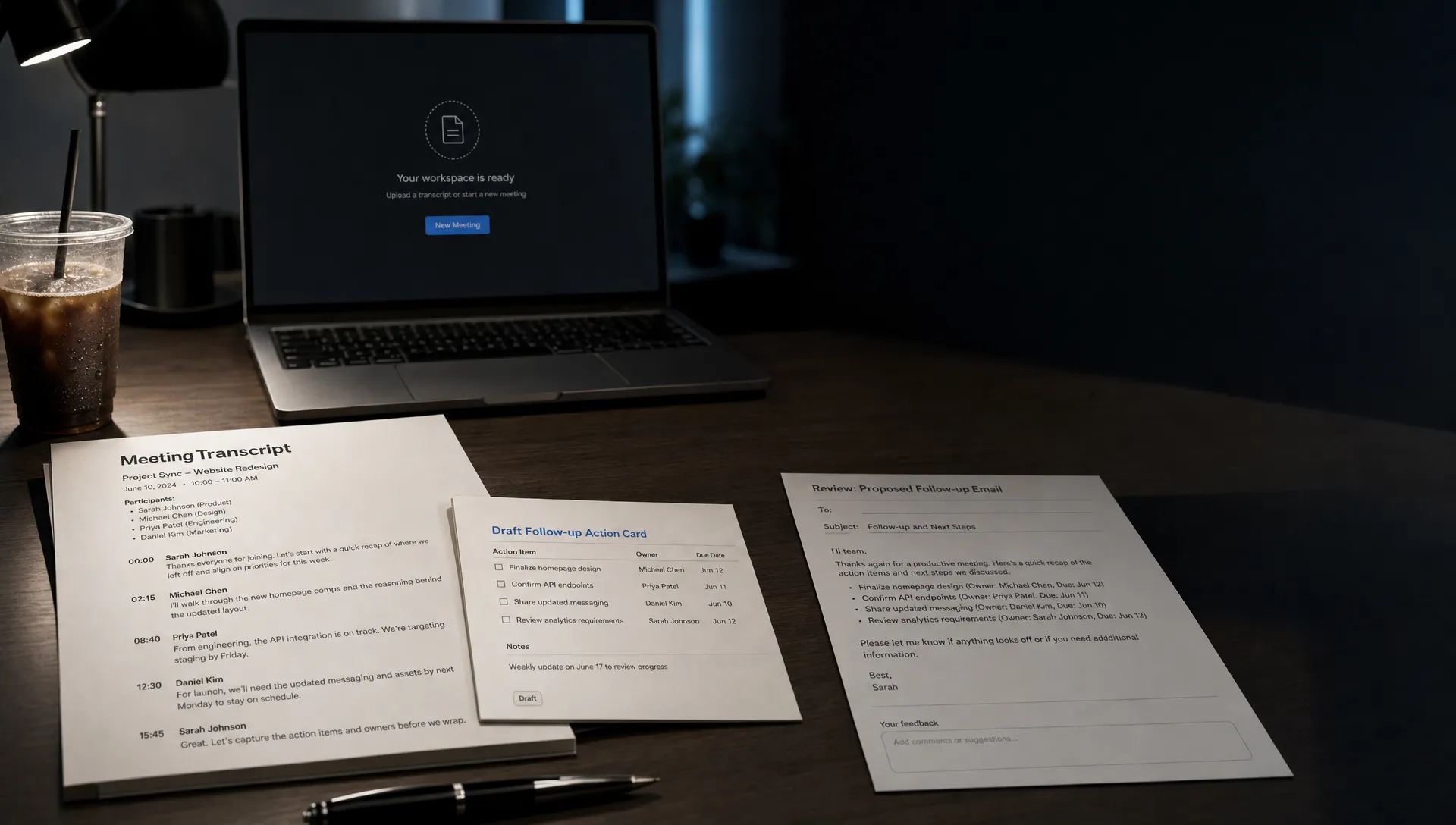
Consider a hypothetical meeting product with an AI follow-up feature. “After a meeting” is too broad. A more useful moment is: the transcript is ready, the user has reviewed the decisions and they need to send participants a summary with next steps.
That description gives you three things to inspect: whether the necessary input exists, whether the user has a reason to act and whether the action is available there.
Document the current route alongside it. If users must leave the transcript, open a general assistant and explain which meeting they mean, the feature is technically available but disconnected from the task.
Your unit of diagnosis is the eligible task moment, not the page visit. Someone browsing settings is not necessarily missing an opportunity to draft a follow-up.
Separate visibility, meaning and timing
Several different breaks can produce the same low usage chart. Before changing navigation, identify which AI product adoption failure you can actually observe.
| Observed behavior | Likely break | What to investigate |
|---|---|---|
| Users complete the task without noticing the action | Visibility | Whether the control enters their attention during the relevant step |
| Users see the control but cannot explain what it does | Meaning | Whether the label names a recognizable task and result |
| Users notice it before the required material exists | Timing | Whether the action appears when useful input becomes available |
| Users look for it but cannot access it | Availability | Permissions, plan restrictions, platform differences or disabled states |
| Users understand it and deliberately choose another route | Perceived usefulness or trust | Why the existing route feels safer or cheaper to complete |
These are hypotheses, not conclusions. A recording that shows no click cannot establish whether someone noticed a control.
Announcements solve a separate awareness problem. If interviews reveal that users have never heard of the capability, resources such as Carl Davies’s internet marketing blog cover email marketing and traffic generation, which can inform that communication work. But awareness campaigns do not establish whether users recognize the action during the task itself.
Observe the task without naming the feature
Recruit users who perform the relevant work, including people who have not adopted your AI feature. Give them a realistic task with the required material available.
Do not ask, “Can you find the AI assistant?” That turns the session into a search exercise. Ask them to complete the underlying job, such as preparing a follow-up for meeting participants.
Watch where the need becomes apparent. Note which controls they inspect, whether they leave the product and what workaround they choose. Let them finish before asking what they noticed or expected.
Afterward, show the unused action. Ask what they think it would produce and whether it would have helped at any point in the task. Their answer helps distinguish a missed affordance from an unwanted capability.
If they find the feature but stall at an empty input, investigate why the prompt fails before users even type. That is a different break. More prominent placement will not explain what context to provide.
Measure AI product adoption against real opportunities
“Percentage of accounts that clicked AI” is a weak discovery measure. Many accounts may not have reached a task where the feature was useful.
Define an eligible opportunity using conditions you can observe. In the meeting example, that might mean a user with access opens a completed transcript that supports follow-up generation. Treat this as a measurable approximation of need, not proof of intent.
Track the path from that opportunity to the outcome:
- Eligible opportunity: The relevant task state exists and the user can access the capability.
- Control exposure: The action is actually displayed, rather than merely included somewhere on the page.
- Invocation: The user starts the action.
- Task completion: The user completes the intended job, not just generates an output.
Compare invocation per exposed opportunity and task completion per eligible opportunity. The first helps inspect the entry point. The second checks whether the change makes the workflow more useful.
Keep exposure distinct from attention. Telemetry can establish that a control rendered in view; it cannot prove someone understood it. Use observation to explain the event data, and avoid collecting document contents when metadata is sufficient.
Test the smallest change that matches the diagnosis
Choose a change that addresses the observed break. Do not simultaneously move the button, rewrite onboarding and change the generated output. You will lose the ability to explain the result.
For a visibility problem, test an entry point beside the relevant artifact or workflow transition. For a meaning problem, replace a broad label such as “Ask AI” with a task label such as “Draft follow-up.” For a timing problem, offer the action when the necessary material becomes available.
Explain disabled states when the action cannot run. A silent restriction can look like a missing feature, especially when colleagues have different access.
The AI product adoption test should succeed on completed work, not extra clicks. Hold the underlying capability stable where practical and compare users doing similar tasks. Watch for accidental invocations, repeated dismissals and disruption of the manual route.
An entry point that increases generation but not useful completion may have made the feature easier to find without making it worth using. Do not call that a discovery win yet.
Frequently asked questions
Should we put the AI feature in the main navigation? Only if users intentionally seek a standalone workspace. When the need arises inside an existing task, test a contextual entry point before adding another destination.
How can we tell whether users forgot about the feature? Observe another eligible task without reminding them. Ask afterward what options they considered. Recall in an interview is not the same as remembering during work.
Does every eligible moment need an AI suggestion? No. Start with user-initiated controls. Test proactive suggestions only where their relevance justifies the interruption, and monitor dismissals as well as completed tasks.
Choose one missed moment to fix
Write a one-sentence diagnosis: “When users reach this task state, they miss this action because of this observed barrier.” If you cannot fill it in, collect evidence before redesigning navigation.
For a broader AI product adoption check, use the free Triage tool. To go deeper, the AI Product Adoption Deck is a 104-card, 124-page PDF with 12 diagnostics, 80 action cards across 10 stacks and 12 workshops.
For the next experiment, choose one task, one missed moment and one entry-point change. Decide what completed work should increase before shipping it.