Designing an AI Feature Means Designing Its Exit Paths
Designing an AI feature? Diagnose failed exits, preserve user work and measure task completion instead of treating every opt-out as abandonment.

Users generate a draft, close the AI panel and finish the task manually. Your dashboard records abandonment. Their complaint is more specific: rejecting the suggestion was harder than doing the work themselves. When you’re designing an AI feature, that is an exit-path problem, not automatically an output-quality problem.
An exit path lets someone stop, reject, reverse or leave AI assistance without losing control of the task. It also tells them what has already happened. A close button is not enough if the user cannot tell whether their document changed or an action is still running.
Diagnose what users are escaping
Start with sessions where someone leaves the feature. Separate leaving the AI from leaving the job.
A user who rejects a generated reply and sends a manual one completed the task. A user who closes the panel because they cannot recover their original text did not. Counting both as abandonment hides the failure you need to fix.
Look for three patterns:
- Repeated regeneration before leaving: The user may see no straightforward way to reject or edit the suggestion.
- Copying work elsewhere: The destination may offer a safer editing environment or clearer control over the final artifact.
- Closing during execution: The user may be trying to stop an unwanted action, not merely hide the interface.
These are hypotheses. Validate them by watching the session and asking what the user expected to remain unchanged.
What designing an AI feature must preserve
Define each exit as a state transition. Specify what happens to the input, generated output, original artifact and pending actions.
| Exit | User’s likely expectation | Contract the product must clarify |
|---|---|---|
| Stop generating | No more output will arrive | Whether the request stopped and what partial output remains |
| Reject suggestion | My original work stays intact | Whether any changes were already applied |
| Continue manually | I can finish without AI | Which inputs and edits carry forward |
| Undo applied changes | Restore the previous state | What can be reversed and what cannot |
| Disable assistance | Stop interrupting this workflow | Whether the setting applies to this task, account or workspace |
Nielsen Norman Group’s user control and freedom heuristic calls for clear exits and support for undo. AI makes the distinction between leaving an interface and reversing an action especially consequential.
For a generated email, dismissing an unsent draft is simple. After sending, dismissal cannot recall the message. The interface must distinguish those states before the user acts, not after they discover the difference.
Separate stopping from undoing
When designing an AI feature, treat “stop” and “undo” as different promises.
Stopping prevents further work where cancellation is still possible. Undo restores an earlier state where restoration is possible. Neither should silently imply the other.
Suppose an assistant updates several records. The user presses Stop after two updates have completed. A useful response states that processing stopped, identifies the two changed records and offers a reversal if the product supports one. Hiding the panel leaves the user to investigate the damage.
For actions that cannot reliably be cancelled once dispatched, say so before execution. Consider a preview or confirmation step before the irreversible boundary. Do not label a control “Cancel” if it only dismisses the status display.
Preserve the smallest recoverable unit
Avoid making recovery all-or-nothing. If a user accepts one suggested paragraph and rejects another, preserve that choice. If they stop midway through a batch, show completed, pending and failed items separately.
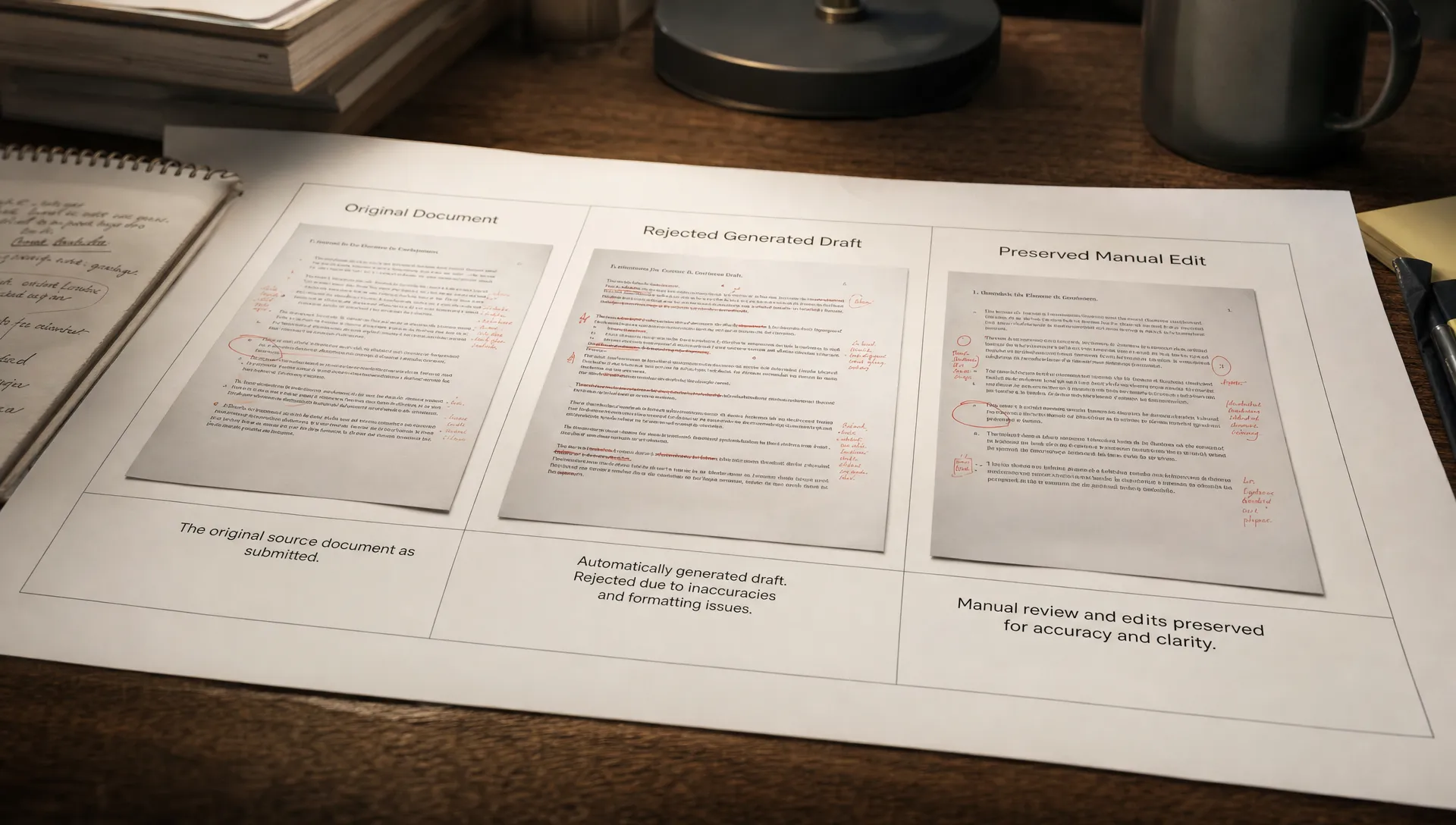
Keep the original artifact available until the user commits the change. For editable output, separate generated text from the saved version. Otherwise, “try AI” becomes permission to overwrite work.
Make the manual route a real route
If you’re designing an AI feature inside an existing product, the non-AI workflow should not become a punishment for opting out.
A manual fallback is incomplete if it requires re-entering everything. Carry forward the task context, attachments and user-authored edits wherever appropriate. Keep unaccepted suggestions distinguishable from the user’s own work.
For example, declining an AI-generated support reply should return the agent to the same ticket with an editable composer. It should not clear the customer context or force another generation before typing becomes available.
Do not automatically reopen assistance on the next step after a user has explicitly declined it. Make the scope of that choice visible: this suggestion, this task or future tasks. Workspace controls may need a different owner, but the current user still needs a way to finish the current job.
Route unresolved questions to an accountable source
Some exits should leave the assistant, not merely switch modes. The boundary matters when an uncertain answer could influence a consequential purchase or action.
In a hypothetical microneedling shopping assistant, an uncertain cartridge match should lead to manufacturer confirmation, retailer support or product information such as Dr. Pen Store’s device and cartridge catalog, rather than another confident guess. Questions about clinical suitability belong with a qualified clinician.
The same principle applies inside SaaS. If the assistant cannot establish whether a user has permission to change a billing setting, the exit should reach an authorized administrator with the relevant context. Another prompt is not a substitute for authority.
Measure successful exits, not just AI acceptance
Designing an AI feature around user control changes what you count as success. Acceptance rate alone cannot tell you whether the feature helped someone finish safely.
Track the selected exit, the resulting task state and any recovery action. Useful measures include task completion after rejecting output, time to resume manual work and unresolved changes after cancellation. Define completion using the underlying job, such as a saved document or submitted response, rather than a click on the AI panel.
Compare return behavior across accepted-output sessions, successful manual fallbacks and failed recoveries. These groups may have different adoption problems. That distinction also helps when diagnosing AI retention without guessing.
Validate telemetry with a simple usability test: ask someone to generate a result, reject part of it, stop an action and finish manually. Watch for hesitation about what is saved, changed or still running. Those moments identify missing exit contracts.
A rise in manual completion is not automatically a win. Check whether total task completion improved and whether users return for appropriate AI-assisted tasks.
Frequently asked questions
Does an easy exit reduce AI adoption? It may reduce forced acceptance. Judge the change through task completion, recovery cost and return behavior. Keeping someone inside the AI interface is not the same as helping them.
Should every feature offer undo? Offer it where reversal is reliable. Where it is not, make the irreversible boundary explicit and give users a chance to review before crossing it.
Is copying output an exit-path failure? Not necessarily. Copying may be the intended handoff. Investigate whether users leave because the destination is part of their workflow or because your feature cannot preserve their edits.
Choose one exit to fix this week
Before designing an AI feature’s next prompt or generation control, document its most-used exit. Write down the expected final state, the actual final state and the work the user must repeat. Fix the largest mismatch first.
If the symptom is unclear, use the free AI adoption Triage tool. For deeper work, the AI Product Adoption Deck is a 104-card, 124-page diagnostic playbook with 12 diagnostics, 80 action cards across 10 stacks and 12 workshops with fillable deliverable templates. Use it to turn the diagnosis into a concrete product decision.