AI Chat vs. Inline Actions When Users Keep Switching Screens
AI chat vs. inline actions: diagnose screen switching, protect review steps and fix AI product adoption without rebuilding the whole interface.
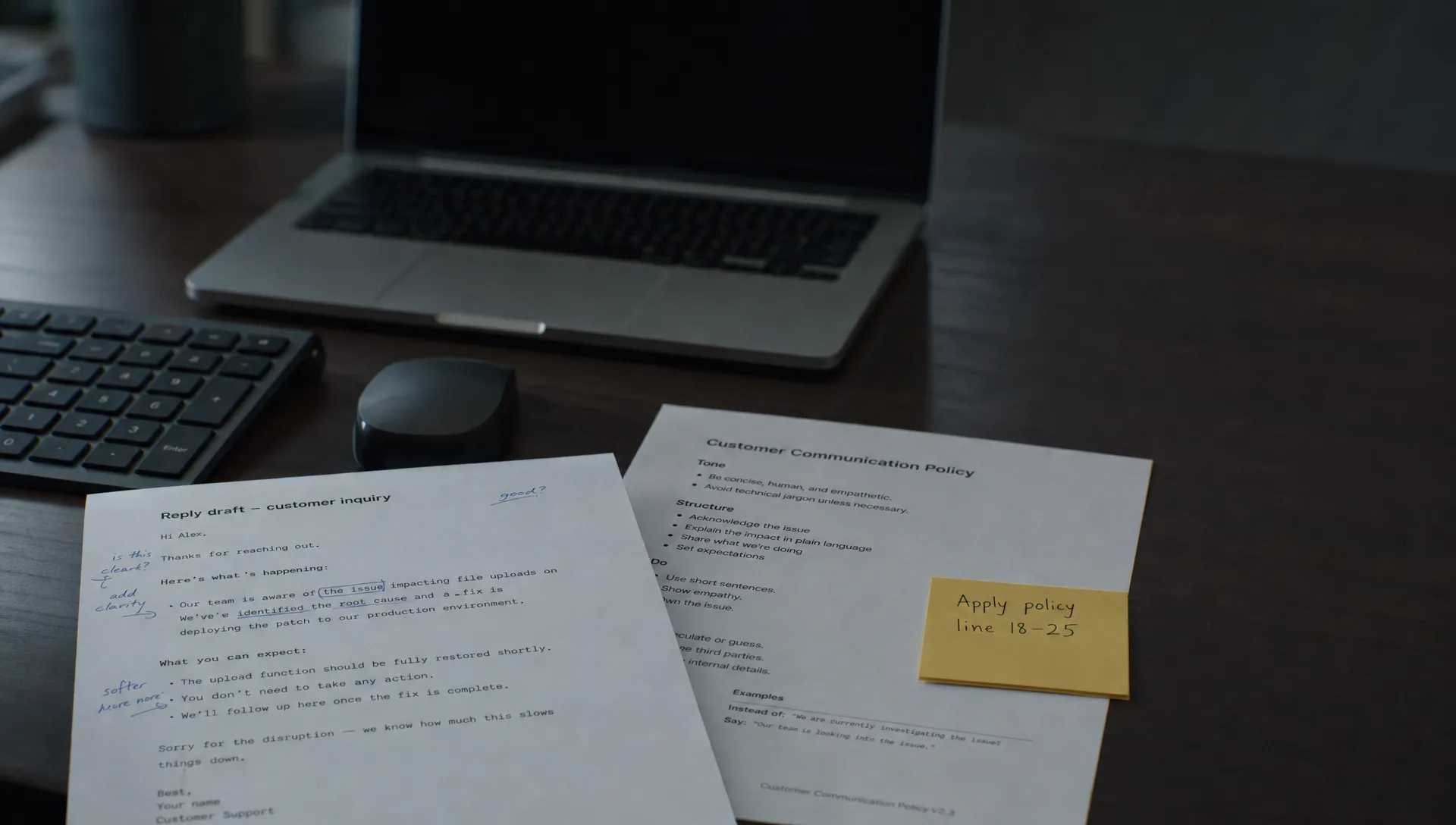
Users open your AI chat, ask for a draft, switch back to the record, return to chat and copy the answer somewhere else. Chat usage looks healthy. Task completion does not. This AI product adoption problem may have little to do with answer quality: users are spending too much effort moving between the conversation and the work.
But switching screens is not automatically a failure. Checking a source can be essential. Re-entering context the product already has is usually waste. Diagnose which kind of switching you have before replacing chat with inline actions.
Diagnose what each screen switch is doing
Watch a complete task, not just an AI session. Start when the user encounters the work and stop when they finish it or give up. For every switch, identify what they needed from the destination.
| Observed behavior | Likely problem | Response to test |
|---|---|---|
| Repeatedly copying record details into chat | The AI lacks accessible task context | Attach relevant context with visible scope |
| Moving between the answer and the original text | Comparing changes is difficult | Preview the proposed change beside the original |
| Leaving to inspect a policy or source | Verification may be necessary | Preserve source access and an easy return path |
| Copying the answer into an editor, then repairing formatting | Output does not transfer cleanly into the workflow | Offer a destination-aware apply action |
| Returning to chat because an inline command cannot express the request | The action is too constrained | Provide a contextual conversation escape route |
These are hypotheses, not diagnoses based on clicks alone. Ask users what they were trying to resolve at each transition.
If the effort happens mostly before generation, investigate manual context gathering first. Moving the same underinformed assistant into the editor will not fix it.
AI chat vs. inline actions: choose by the user's decision
The useful distinction is not “conversation versus buttons.” It is whether users need to work out what should happen or make a bounded change to something already in view.
Use chat when the task still needs negotiation
Chat fits requests whose scope emerges through discussion. A user investigating several customer complaints may need to compare explanations, challenge an interpretation and narrow the question before producing anything worth applying.
A fixed “Summarize” button can constrain that work too early. Keep the conversation, but anchor it to the relevant records. Make the active context visible and preserve the user's place when they inspect evidence.
Chat does not have to mean a separate destination with its own navigation.
Use inline actions when the target and operation are clear
Inline actions fit bounded requests such as shortening a selected paragraph, rewriting one reply or extracting a field from a visible document. The user should not need to describe an object they have already selected.
However, selection does not necessarily provide enough context. A reply may depend on the rest of the ticket or an account policy. Show what the action will use.
Inline also does not mean automatic execution. A high-stakes edit can remain inline while requiring a preview and explicit approval. Interface location and permission to act are separate decisions.
Use a hybrid when a bounded task becomes ambiguous
Start with a contextual action, then let users refine it conversationally without rebuilding the request. Preserve the selection, instructions and proposed change when they move between modes.
The reverse should work too: once a conversation produces a usable draft, let users apply that specific output to the intended destination. Do not make them search the transcript and copy it manually.
Trace one real task through both patterns
Consider a support agent drafting a refund response. This is an illustrative workflow, not a claim about a particular product.
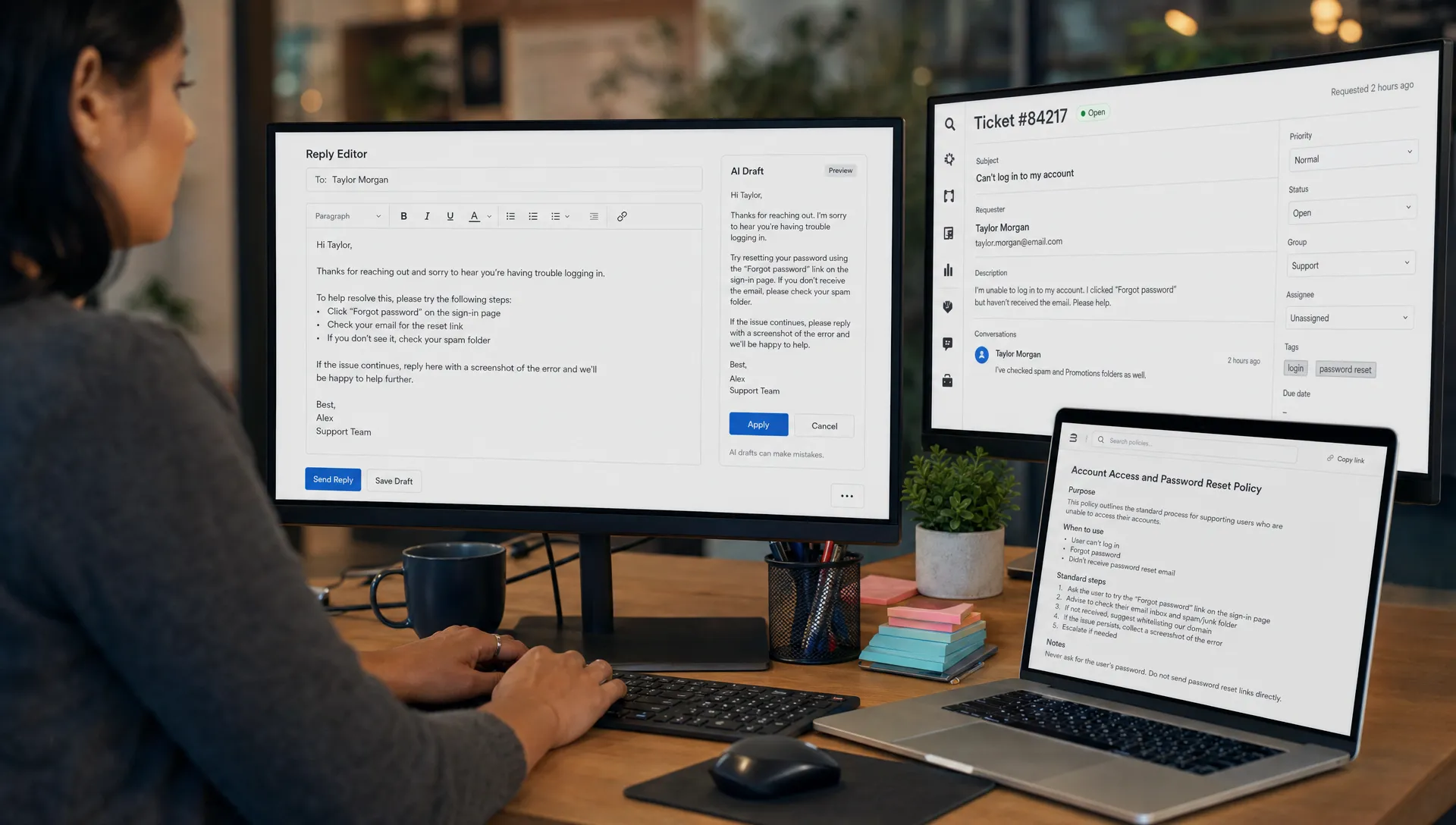
In a detached chat flow, the agent copies the ticket, asks for a reply, opens the refund policy, returns with a correction and pastes the result into the response editor. Some transitions support judgment. Others exist only because the interface separated the assistant from the ticket.
An inline alternative could start from the reply editor, show which ticket and policy information it will use, then present an editable draft. The agent can inspect the policy without losing the proposal. Applying the draft changes the editor but does not send the message.
The design goal is not zero switching. It is removing unnecessary reconstruction while retaining verification.
If the agent instead needs to investigate conflicting purchase records, a conversation may be the better starting point. The same product can support both patterns for different task shapes.
Test the interface without changing the whole experience
Choose one recurring task where switching appears costly. Define eligibility before the AI entry point: for example, a ticket is open and the agent has begun composing a response. Measuring only people who open chat excludes users the current interface already loses.
Compare the existing flow with the proposed pattern. Keep generation behavior, available context and task permissions comparable where possible. If the inline version also receives better context, treat the result as a test of the combined workflow, not proof that inline UI alone caused the improvement.
Measure outcomes that distinguish useful work from activity:
- Completed tasks per eligible opportunity: Did the user finish the underlying job, whether or not they used AI?
- Time to a usable result: Include prompting, verification, correction and transfer, not just generation latency.
- Apply-to-completion conversion: Did accepting a proposal lead to finished work, or was it discarded later?
- Corrective rework: Did users undo changes, repair lost information or restart after applying the output?
- Repeat use at the next eligible task: Did the pattern help again when the same need returned?
Use observation to interpret these metrics. Fewer switches can mean less friction, but they can also mean users stopped checking claims. A higher apply rate can reflect convenience rather than better decisions.
For consequential tasks, inspect completed work for missed errors. Do not declare a winner because acceptance rose while verification disappeared.
Watch for failure moving somewhere else
An inline action can reduce navigation while adding interruption. If suggestions appear while users are still composing, they may now dismiss proposals instead of leaving chat. Trigger bounded actions deliberately before testing more proactive behavior.
A side panel can also preserve the original problem. If users still have to explain which paragraph they mean, recover their scroll position or reconcile two versions manually, the assistant is nearby but not integrated.
Likewise, fewer chat messages are not necessarily a loss. A successful redesign may replace several clarification turns with one reviewed change. Judge AI product adoption by completed work and repeat value, not conversation volume.
Frequently asked questions
Should every AI chat feature have an inline alternative? No. Add one where a recurring task has a clear target and operation. Exploratory work may still benefit from an open conversation.
Is a persistent side panel enough to stop context switching? It can reduce navigation, but only if task context, selection and return state remain intact. Physical proximity alone does not preserve continuity.
What is the strongest sign that inline actions are helping? More eligible tasks reach a usable outcome with less transfer effort and no increase in missed errors or corrective rework.
Make one task-level decision
Review a handful of recent task attempts. Label each switch as context gathering, verification, correction or transfer. Then choose one transition to remove and one verification step to protect. That gives your next experiment a clear scope.
If the cause is still unclear, use the free Triage tool to start diagnosing the symptom. For a deeper team exercise, the AI Product Adoption Deck is a 104-card, 124-page playbook with 12 diagnostics, 80 action cards across 10 stacks and 12 workshops with fillable deliverables. Use it to structure the decision, not to assume chat is the problem.