Why AI Tools Create More Work Than They Remove
Why do ai tools add work? Diagnose hidden setup, correction and recovery costs, then test changes that reduce effort across the whole task.

Users generate a draft in seconds, then spend ten minutes making it usable. Your ai tools look fast in a demo, but the people using them still finish late. Some quietly return to the old workflow. Others keep generating because each attempt feels cheaper than starting over.
The adoption problem may not be output quality. It may be work displacement: the feature removes visible production work while adding less visible setup, supervision and recovery work. Before improving the model or adding onboarding, find out where that effort went.
Measure the finished task, not the first output
Generation speed answers a narrow question. Users care about how much effort it takes to reach an acceptable result in its final destination.
Define that endpoint before measuring anything. For a support reply, it might be a reviewed response sent to the customer. For a report, it might be an approved document shared with the team. A generated draft is an intermediate state.
Here is one hypothetical report workflow. These are illustrative minutes of active user effort, not measured results.
| Work stage | Manual workflow | AI-assisted workflow |
|---|---|---|
| Prepare context | 2 | 5 |
| Produce the draft | 14 | 2 |
| Validate the content | 2 | 5 |
| Correct problems | 1 | 6 |
| Format and deliver | 1 | 3 |
| Total minutes | 20 | 21 |
The drafting step improved. The task did not. A dashboard tracking generation time would miss the regression.
Keep active effort separate from elapsed time. Waiting for an answer and repairing that answer are different costs, with different fixes.
Where ai tools add work instead of removing it
Three breaks deserve separate diagnoses. They can produce similar abandonment patterns, but they require different product decisions.
Context assembly becomes a second job
The user has to explain the task, locate source material, specify constraints and reconstruct context that already exists elsewhere in the product.
This is especially expensive for small, frequent tasks. Writing a short reply may take less effort than briefing an assistant to write it. Reusable prompts help only if the underlying context stays stable.
Watch what happens before generation. Does the user copy information between tabs? Explain the same rules repeatedly? Gather more material than the manual task required? The feature may have reduced writing while increasing preparation.
Corrections invalidate work that was already right
A user fixes one detail, regenerates and discovers that three acceptable details changed. Now they must inspect the whole result again.
That is not simply an accuracy problem. It is a correction-scope problem. The interface makes a small repair behave like a fresh task.
Give users a way to preserve accepted content and change only the disputed part. Designing revision around local changes rather than repeated full regeneration addresses a different failure from improving the first draft.
Exceptions leave users carrying two workflows
When ai tools handle routine cases but fail unpredictably, users may keep the manual process ready alongside them. They learn the assistant, maintain the fallback and decide which path each task deserves.
The missing product decision is often the boundary: what can this feature handle, and when should it decline?
A clear limit can remove work. An early, useful refusal lets someone take the manual path once. A plausible answer that fails late forces them to pay for both paths, plus recovery.
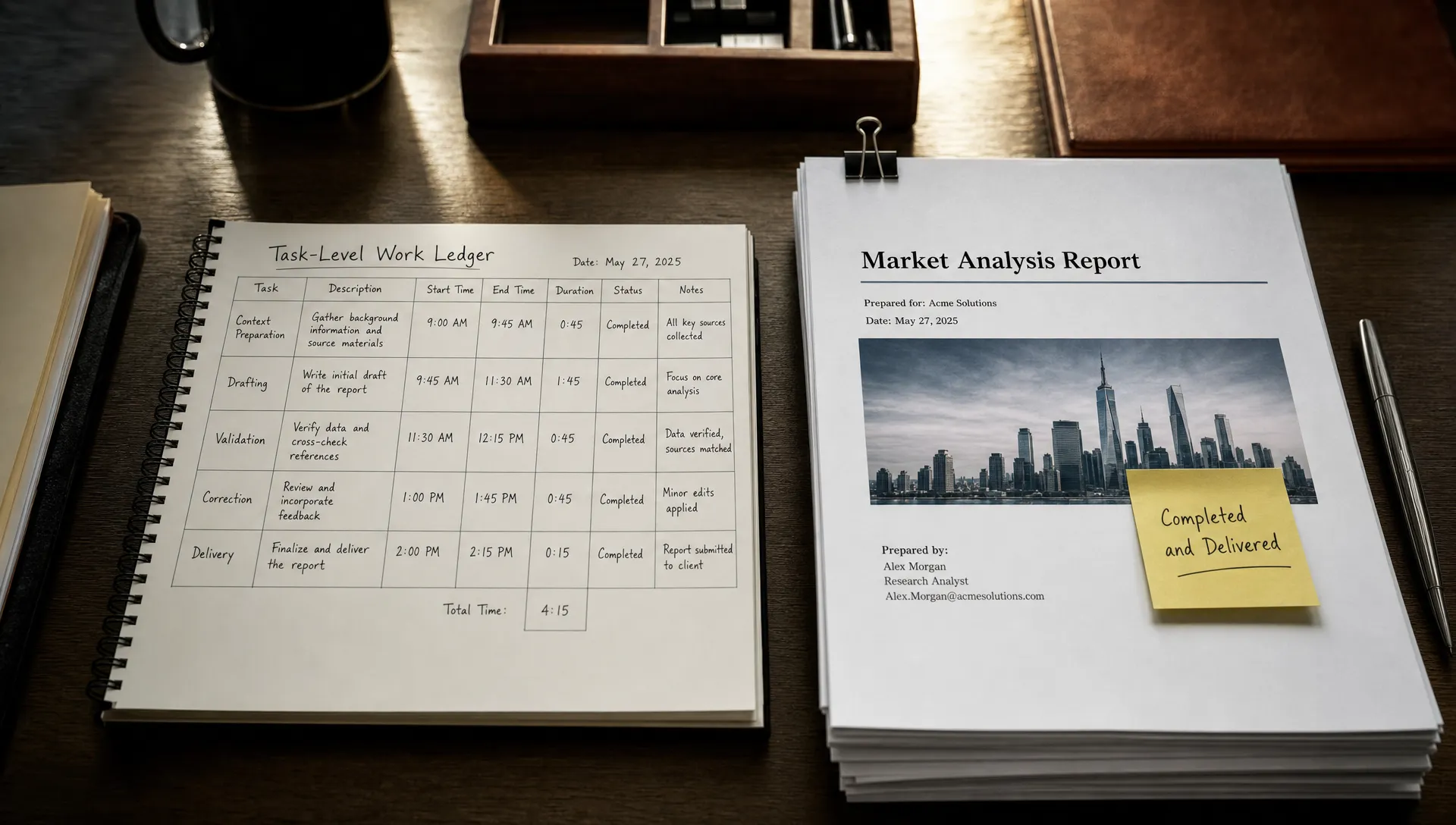
Diagnose the break with a task-level work ledger
Observe a small set of real tasks from initiation to completion. Include smooth sessions, abandoned attempts and cases where users revert to the old method. Successful generations alone will give you a biased picture.
For each task, record preparation, production, validation, correction and handoff effort. Also note who does the work. A feature can save the requester time while pushing extra checking onto a manager or reviewer.
Compare equivalent tasks at the same quality bar. If the assisted version produces a longer report or explores more options, that may be valuable, but it is not evidence that the original task got faster.
When evaluating ai tools, ask users to show you the last completed task, not estimate how much time the feature usually saves. Observe the steps they perform outside your interface. Those steps often explain the gap between positive feedback and weak reuse.
Record failure recovery separately. An acceptable typical session can conceal a few costly failures that make users reluctant to depend on the feature.
Choose the fix by where the effort accumulates
Match the response to the observed cost
Do not launch a general “make AI easier” initiative. Pick the largest avoidable cost in a specific task.
| Observed symptom | Likely work being added | Product decision to test |
|---|---|---|
| Users paste the same context repeatedly | Recurring preparation | Carry relevant task context forward, with visible controls |
| A small edit triggers another full review | Correction scope | Preserve accepted content and support local edits |
| Users finish in another application | Formatting or handoff | Produce an artifact that fits its destination |
| Users discover unsupported cases late | Failure recovery | Expose limits before the user invests effort |
| Reviewers redo the original task | Duplicated judgment | Provide the evidence needed for a bounded review |
Treat these as hypotheses. Repeated copying might also reflect a permission boundary. Full review might be required by policy. Fix the actual constraint, not the visible gesture.
Test net effort, with quality held constant
For ai tools, a useful experiment asks whether comparable users complete comparable tasks with less total effort and an acceptable result. Generation volume is not the success criterion.
Choose one task and one intervention. Define completion and acceptance criteria in advance. Compare assisted and existing workflows using similar task difficulty and user experience. If users try both workflows, vary the order to reduce practice effects.
Track completed-task effort, abandonment and recovery work. Check a sample of results against the acceptance criteria independently, particularly where users might miss errors. Faster acceptance is not a win if it means unnoticed mistakes.
Decide what result would justify shipping before running the test. That might be less preparation without added correction, or fewer expensive fallback cases. Avoid a time-saving target that sacrifices a necessary safety check.
Frequently asked questions
Does more checking mean the feature should be removed? No. Checking can be worth the cost when the feature removes a larger amount of work. Compare the complete workflow at a consistent quality bar. For consequential tasks, required checks remain part of that bar.
Why can users praise ai tools but stop using them? They may like the output while finding the overall task more demanding. A helpful draft is not necessarily a cheaper route to completion. Look for setup effort, repeated inspection and late fallback work.
Should teams eliminate every extra step? No. A confirmation step can prevent an expensive mistake. Remove unnecessary effort, not safeguards that make the workflow dependable.
Start with one task that should have become easier
Take a task users already know how to complete. Map the assisted path against the old path and identify the largest added cost. Test one change there before expanding the feature.
If the break is unclear, use the free Triage tool to narrow the adoption symptom. For a deeper working process, the AI Product Adoption Deck pairs 12 diagnostics with 80 action cards and 12 workshops, including fillable deliverables for turning a diagnosis into product decisions.