Perplexity Trust Works Because the Review Step Is Clear
Perplexity trust works because review is obvious. Learn how clearer AI output review reduces skepticism and improves AI product adoption.

Users do not distrust AI output because they hate AI.
They distrust it because the product leaves them with an unclear job: “Here is an answer. Good luck deciding whether it is safe to use.”
That is where many AI features lose adoption. The model may be strong. The demo may land. The first output may even be useful. But then the user hits the review step and stalls. They open another tab. They skim the output twice. They ask the same question again. They copy one sentence instead of using the full answer.
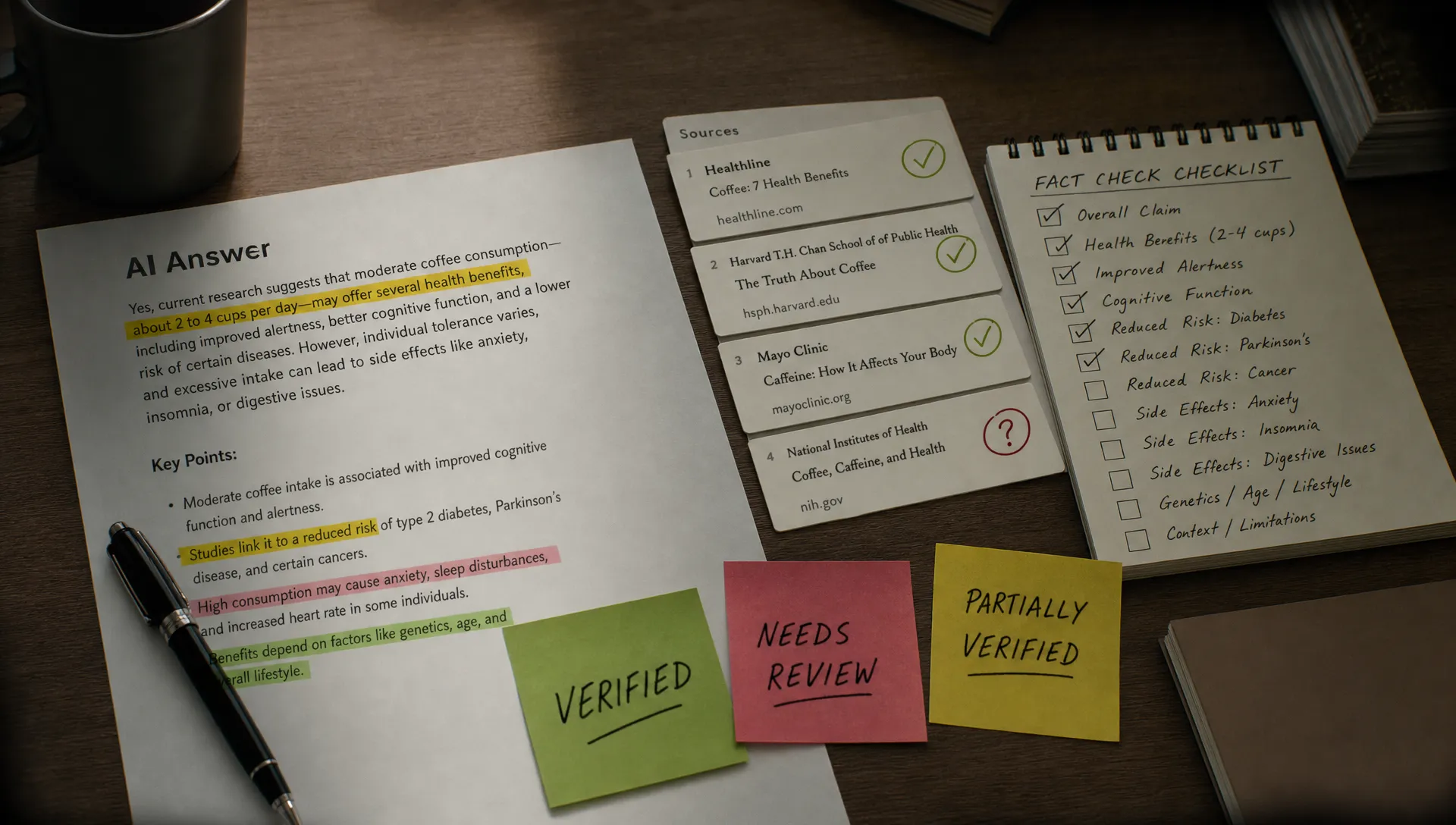
Perplexity works better than many AI answer products because it makes that review step obvious. It does not just generate an answer. It gives the user a visible way to inspect why the answer exists.
That is a product decision, not only a model capability.
The adoption symptom: users like the answer, then do not use it
If you run an AI feature, you may already see this pattern in your data.
Users generate output. They spend time with it. They may even rate it positively in interviews. But downstream usage is weak. The answer is not accepted, exported, inserted, shared, saved, or acted on.
This often gets misdiagnosed as “the output quality is not good enough.” Sometimes that is true. But often the real issue is more specific: the user cannot review the output cheaply enough to trust it.
For AI products, trust is not a feeling at the start of the session. Trust is a workload at the end of the session. The user asks, “What do I need to check before I can use this?” If the product cannot answer that, the user creates their own review process outside the product.
That is expensive. And expensive review kills adoption.
This is why AI trust drops fast when users cannot check the output. The issue is not always that the answer is wrong. It is that the product makes correctness hard to inspect.
What Perplexity gets right
Perplexity is not trusted because every answer is perfect. It is not. Like any AI system, it can surface weak sources, miss context, or frame something too confidently.
The important part is that Perplexity shows the user how to review.
A typical Perplexity answer has a few useful properties:
- It presents a synthesized answer, not just a list of links.
- It attaches citations close to the generated claims.
- It lets the user open sources without leaving the reasoning path entirely.
- It frames the experience as answer plus evidence, not answer alone.
- It supports follow-up questions when the first answer is not enough.
That creates a clear contract. The user knows the output is not the final authority. The user also knows where to look next.
Most AI features fail on one side of that contract. They either hide the evidence, or they dump raw evidence without synthesis. Perplexity avoids both extremes. It gives users an answer they can work with and a review path they can follow.
The real product pattern: answer, evidence, next move
Perplexity’s trust pattern is simple enough to reuse in other AI products.
It separates the workflow into three parts.
| Step | What the user receives | Why it matters for trust |
|---|---|---|
| Answer | A concise generated response | The user gets momentum and does not start from a blank page |
| Evidence | Sources tied to claims | The user can inspect whether the answer is grounded |
| Next move | Follow-up prompts, source opening, query refinement | The user knows how to recover from uncertainty |
The third part is easy to miss. Many teams add citations and stop there. But citations alone do not define the next move.
A clear review step needs to answer practical questions:
What should I check first? Which parts are supported? Which parts are inferred? What source should I open if this matters? What can I safely copy? What needs human judgment?
Perplexity does not solve all of those perfectly. But it points the user in the right direction. The review job is visible.
That visibility matters because users do not review all outputs equally. They run quick checks based on risk. A casual learning query needs light review. A medical, legal, financial, or customer-facing answer needs more review. Good AI UX helps users scale the review effort to the risk of the task.
Where most AI products make review harder
Many AI features still treat review as an afterthought. They invest in prompt entry and generation quality, then leave the output sitting in a large text box.
That creates several adoption problems.
The user cannot tell which parts came from source material and which parts came from inference. They cannot see whether the AI skipped an important constraint. They cannot isolate one claim and check it. They cannot reject a bad section while keeping a good one. They cannot tell whether the output is ready for use or still a draft.
So they compensate.
They paste the output into Google. They ask a coworker. They run the same prompt again. They rewrite manually. They abandon the workflow and go back to the old tool.
From the outside, this may look like low engagement. Inside the user’s head, it is a failed handoff. The AI produced something, but did not make the review work manageable.
A diagnostic for your own AI feature
If your AI feature is not retaining, do not start by asking, “How do we make the model smarter?” Start with the review step.
Look for the point where the user has output but not confidence. That is usually where adoption breaks.
| Symptom in your product | Likely review problem | Product response |
|---|---|---|
| Users regenerate the same request several times | They do not know what is wrong, only that it feels unsafe | Add inspectable differences, not just a new output |
| Users copy small fragments instead of using the full result | The output has no clear acceptance boundary | Let users accept, reject, or edit sections separately |
| Users open external tabs after generation | Evidence is missing or hard to reach | Put source, provenance, or input references near the claim |
| Users ask support if the AI is “accurate” | The product has not defined what was checked | State what the system used, ignored, and could not verify |
| Users abandon high-value workflows after one try | Review cost is higher than doing the task manually | Narrow the task or reduce the amount of output requiring review |
This table is more useful than a generic satisfaction survey. Users often say an AI output is “pretty good” even when they would never use it in production. The better question is: what did they have to do before they felt safe using it?
That is the adoption cost.
The Perplexity lesson is not “add citations”
The lazy takeaway is that every AI product should add citations.
That is wrong.
Citations help when the task depends on external facts. They are less useful for tasks like rewriting a sales email, cleaning up a support response, generating code, drafting a design critique, or summarizing internal project notes.
The deeper lesson is that every AI product needs a review object.
A review object is the thing the user can inspect to decide whether the output is usable. In Perplexity, the review object is often the cited source. In other products, it may be different.
For a coding assistant, the review object may be a diff, test result, dependency change, or explanation of side effects.
For an AI writing tool, it may be tone changes, source text alignment, compliance flags, or before-and-after edits.
For an AI analytics feature, it may be the query, selected dataset, filters applied, and assumptions behind the chart.
For an AI support agent, it may be the policy article used, customer context included, and unresolved risk before sending.
The format changes. The job does not. The user needs a way to inspect the output without reconstructing the whole task from scratch.
How to design a clearer review step
A clear review step does not need to be heavy. In fact, heavy review is usually the problem. The goal is to make the necessary review obvious, fast, and proportional to risk.
Start with these product decisions.
| Product decision | Bad default | Better default |
|---|---|---|
| Output state | “Here is the answer” | “Here is a draft, summary, recommendation, or checked result” |
| Evidence placement | Sources or context hidden below the output | Evidence next to the claim or section it supports |
| User action | Copy all or regenerate all | Accept, edit, reject, or inspect parts |
| Uncertainty | Generic disclaimer | Specific gaps, assumptions, or missing inputs |
| Recovery | Start over | Refine, narrow, replace source, or ask a targeted follow-up |
The key is to avoid making the user review a blob.
A blob is hard to trust. A structured output is easier to check. A claim with a source is easier to check than a paragraph with a source list at the bottom. A section with an accept button is easier to use than a full document that must be copied manually. A visible assumption is easier to correct than a hidden one.
This is also where teams should be careful with confidence scores. A score may look objective, but it rarely tells the user what to do next. If the score says 87 percent, should the user trust it? Check it? Edit it? Ask someone else?
A review step should reduce decision load. A vague confidence signal often adds more.
Make review part of the core workflow, not an apology
Many products treat review UI like a legal disclaimer. They add a warning under the output: “AI may make mistakes.”
Users already know that. The warning does not help them finish the job.
A useful review step is operational. It helps the user decide, correct, and move forward. That might mean source previews, section-level controls, visible assumptions, audit trails, test runs, or before-and-after comparisons.
The right pattern depends on the task. The wrong pattern is always the same: generate something important, then make the user figure out review alone.
If you are working through this in your own product, the AI Product Adoption Deck includes diagnostics and action cards for trust, verification, onboarding, and retention problems. The useful move is not to add every trust pattern. It is to identify the specific point where review becomes too expensive.
What to do next
Take one high-intent AI workflow in your product. Pick the moment immediately after generation.
Then answer five questions:
- What does the user need to believe before using this output?
- What is the fastest way for them to check that belief?
- What evidence, context, or comparison should sit next to the output?
- What can they accept partially instead of all at once?
- What recovery path exists when one part is wrong?
If those answers are vague, you do not have a trust problem in the abstract. You have a review-step problem.
Perplexity trust works because the product does not pretend the review step is unnecessary. It makes review part of the main experience. That is the lesson worth borrowing.
Frequently Asked Questions
Why does Perplexity feel more trustworthy than many AI chat tools? Perplexity makes the review path visible. The user gets an answer with sources nearby, so they can inspect the basis for key claims instead of treating the answer as a black box.
Is adding citations enough to improve AI product adoption? No. Citations help for factual tasks, but the broader need is a clear review object. Depending on the product, that could be a source, diff, test, assumption, policy reference, or before-and-after comparison.
What is the main adoption risk when review is unclear? Users create their own review process outside the product. That adds work, slows the workflow, and makes the AI feature feel less useful than the old manual process.
How can I diagnose whether my AI feature has this problem? Watch what users do after generation. Repeated regeneration, external checking, partial copying, manual rewriting, and abandonment are all signs that the review step is too expensive or unclear.
If you want a faster way to classify the adoption break, run the symptom through the free AI product triage tool. Start with the review moment, not the model wish list.