AI Input and Output Mismatches That Break Structured Workflows
Diagnose AI input and output mismatches that break structured workflows. Preserve fields, constrain revisions and measure downstream usability.

Users generate a result, then open a spreadsheet to repair it. They retype identifiers, restore missing fields or translate a confident paragraph into the categories your system accepts. Your AI input and output look reasonable in isolation. Together, they fail the workflow.
This is not necessarily a model-quality problem. It is a mismatch between what the user supplies, what the AI preserves and what the next step requires. Diagnose that mismatch before asking for better prompts or switching models.
Start with the repair work
Watch what happens immediately after generation. A thumbs-up tells you little if the user still spends ten minutes making the result usable.
Look for repeated translation work: converting prose into fields, checking whether quantities changed or rebuilding relationships between records. Those actions reveal requirements your feature has not handled.
Input includes more than the prompt. It can include form fields, uploaded files, selected records and screenshots. Output includes more than an answer. It may become a database update, a routing decision or a file another system must accept.
Diagnose the AI input and output contract
A structured workflow needs a contract: which information must survive, which transformations are allowed and what makes a result acceptable downstream.
Use observed repair behavior to locate the break:
| Observed symptom | Likely mismatch | Product response to test |
|---|---|---|
| Users restore IDs after generation | Record identity was treated as editable text | Preserve immutable IDs outside generated content |
| Users replace plausible category names | Output vocabulary differs from accepted values | Constrain choices to the destination’s allowed categories |
| Blank fields become zero or “none” | Unknown values were interpreted as facts | Preserve an explicit unknown state |
| Users compare every row with the source | Source relationships disappeared | Attach source references to generated fields |
| A correction changes unrelated fields | Revision scope is undefined | Apply field-level patches rather than replacing the whole object |
The useful question is not whether AI input and output contain similar words. It is whether the required meaning survives the transformation.
Write the contract against the receiving system, not against the appearance of the generated answer. “Looks like a table” is not an acceptance criterion. “Every row retains its source record ID and uses an accepted status value” is testable.
Separate valid structure from correct meaning
A response can pass a JSON validator and still break the task. A date may be valid but refer to the wrong deadline. A quantity may be numeric but use the wrong unit. A category may exist in your schema but misrepresent the source.
Check three layers separately:
- Structure: Required fields, data types and allowed values are valid.
- Meaning: Dates, quantities, identities and relationships match the supplied evidence.
- Permission: The proposed change stays within what the user authorized.
A support assistant might produce a correctly formatted account update while changing a billing field the user never asked it to touch. That is not a formatting failure.
When evaluating AI input and output, keep these failures separate. Otherwise, a higher format-pass rate can hide an unchanged rate of unusable results.
Preserve constraints, not just information
Some input is material to summarize. Other input is a constraint the system must not reinterpret. Your interface should distinguish them.
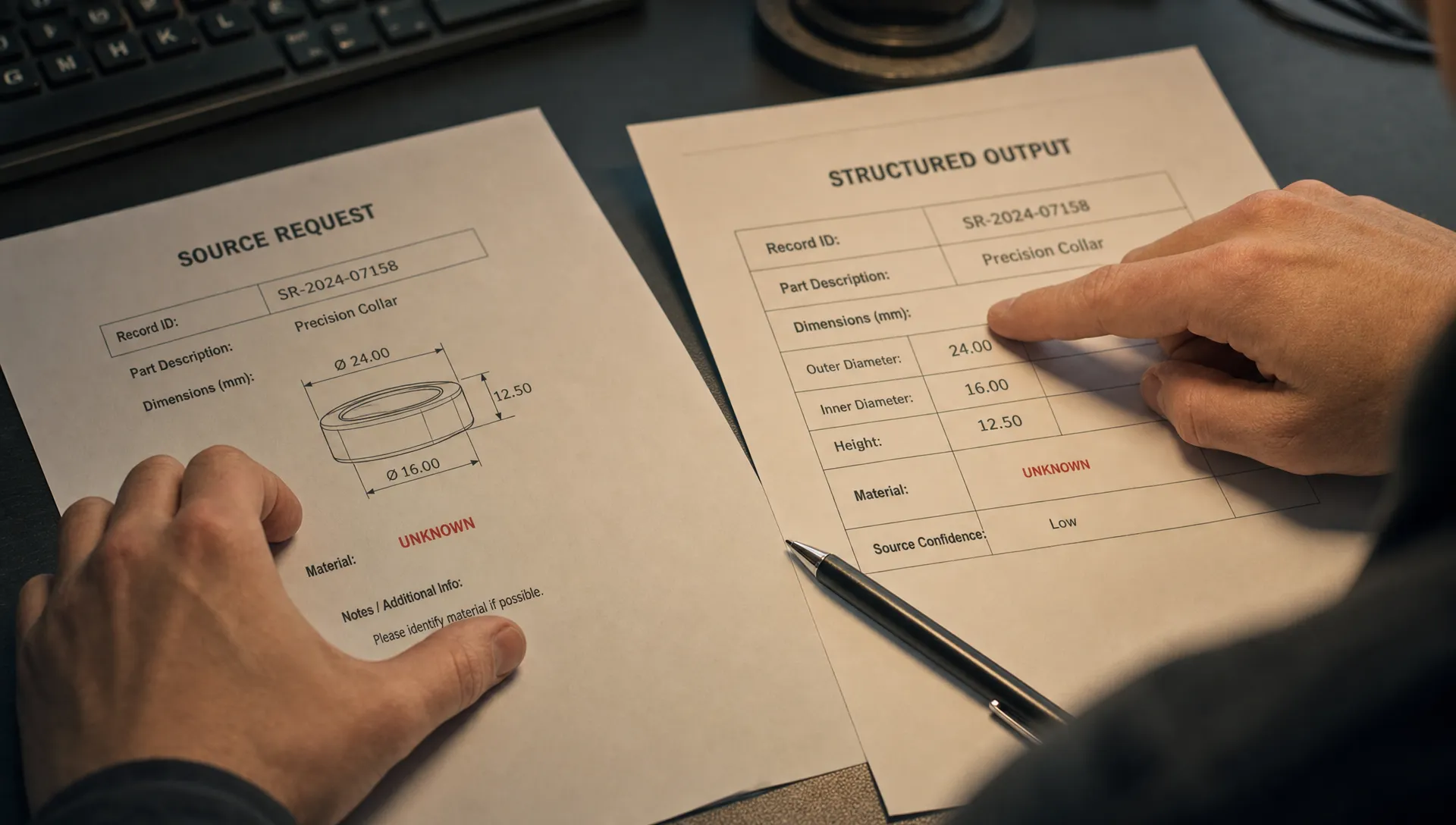
Imagine your product helps customers prepare requests for a custom 3D-printing service such as Firecloud Printz. A user supplies dimensions, a quantity and a description of the intended use. Your assistant turns that into a clear request.
The description can be rewritten. The dimensions cannot silently change. If the user enters “40 mm,” the assistant must not drop the unit or substitute an inferred measurement. An unspecified material should remain unspecified, or trigger a question, rather than become a confident selection.
The same distinction applies to SaaS workflows. Customer IDs, approved budgets and contractual dates often need preservation. Descriptions and summaries may allow interpretation.
Define each field as preserved, derived or editable. For derived fields, retain the evidence or calculation needed to check them. For missing required information, ask or block the next step.
Reliable AI input and output handling makes these distinctions visible instead of expecting users to discover them through errors.
Make corrections local and inspectable
A user changes one deadline. The AI rewrites the summary, changes the owner and removes a qualification. Now the entire result needs another review.
That correction loop makes structured work expensive. Users cannot safely build on an approved draft if every revision may reopen settled decisions.
Treat corrections as scoped updates. Identify the field being changed, show its previous and proposed values and preserve unrelated fields. If a requested change affects another field, surface that dependency before applying it.
For example, moving a delivery date might invalidate an existing schedule. Show that conflict rather than silently rebuilding the schedule.
Verification also needs to happen where the decision happens. If users must reopen the source to check every field, use output-specific evidence to make verification easier, rather than adding a generic “AI may be wrong” disclaimer.
Test the contract against failed handoffs
Build a small review set from real attempts that ended in repair, abandonment or rejection by the destination system. Remove sensitive data or use consented, appropriately protected examples.
For each case, record the source input, the generated result, the expected destination format and the user’s repair. This makes AI input and output failures concrete enough to classify.
Include cases with missing values, conflicting sources, unusual units and requests to revise one field. A test set containing only complete, tidy inputs will miss the failures that create manual work.
Measure the handoff rather than generation alone:
| Measure | What it helps diagnose |
|---|---|
| Destination validation failures | Structural incompatibility |
| Manual field repairs before acceptance | Meaning or preservation failures |
| Unrelated changes during revision | Correction-scope failures |
| Completed downstream actions | Whether generated results become usable work |
Keep validation failures separate from user corrections. A destination can accept an incorrect value, so technical acceptance does not establish correctness.
Compare the revised experience against the same cases. A useful change reduces repair without increasing unchecked errors. Faster acceptance alone could mean that users have stopped reviewing.
Frequently asked questions
What is an AI input and output mismatch? It occurs when supplied information becomes a result that does not satisfy the next task’s requirements. The result may be readable but lose identifiers, change units, invent missing values or use unsupported categories.
Should we replace the prompt box with a form? Use fields for constraints users must specify precisely. Keep free text for context that benefits from explanation. A hybrid interface often fits structured work better than forcing every requirement into a prompt.
Does structured output solve the problem? It helps enforce shape and permitted values. It does not establish that the result matches the source, preserves intent or stays within the user’s authority. Those need separate checks.
Choose one broken contract to fix
Take one frequently repaired workflow. Define what must remain unchanged, what may be inferred and what the destination will accept. Then test those rules against actual failed attempts.
If the failure is still unclear, start with the free Triage tool. For a deeper working session, the AI Product Adoption Deck is a 104-card, 124-page diagnostic playbook with action cards and workshop templates.
Your next decision should be specific: which field or relationship will users no longer have to repair?