AI for Product Design Needs Better Review States
AI for product design stalls when drafts look approved. Learn how review states, scoped sign-off and revision rules help users move work forward.
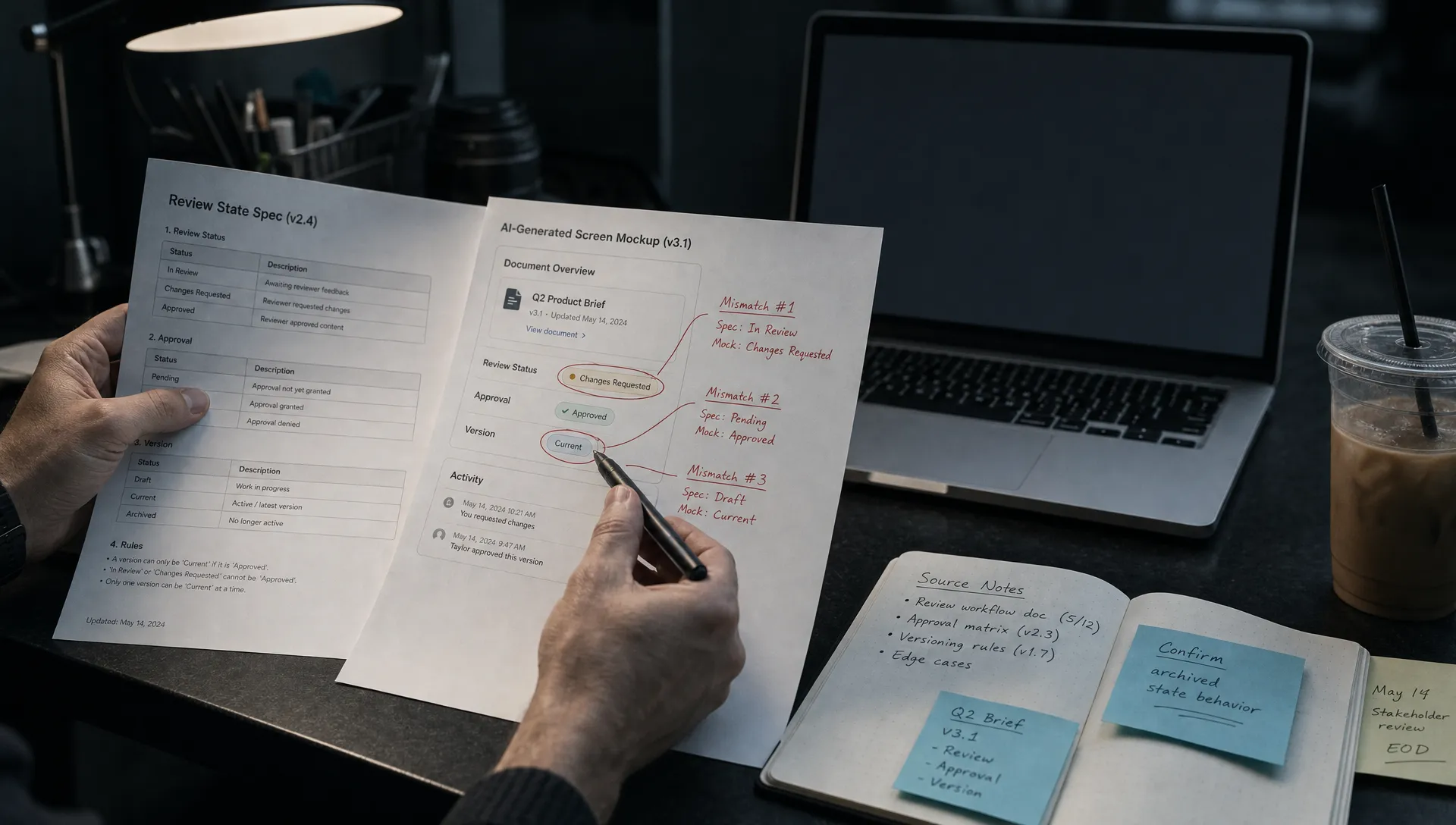
Your users generate a screen, tweak the copy and export it. Activation looks healthy. Then the work sits in a document while someone asks whether anybody checked it. AI for product design often breaks at this boundary: the interface says the output is finished, but nobody knows what has actually been reviewed.
That is not necessarily an output-quality problem. It is a state-design problem. Your product tracks generation and export while leaving users to reconstruct readiness from comments, messages and memory.
Diagnose the missing state before improving the output
Watch a recent task from generation through handoff. Do not stop at the acceptance click. Find out what the next person believes that click means.
A designer may interpret “Accept” as “keep this direction.” Their PM may interpret the same label as “ready for engineering.” Neither interpretation tells you whether anyone checked accessibility, interaction behavior or unsupported claims.
Look for these mismatches:
- Users export drafts because export is the only way to request feedback.
- A reviewer approves one version, but the approval remains after regeneration.
- A teammate opens an artifact without knowing which checks are still outstanding.
These behaviors point to missing review semantics. Better generation will not make an ambiguous approval label more precise.
What should AI for product design review states communicate?
A useful review state answers three questions: What decision has been made, about which version and for which use? It should also make the next action clear.
Start with the smallest set of states that reflects real decisions in your workflow. This is a candidate model, not a requirement to add five badges everywhere.
| State | What it means | What moves it forward |
|---|---|---|
| Draft | Output exists, but required checks are incomplete | Someone requests review |
| In review | A named reviewer owns a defined set of checks | The reviewer approves or requests changes |
| Changes requested | Specific issues block the intended use | An author addresses the issues and resubmits |
| Approved for a named use | A particular version passed the required checks for that use | The artifact moves into the permitted workflow |
| Review required again | A relevant change invalidated an earlier approval | The affected checks are repeated |
“Viewed” is activity, not approval. “Accepted” may only mean that a suggestion was inserted. Neither should silently grant permission to ship.
Keep these distinctions visible wherever the artifact travels, not only inside a review panel that the next person may never open.
Bind approval to a version and a purpose
For AI for product design, approval should attach to a specific artifact version and intended use, not float above an evolving conversation.
Consider an illustrative checkout flow. A designer approves its layout for a usability test. That does not approve its payment behavior for production. If the interface collapses both decisions into a green “Approved” badge, it creates confidence without preserving the basis for it.
A useful approval record includes the version, intended use, reviewer, completed checks and unresolved limitations. Show a compact summary on the artifact, with detail available when needed.
For example: “Approved for prototype testing. Layout and task flow checked. Payment behavior not reviewed.” That is more actionable than “Human verified,” which leaves the user guessing what verification covered.
Reopen only the checks a change affects
Regeneration should not inherit approval automatically. Nor should every small edit force a complete review.
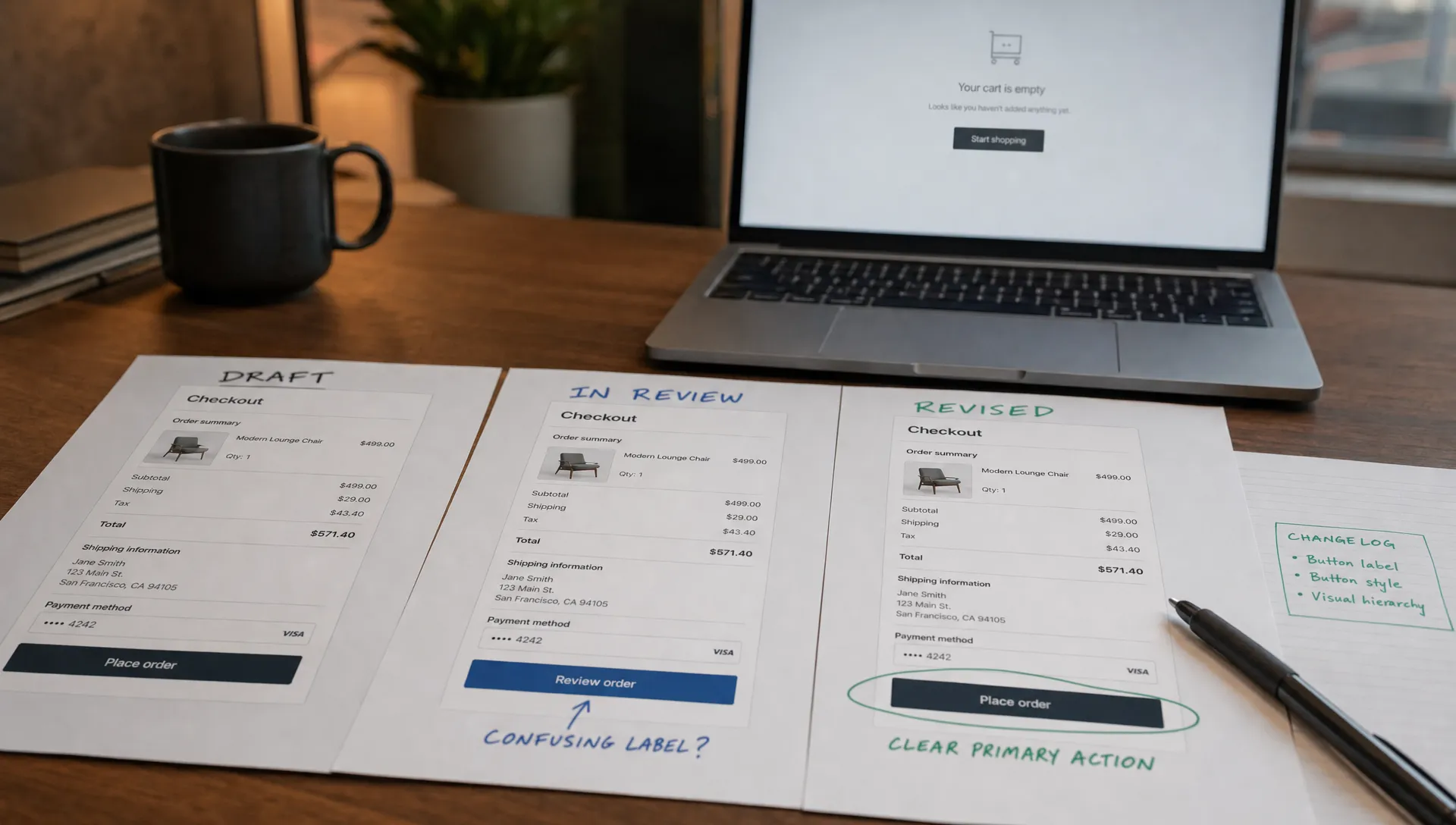
Define invalidation rules around consequences. Changing an illustration might leave a navigation review intact. Changing a button label from “Save draft” to “Submit application” can alter the action’s meaning and require another check.
AI for product design needs to preserve that distinction when users revise generated work. Show what changed since the approved version, identify the affected approval and explain why another review is required. Avoid asking users to compare the entire artifact from memory.
If users keep regenerating instead of resolving specific objections, they may also need a revision loop rather than one-shot output.
Put the review state beside consequential actions
A status badge is insufficient if the primary button contradicts it. An artifact marked “Draft” should not offer an unexplained “Publish” action that makes the distinction disappear.
Separate keeping a suggestion from approving its use. “Apply to draft” can preserve a useful output without implying that someone checked it. “Request review” can name the reviewer and purpose. “Publish approved version” can identify exactly which version will leave the workspace.
The right control depends on risk. An exploratory wireframe may need a visible draft label and a lightweight handoff. A generated customer-facing flow may need required checks before release. Do not put the same approval ceremony on both.
Assign ownership, not just a destination
An “In review” state without an owner can become a waiting room. Make responsibility explicit and provide a reassignment path.
AI for product design also needs a boundary between setting review policy and performing reviews. At leadership level, an advisory board’s role in AI governance concerns strategic framing and accountability, not approving each generated screen. Operational review still needs a named owner inside the product workflow.
Measure whether states resolve uncertainty
Instrument transitions rather than treating every acceptance click as success. Record the artifact version, previous state, next state, intended use and reason for reopening review.
Measure time to a valid decision, changes requested after handoff and approvals invalidated by later edits. Pair those measures with whether users complete the downstream task. A fast approval is not useful if engineering receives the wrong version.
Watch for misleading improvements. Fewer review requests could mean clearer output, or it could mean users stopped asking inside your product. Longer review time could reflect newly visible work that previously happened elsewhere.
Compare similar tasks and inspect examples. The test is whether people can explain what is ready, what remains uncertain and who acts next without leaving the workflow to ask.
Frequently asked questions
Does every generated output need human approval? No. Match review requirements to the consequences of use. Exploratory work can remain a clearly labeled draft. Outputs that trigger consequential actions need checks suited to those actions.
Is a confidence score a review state? No. A score does not establish who checked an artifact, which version they checked or what use they approved. Keep model confidence separate from human review decisions.
Start with one broken handoff
Choose one recurring task where AI for product design produces usable drafts that stall before use. Map its current states, then define the missing transition: who decides, what they check and which changes reopen that decision. Test the revised flow before adding more generation controls.
If the symptom is still unclear, use the free Triage tool to start diagnosing it. For a deeper working session, the AI Product Adoption Deck provides diagnostics, action cards and workshop templates. The immediate deliverable is smaller: one review-state specification your team can implement and evaluate.