5 Signs Product Design With AI Is Flattening User Intent
Is product design with AI erasing user intent? Spot five signs, test where constraints disappear and fix workflows that turn distinct goals into one.

Users accept the generated draft, then rebuild it elsewhere. Different customer situations produce the same recommended action. Your research summary sounds coherent, but nobody can find the disagreement that mattered. These are signs that product design with AI may be flattening user intent.
Flattening happens when distinct goals, constraints or stakes become one generic interpretation of what the user wants. It can start in AI-assisted research synthesis, pass into generated prototypes and become embedded in the feature you ship. The interface looks cleaner because meaningful differences have disappeared.
That is not the same as visual consistency. Two workflows can share components without sharing a definition of success. Consider an AI assistant for support agents:
| Similar request | Actual intent | What a generic flow can miss |
|---|---|---|
| Help someone regain access | Resolve a routine login problem | The shortest approved recovery path |
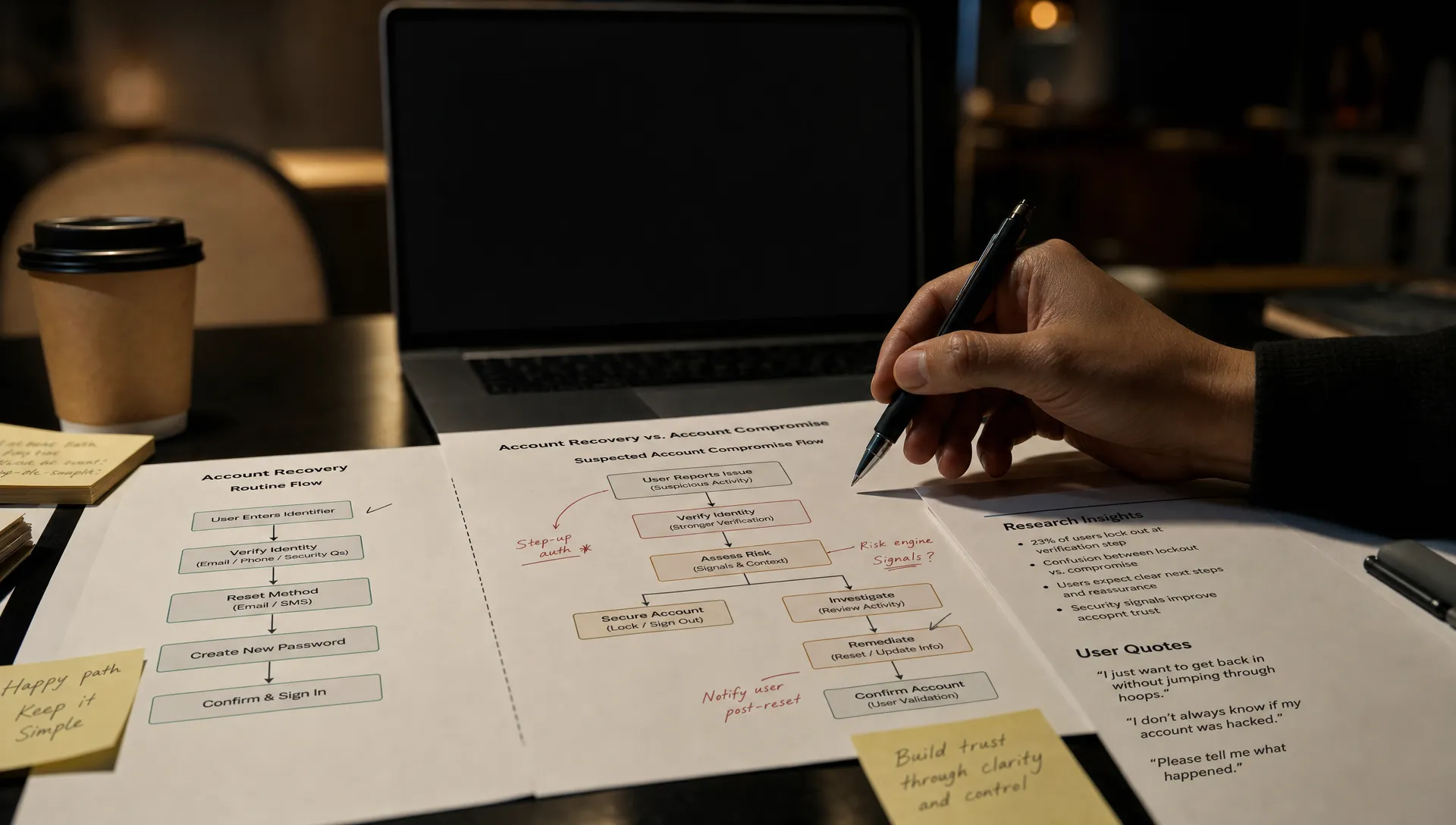
| Help someone regain access | Investigate suspected account compromise | Verification requirements before recovery |
| Write a customer reply | Explain why access remains restricted | A clear boundary rather than a recovery promise |
The diagnostic question is not whether the outputs look different. It is whether the differences that should change the product’s behavior survive.
1. Product design with AI turns research disagreements into consensus
Your synthesis says, “Support agents want faster resolution.” The underlying interviews contain something harder: some agents want fewer steps, while others need more evidence before taking action. The summary has converted a conflict into a shared preference.
That matters because the team now designs for speed as if everyone means the same thing by it. A minority need can disappear even when it represents a high-stakes task rather than an unusual preference. The resulting design may serve the most common request while blocking another legitimate job.
Test this by tracing one design decision back through the synthesis to the original research. Can you identify who wanted it, under what conditions and which observations contradicted it? If the summary cannot answer those questions, it is not a sufficient basis for that decision.
Keep conflicting findings attached to their context. Separate observed behavior, participant interpretation and the team’s inference. Before generating concepts, write down which differences would require a different workflow. You do not need to preserve every comment, but you do need to preserve consequential disagreement.
2. Different jobs enter the same generated workflow
The prototype looks complete: describe the issue, generate a response, approve it and send. But that sequence assumes the user already knows that responding is the right next action.
Product design with AI starts flattening intent when a plausible workflow becomes the default for every job. Investigating suspicious activity, restoring access and explaining a restriction may all begin with the same customer message. They should not automatically end with the same action.
Run a matched-input test. Give participants the same message but different task briefs. Ask one to resolve a routine issue and another to investigate a possible compromise. Observe where each needs to diverge. If both must fight the same flow, the design has encoded an assumption about their goal.
Expose the decision that changes the workflow, not a long questionnaire. That might mean choosing “resolve” or “investigate” before drafting. Carry that choice into the available actions and review requirements. This is a reason to improve AI design defaults, rather than adding another open-ended prompt field.
3. Polished output removes the user’s conditions
An agent asks for a concise reply that does not promise a refund. The result is friendly and readable, but includes “We’ll make this right with a full refund.” Another asks for a tentative explanation, and the output turns it into a confident conclusion.
These are not merely tone problems. The output has changed what the user is committing to. A review focused on fluency can miss that change because the sentence sounds better than the rough instruction.
For product design with AI, quality review needs a separate check for whether the output preserves the user’s constraints. Before generating, record the intended outcome and the conditions that must survive. Then assess those conditions independently from readability. “Clear writing” and “no unauthorized promise” are different criteria.
Test with contrasting instructions that should produce different commitments. Ask reviewers to identify what the user meant, not just whether they like the result. Where consequences matter, use verification patterns that make checking faster, such as keeping the original instruction beside the draft and highlighting consequential changes.
4. Corrections fix one detail and erase another
A user says, “Make this shorter.” The next version drops the restriction they previously added. They restore the restriction, then lose the requested tone. Each local improvement makes another part of the result less suitable.
The correction loop is where product design with AI either preserves a user’s priorities or replaces them. If every revision treats the latest instruction as the whole task, the user has to keep restating their intent. Eventually, editing outside the product becomes easier.
Test a sequence of corrections rather than a single revision. Start with an explicit constraint, request two unrelated changes and check whether the original constraint remains intact. Record which correction caused it to disappear. This reveals a failure that a first-output review will not catch.
Design revisions around bounded changes. Let users target a passage or property, preserve confirmed constraints and compare versions. If a new request conflicts with an earlier requirement, surface that conflict instead of silently choosing. The important outcome is not fewer edits; it is edits that accumulate without undoing prior decisions.
5. Aggregate metrics reward the generic path
Generation rate rises. Acceptance looks healthy. Yet agents handling unusual or high-stakes cases keep copying drafts elsewhere, restarting sessions or abandoning the feature. A single acceptance metric can conceal those different outcomes.
To evaluate product design with AI, compare outcomes within meaningful intent groups. Routine recovery and suspected compromise should not be treated as interchangeable tasks just because both use the same feature. Segment by the job users are trying to complete, not only their role or account tier.
Track what happens after acceptance: material edits, reopened work, changed decisions and completion of the intended task. Inspect a sample of accepted outputs for lost constraints. Acceptance is an action, not proof that the user’s goal survived.
Look at return use when the same job recurs. A feature used for rare investigations should not be judged by daily usage. Conversely, repeated generation during one session may reflect unresolved intent rather than value. Your measurement should distinguish productive reuse from repeated attempts to get the product to understand the task.
Frequently asked questions
Does preserving intent require a separate interface for every use case? No. Shared components are fine. Separate the decisions that change permissions, required evidence, commitments or next actions. Keep superficial differences within the same flow.
How do we distinguish unclear instructions from a design failure? Ask users to state their goal before using the feature. Compare that statement with what the interface captures and the output preserves. If the goal is clear before interaction but disappears afterward, inspect the product’s assumptions.
Start with one intent-preservation review
Choose one workflow with accepted output but weak downstream completion. Select three cases that look similar yet require different outcomes. Trace each through research, task framing, generation, correction and handoff. Fix the earliest point where a consequential difference disappears.
If the break is still unclear, use the free adoption Triage tool. For a deeper diagnostic process, the AI Product Adoption Deck provides 12 diagnostics, 80 action cards across 10 stacks and 12 workshops. Use the diagnosis to choose one product decision to test, not another round of undirected generation.